

ITdaily tests three transcription tools of European origin. Which one doesn’t put words in our mouths?
Transcribing text is a time-consuming but common task. Not only in the business world for interviews or meetings, but also in the legal and medical sectors, conversations are regularly recorded and transcribed. A reliable transcription tool is then no unnecessary luxury. With the emphasis on reliable, because in our search, one aspect is extremely important: European-made.
ITdaily got to work with three European transcription tools: the Danish Good Tape, French Gladia, and Dutch Amberscript. Which tool comes out on top in our test?
Language proficiency
One of the most important features of a transcription tool is its language skills. Good Tape and Gladia support more than a hundred languages, and Amberscript also documents over 90 languages. Quantity is one thing, but in terms of quality, we notice varying results.
We take a closer look at some of the most ‘popular’ languages, such as English and Dutch. Good Tape scores moderately on the language test in Dutch and English, with several spelling errors. Furthermore, Good Tape has the less desirable trait of refining transcripts itself and sometimes filtering out important details.
Gladia also falls short and is less accurate in Dutch. The difference in quality between a ‘popular’ language (English) and a less popular language (Dutch) is significant. Moreover, transcribing takes a lot of time and contains multiple errors. Amberscript, on the other hand, excels linguistically and scores best in the test, though we expected nothing less from a Dutch company.
Unfiltered
Besides correct spelling, how faithfully a tool renders the conversation also counts. Especially in critical sectors, such as legal interrogations or medical consultations, every detail can be important. A transcript should put the actual conversation on paper as accurately as possible, including silences, hesitations, stutters, or laughter. These elements can strongly influence the tone of an article or report.
On this point, Good Tape disappoints us. The tool largely filters out details like ‘umms’ and ‘yeahs’, making the transcript look cleaner and ready for use at first glance. However, a detailed check reveals that this refinement leaves out crucial nuances.

Gladia does the opposite and neatly includes the ‘umms’ in the transcript. The tool even goes a step further with a sentiment analysis that maps the atmosphere of the conversation in a graph, although in Dutch, this seems to go in all directions. Amberscript keeps the transcript complete and correct. We only miss the ability to add notes or comments to those markers.
Clear interface
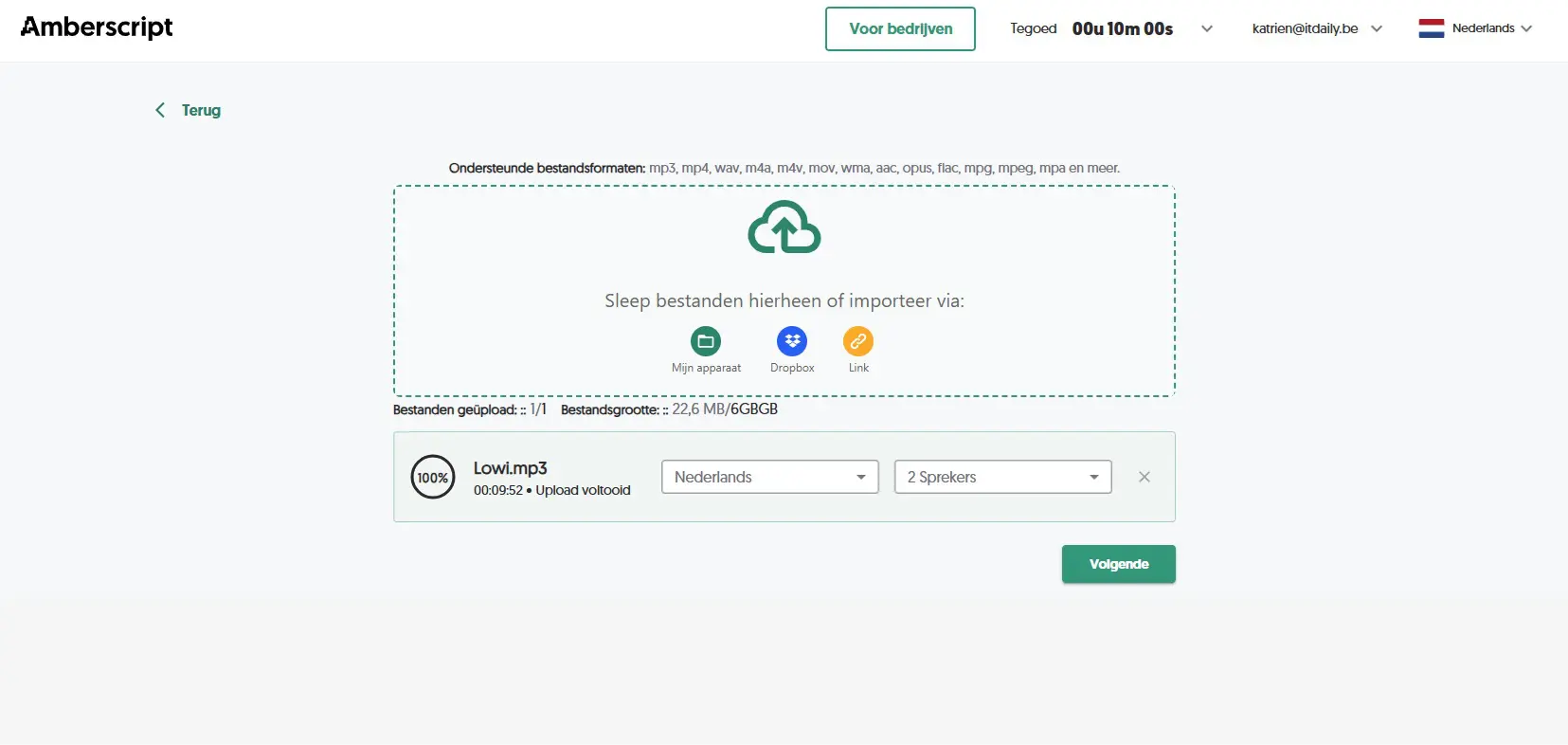
To transcribe a text, we like to keep it simple. Upload the file, click a button, and the result rolls out. The three tools meet these expectations and offer a clear interface.
The transcripts are easy to manage and organize into folders. Additionally, you can automatically assign speakers or make changes to a text. Amberscript goes a bit further with functions to adjust start time, length, and speed.

One point of attention is the supported file formats. Amberscript accepts almost everything, from mp3 and mp4 to wav, m4a, m4v, and mov. This is a plus, as recordings via Microsoft Teams or a recorder usually result in an mp3 or mp4, while an audio file from an iPhone will typically be in m4a. Good Tape also supports common formats. Gladia does not offer mp4 support, requiring an extra conversion step.
Those looking for deeper integration can use an API for all three tools, although the approach varies significantly. Gladia is by far the most developer-focused, featuring a developer-first API that works both asynchronously and in real-time and can be integrated into video meetings, for instance.
Good Tape and Amberscript offer an API on request, via email and a form respectively. None of the three offer a ready-made Microsoft Teams connector: anyone wanting transcription directly in Teams will have to rely on custom work.
Price tag
Quality naturally comes with a price tag, although most models are in line with each other in terms of pricing. All three tools offer a free version, though you won’t get very far with them. Good Tape offers three free transcripts, Amberscript only ten minutes. Gladia is generous and offers up to ten hours of free transcription.
We find the cheapest entry-level model at Good Tape at sixteen euros per month with annual billing, good for 20 hours of transcription. This means you pay 80 cents per hour. Amberscript charges nineteen euros per month for the basic model. For that, you can only transcribe five hours per month, which amounts to 3.8 euros per hour.
Gladia uses only a pay-as-you-go policy, where you pay per use. For the entry-level model, this amounts to a starting price of 0.61 dollars per hour. Depending on how often you need a tool and how long the texts are, the price can therefore add up.
European-made
The common thread throughout this test is the European approach. Good Tape developed its own model that runs exclusively on GDPR-compliant European servers and never trains its models on user recordings or data. Amberscript focuses heavily on certification: the platform is GDPR-compliant, ISO 27001 and ISO 9001 certified, and carries the TPN quality mark for data security, with data processing and storage on EU servers.
Gladia promises one hundred percent data residency in Europe and is expected to be acquired by the French cloud provider OVHcloud. The only minimal non-European trait is that its own Solaria models are built on Whisper, OpenAI’s open-source audio model. With this, each of the three tools keeps your data neatly within European borders, which remains the most important argument for sensitive conversations.
Verdict: quality over quantity
Quality comes at a price, and that also applies to transcription tools in this case. Although Amberscript is significantly more expensive than the other tools, there are some important features we are happy to pay extra for. The correct Dutch translation and easy conversion between other languages, the extensive file options, and the simple interface make us lean more towards the Dutch transcription tool.
ITdaily tests European and open-source alternatives to popular American software tools we use daily. Want to discover more European software? Through This overview is where you can find all reviews.