

The Dutch transcription company Amberscript combines AI transcription with a human layer of quality control.
Transcribing and analyzing text is a common task across various sectors. Think of interviews for journalists, reports for medical consultations, or legal documents. Transcription tools offer a one-click solution for this time-consuming process.
We are testing European alternatives to various transcription tools that are indispensable in our newsroom. Our listening ear previously analyzed the Danish Good Tape and French Gladia; now it’s the turn of the Dutch Amberscript.
Mother tongue
Amberscript was founded in Amsterdam in December 2017, with its first product being a speech-to-text function in Dutch. A manual transcription and subtitling service followed in 2018. Today, the company offers more than 90 different languages, automatic and professional transcriptions, and subtitling.
A first plus point: the company is based in the Netherlands. As journalists, we regularly process Dutch-language transcripts. We therefore expect the quality of the Dutch tool to be high, especially compared to Gladia, which scored slightly lower on our native language.
During an initial test in Amberscript, we noticed that the Dutch transcription is very accurate. On the language test, the tool already scores a ten out of ten.
Automatic versus professional
Amberscript offers two possibilities for transcription. You can have audio files transcribed automatically, or hire a human professional. For our field of application, namely transcribing interviews, automatic transcription is sufficient.
Straightforward
The tool is straightforward. You click ‘Upload file’ and then choose between various file formats, such as mp3, mp4, wav, m4a, m4v, mov, and many more. This is an important advantage: transcripts are often recorded via Microsoft Teams or a recorder, resulting in an mp3 or mp4 format.
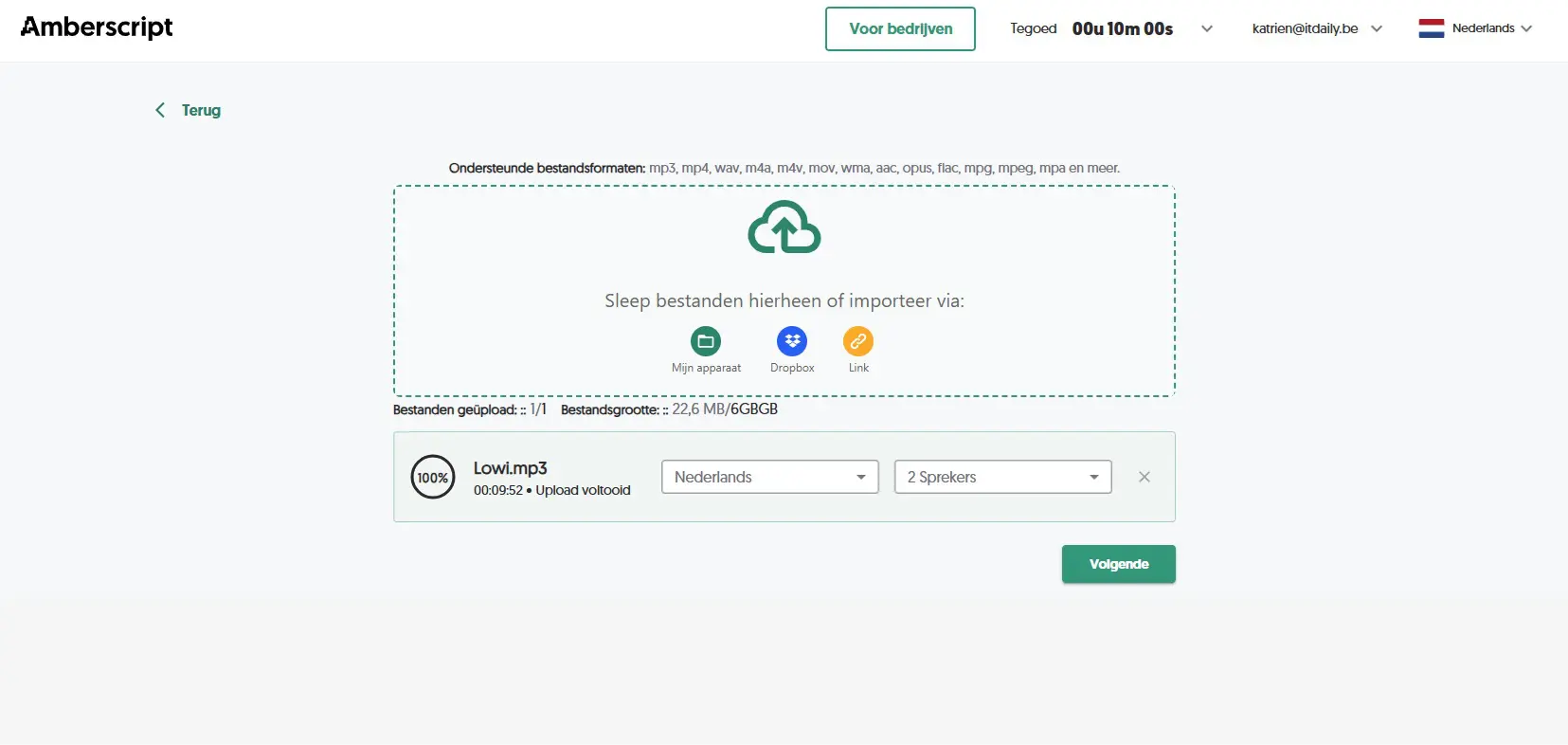
Once the file is loaded, you receive a notification via email that it is ready in the editor. This dashboard is also very clear. At the top of the menu, you can change the start time, length, or speed. You can also fast-forward or rewind in the transcript. Furthermore, you have the option to automatically assign speakers or add extra speakers.
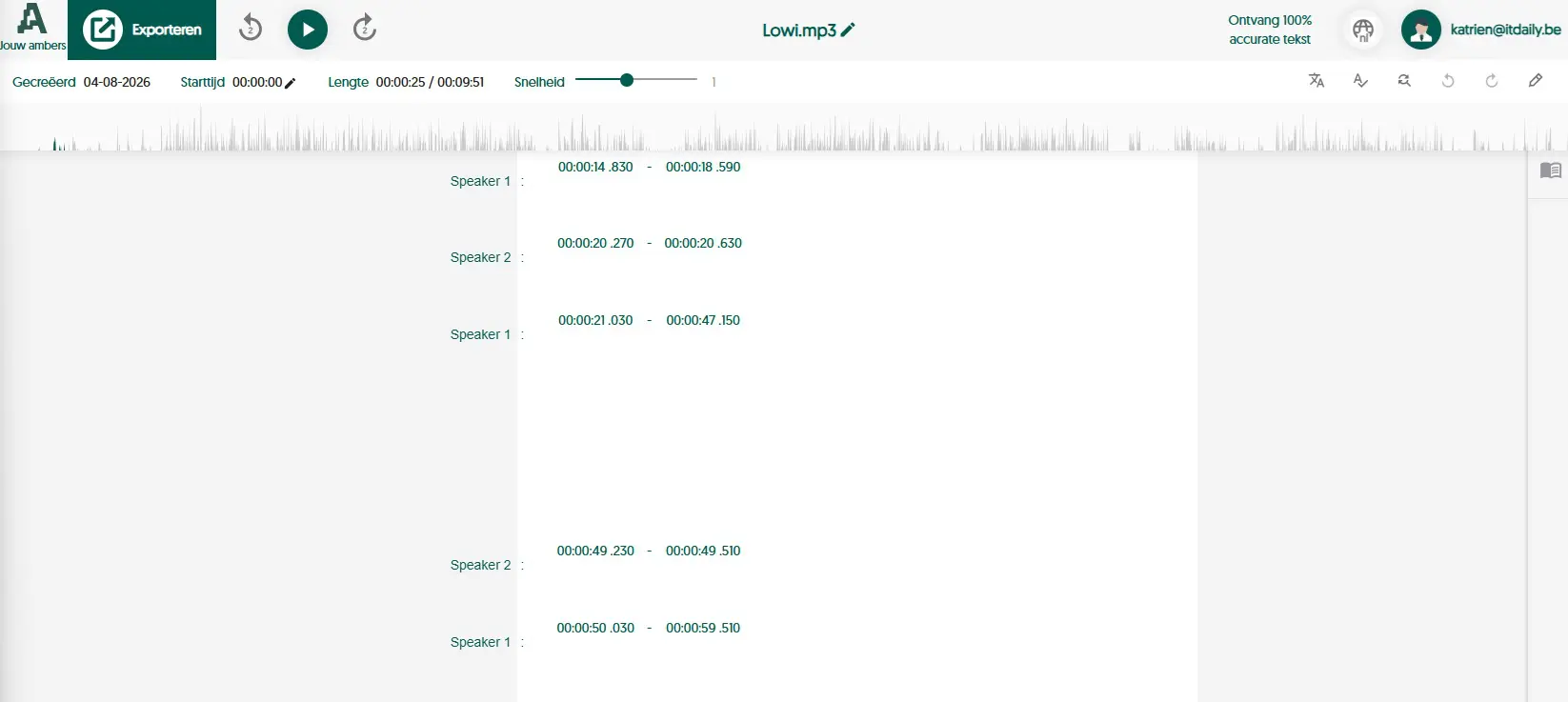
Furthermore, you can also highlight important passages in the text, or change or replace words throughout the entire document. One small detail we miss here is the ability to add notes or comments to highlighted passages.
Translate
In addition, you can have your texts translated within the dashboard. Once you have selected a translation, a dropdown appears that allows you to easily switch between languages. This can be useful, for example, when you record an English conversation about a meeting, but the report is written in Dutch. This way, you can double-check certain statements in English.
Price per hour
For our test period, we used the ten free transcription minutes. If you really want to get started with the tool, you will need to purchase a subscription. The subscription is always based on the number of transcription hours. The Starter package amounts to 19 euros per month and includes 300 minutes. The Pro subscription offers 600 minutes for 29 euros per month, and the Power subscription (49 euros/month) includes 1,500 minutes of transcription.
To give you an idea: the Starter subscription works out to 3.8 euros per hour. This includes features such as 90+ languages, automatic speaker identification, and editing options. But also:
- Export transcriptions in Word, JSON, TXT, CSV
- Export subtitles in SRT, VTT, EBU-STL and more
- ISO27001 & ISO9001 certified
- Data processing and storage on EU servers in accordance with GDPR
The price of the entry-level subscription (Starter) is slightly higher compared to other tools we examined. For example, the monthly amount for the cheapest subscription at Notta is 11.69 euros, and for Good Tape, it is 16 euros.
Dutch standout
In addition to the quality of the transcript, we also aim for a European approach. Amberscript promises secure data processing. For instance, the platform complies with GDPR, is ISO27001 and ISO9001 certified, and has the TPN quality mark for excellent data security.
This Amsterdam-based transcription tool has all the features needed to transcribe and process interviews. The subscriptions are somewhat on the expensive side, but you get local quality in return.
Pros
- Accurate transcriptions (Dutch)
- User-friendly & clear
- Real-time translation
Cons
- Slightly more expensive
- Notes not possible
ITdaily tests European and open-source alternatives to popular American software tools we use daily. Want to discover more European software? Through this overview you can find all reviews.