

In our search for European alternatives for the editorial team, we take a closer look at the transcription tool Good Tape. Can it beat our current (non-European) tool?
Transcription tools are indispensable for journalists to convert interviews or press conferences into accurate, usable text. Such tools are also relevant within the legal, medical, or research sectors.
In our search for European alternatives to the tools our editorial team uses, we delved into the range of European transcription tools. Currently, we rely on tools like Notta or Otter, which unfortunately operate outside of Europe, but do meet our quality requirements.
We are testing various transcription tools to see if a European variant can beat our current (Japanese and American) tools. Today, it’s the turn of Good Tape from Denmark.
European transcription
We start our trial period with the free Danish Good Tape variant. This allows us to perform three one-hour transcriptions per month. Sufficient for our testing period, but not enough to meet our needs for daily use.

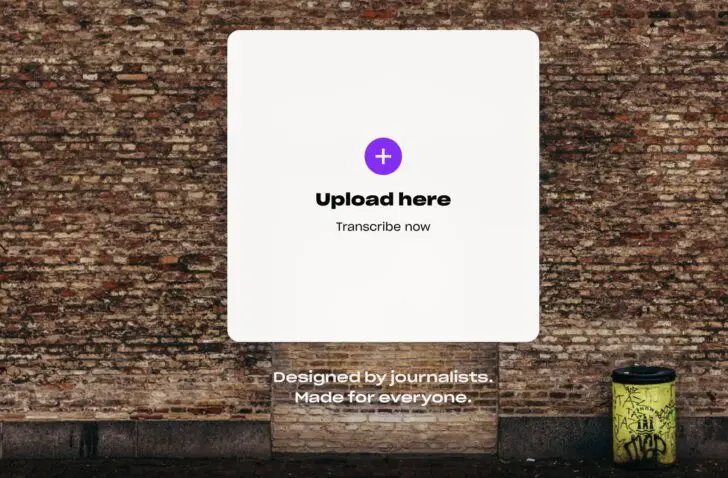
The dashboard of the free version is straightforward: a button to upload your audio file, folders to organize your files, and several essential functions in the top right such as copy, edit, or download. The latter is available in various formats, including .docx, .srt, .txt, and PDF.
That is a good, clear start, but we are missing some functionalities such as adding speakers, highlights, or comments. Another disadvantage of the free version: transcribing takes a lot of time. Our 22-minute audio file was placed in a queue and took about an hour before the text appeared on our screen. That alone makes us look longingly at the Pro version, which we will come back to later.
Good Tape versus Notta
Filtered ‘ums’
To put it to the test, we had the same audio file transcribed by two different tools. On the one hand, our trusted but non-European tool Notta, and on the other, the Danish Good Tape.
In the Good Tape transcript, it is immediately noticeable that there are few to no ‘ums’, ‘uh-huhs’, or ‘yeses’ to be found. With Notta, on the other hand, every ‘mumble’ is accurately recorded in the text.
At first glance, the Good Tape text seems better because it looks like ready-to-use text with full sentences. However, when we look in detail, Good Tape’s refinement also causes crucial elements to go missing.
A transcript should represent the actual conversation on paper as accurately as possible, and that includes important details such as silence, hesitation, or laughter. This can strongly influence the tone of your article.
(Phonetically) correct?
Typos or spelling errors can always be found in a transcript, although it is a plus if the basics are correct. When you search for a passage in the conversation based on a specific keyword, it helps if the word is spelled correctly.
For example, the word ‘velcro’ is spelled correctly in our test transcript by Notta, while Good Tape turned it into ‘velkro’. Another example: Notta records the word ‘fervent’ correctly, while Good Tape makes it ‘vervent’. The handy thing about Good Tape is that you can immediately adjust the word in the text with one simple click.
Such errors can also depend on the quality of the audio file. Although the audio file was of fairly good quality, Good Tape had a bit more trouble with it than Notta.
Pro version?
In addition to the free version, Good Tape also offers a Pro version, which is likely the preferred choice. The free variant is very limited in terms of functionality, certainly for journalists but also for other purposes.
Within the Pro version, you get 20 transcriptions per month with no length limits, speaker labels, AI summaries, smart searches, bulk uploads, notes, unlimited storage, more than 100 supported languages, and a DPA. The Pro version costs 16 euros per month (billed annually).

As a journalist, I wouldn’t stick with the free version. Features like unlimited file length, labels, or notes are indispensable for processing a transcript efficiently.
Data security
As journalists, we work with sensitive information, confidential sources, or embargoes. Data must therefore be handled securely and discreetly. Good Tape takes this seriously.
They developed an in-house model that runs exclusively on GDPR-compliant European servers. Furthermore, the AI models are never trained on user recordings or data.
Verdict
Anyone who wants to quickly get a clearly readable overview of an audio recording will certainly be satisfied with Good Tape’s full-sentence approach. For journalistic purposes, the smallest details are important, so it is a pity that these are filtered out.
Pros
- GDPR-compliant EU servers
- Clear dashboard
Cons
- Details filtered out
- Limited free version
ITdaily tests European and open-source alternatives to popular American software tools that we use daily. Want to discover more European software? You can find all reviews via this overview.