


Qnap adds local AI search functionality to Qsirch: search documents, photos, videos, and audio on NAS devices.
Qnap is releasing an AI mode for its search application Qsirch. Thanks to a combination of a vision language model and a large language model, users can search documents, photos, videos, and audio using natural language, entirely locally on the NAS. Qsirch is Qnap’s built-in search application for its network storage devices.
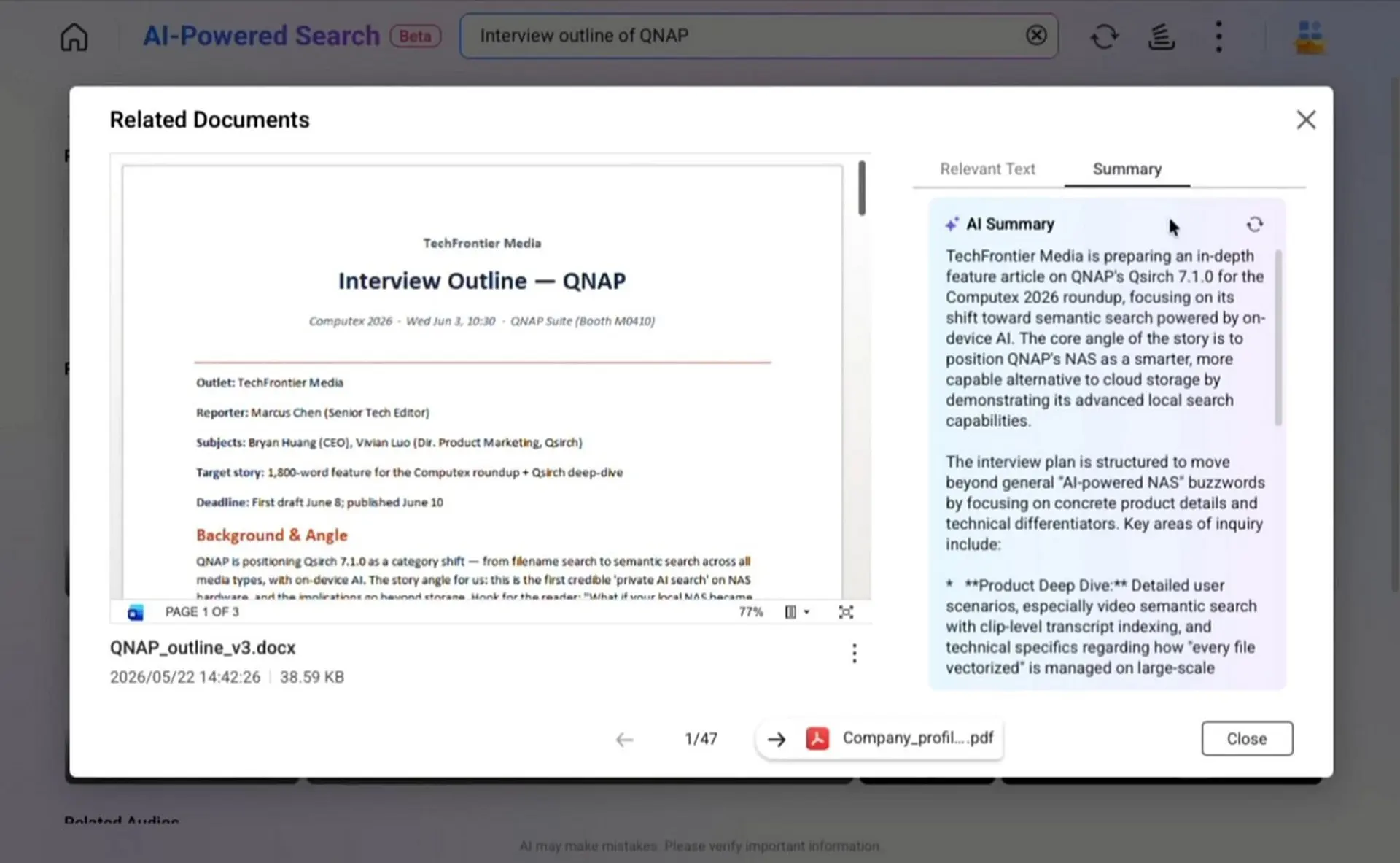
With the new AI mode, available via Qsirch 7.1.0, the company aims to improve the way users find files. Instead of using exact keywords, the AI can understand the context of a search query.
4 media formats
The new search function works across four categories. For documents such as PDF, DOCX, and PPTX, local AI understands the meaning of a text, allowing users to find specific passages without knowing exact words. For images, a local vision language model (VLM) processes the content of photos, so users no longer need to create albums or add tags.
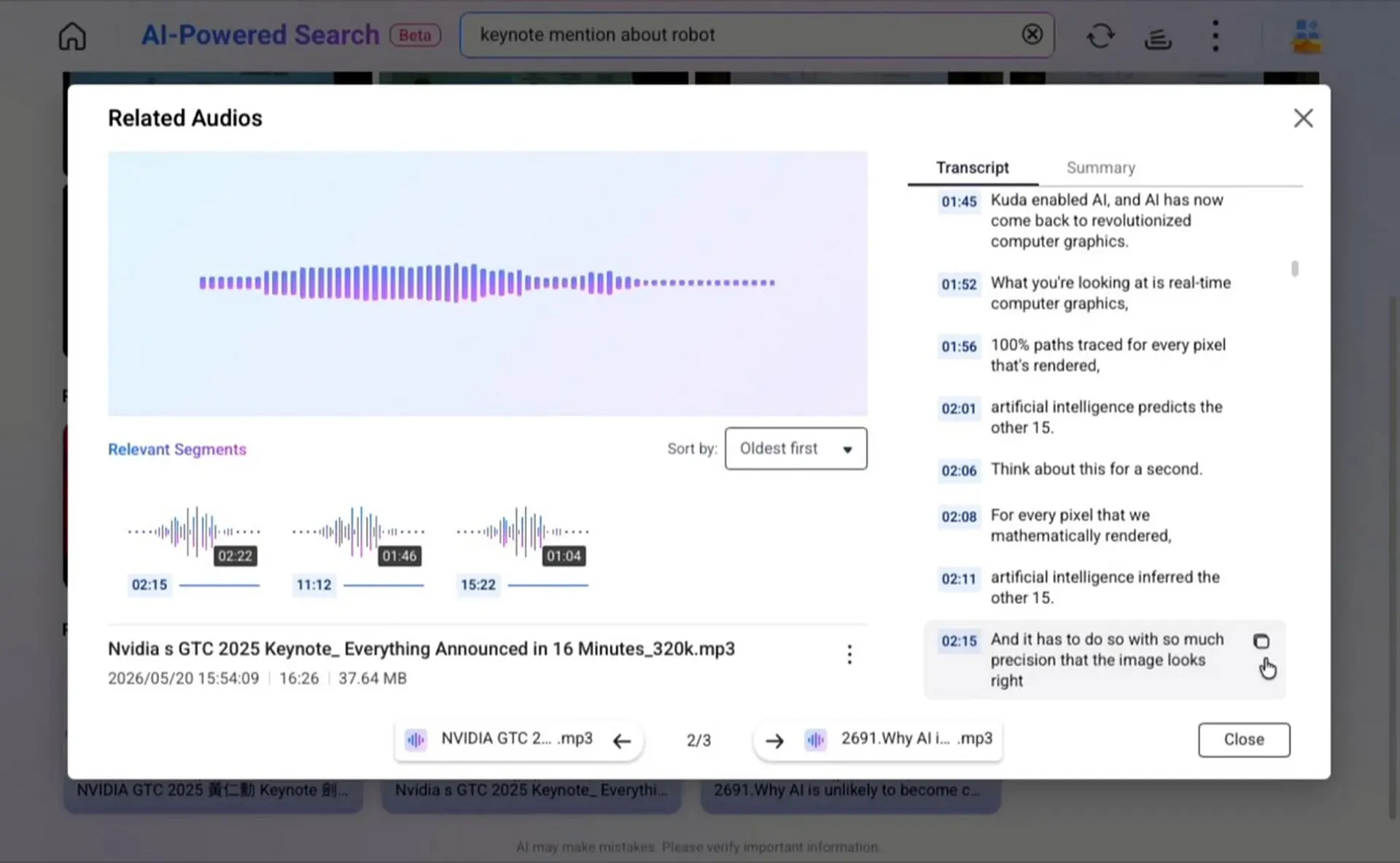
For videos such as MP4 and MOV and audio files such as WAV, MP3, and M4A, Qnap provides synchronization between timeline and transcript. Users can find a moment based on a dialogue fragment they remember and jump immediately to that exact time, without having to fast-forward through long recordings.
Local processing
Qnap emphasizes that all AI processing takes place locally on the NAS device. However, this comes with a significant caveat. To run the necessary models locally, the NAS in question must be equipped with a local GPU with at least 16 GB of VRAM. Such a GPU is not standard in most Qnap NAS models. A device such as the recently launched QAI-h1290FX is suitable.
Furthermore, the search function respects existing shared folder permissions on the NAS, ensuring users only access files they are authorized to view. Qsirch 7.1.0 is now available via the Qnap App Center.