

OpenAI has launched a new AI image generator. Is ChatGPT Images 2.0 truly better than its predecessor, and how does the model perform compared to Google’s Nano Banana 2?
On Tuesday, OpenAI unveiled ChatGPT Images 2.0. This is the latest version of the image generation model and succeeds Image 1.5. We previously took a close look at Images 2.0, but how good is it really in practice?
We are putting ChatGPT Images 2.0 to the test with five trials, comparing it with its predecessor and Google’s Nano Banana 2 model. For this, we are using the API versions of the models.
ChatGPT Images 2.0 vs Image 1.5 vs Google Nano Banana 2
Test 1: Realistic photo
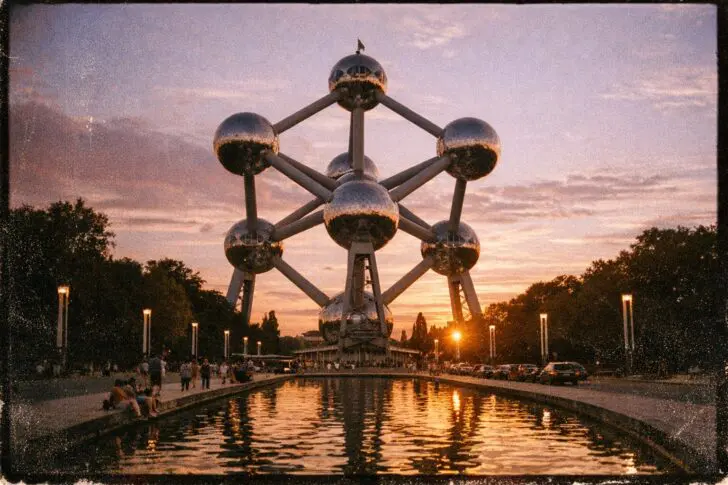
In the first test, we ask the models to create the most realistic photo possible of a Belgian icon: the Atomium. OpenAI claims that its latest image model can capture the real world so well that you can hardly tell it’s an AI image. As an extra challenge, we ask it to mimic the style of an analog camera.
This is the exact prompt: “Create a realistic photo of the Atomium in Brussels at sunset, mimicking the style of an analog camera.” Click on the images to view them in full resolution.
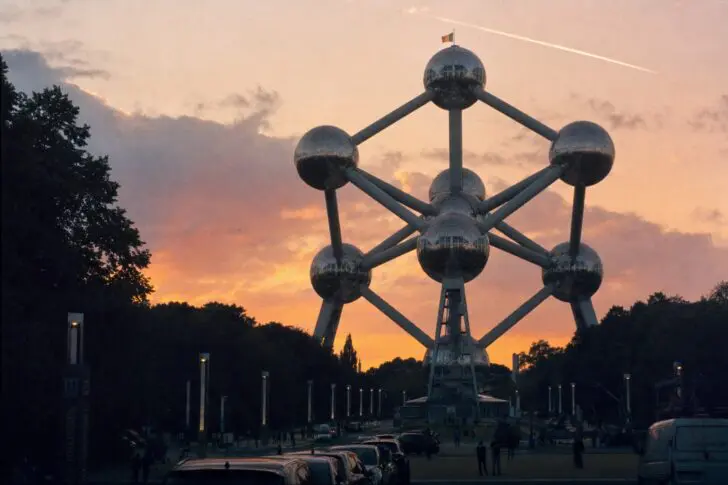
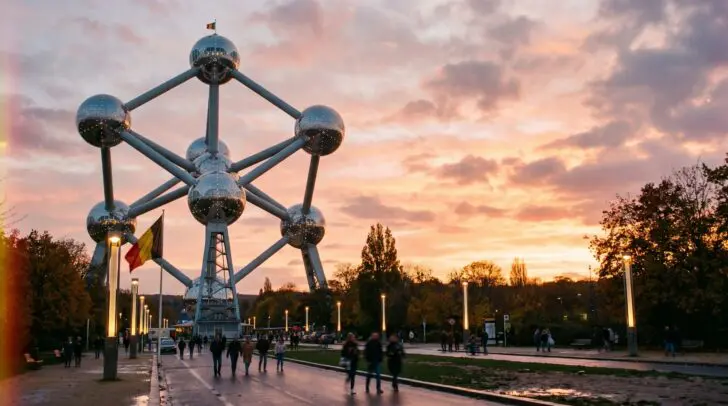
The task was to create a realistic photo, and we feel ChatGPT Images 2 does this best. At first glance, this could be a photo you’d take of the Atomium yourself. Nano Banana creates the sharpest image, but it feels just a bit too ‘polished’, partly due to the addition of a Belgian flag in the foreground.
Image 1.5 is the only one that goes all-in on the retro look. Beautiful from an aesthetic point of view, but the model urgently needs to look at more photos of the Atomium. The photo adds a pond that doesn’t exist in reality.
Test 2: Infographic
One of the new capabilities where ChatGPT Images 2 is supposed to stand out is the ability to add text to images. With this model, you should be able to create extensive infographics and slides. We ask the models to create an infographic about giant pandas. This task is about combining accurate and complete information in a template that is visually appealing and clear.
Prompt: Create an infographic about giant pandas. Choose a visual style that fits the subject. Click on the images to view them in full resolution.
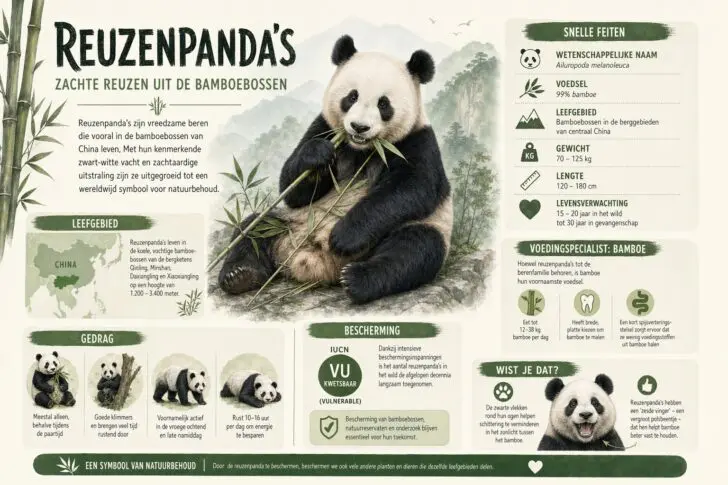
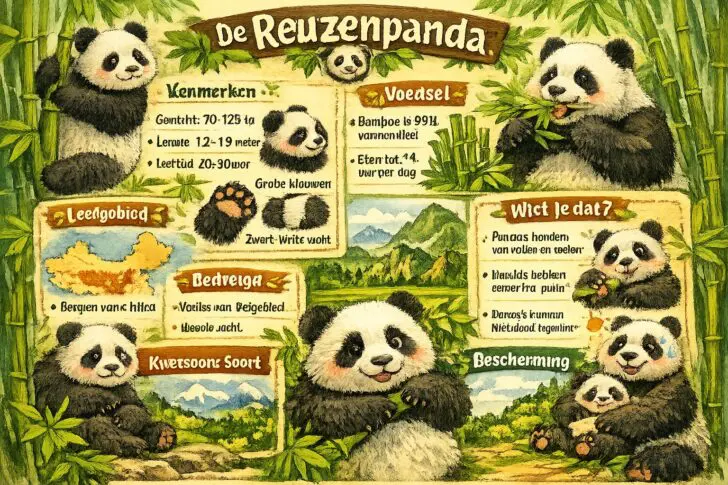
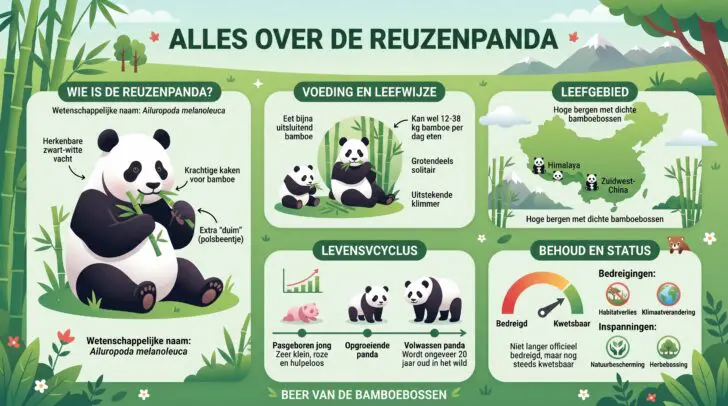
The contrast between Images 2.0 and Image 1.5 is clearly visible. Not only does the infographic from Imagen 2 look much more professional visually, but the image also contains a lot of information that is easily readable and structured. The Imagen 1.5 model fails to process text and makes the animals look like they came out of a children’s book.
Nano Banana 2 comes quite close to Images 2.0: the infographic is orderly and structured, and every visual element adds value. It only contains one small error in the text.
Test 3: Comic strip
The ability to process more text should enable you to even create comic strips with Images 2, in various languages. In the third test, we have the models draw a short comic. The models are free to determine their own storyline and drawing style.
Prompt: “Create a comic strip featuring a dog, cat, and duck in an office environment. The dog speaks Dutch, the cat English, and the duck Korean. The strip must have four panels.”
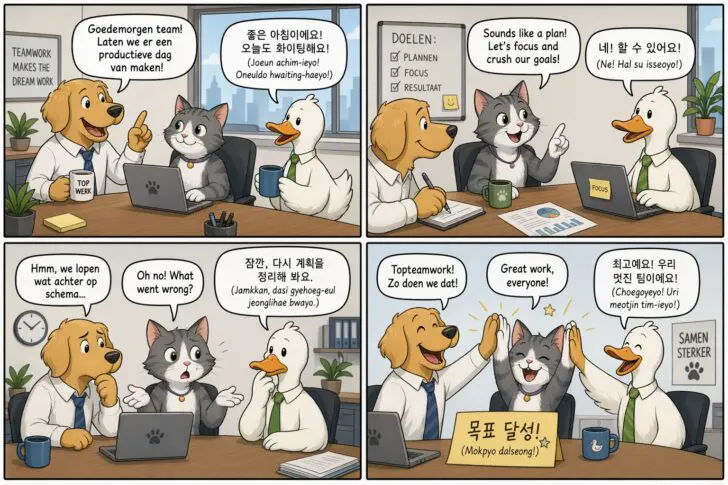
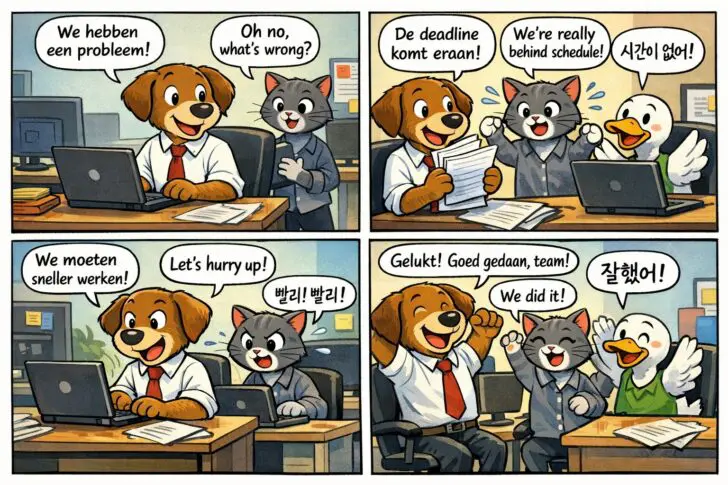
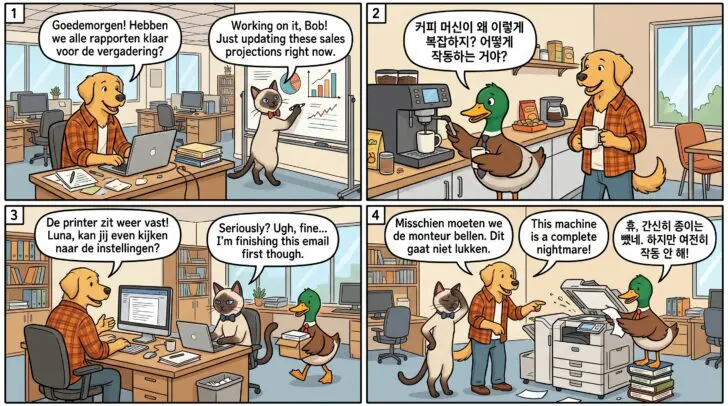
The three comic strips are amusing to read, and the sequence of drawings follows a logical progression. Our knowledge of Korean is a bit too limited to check the grammatical correctness of the text (if you spot an error, feel free to let us know). This test is about details, and Nano Banana 2 maintains slightly more consistency in the setting and the characters’ clothing throughout the story.
Neck and neck
ChatGPT Images 2.0 is a clear leap forward compared to its predecessor, especially with more complex visuals that involve a lot of text. The differences with Google Nano Banana 2 are much less pronounced.
In two of the three tests, OpenAI’s latest model emerged as the narrow winner, but it really came down to details, and a different prompt might have yielded a different result. There’s no accounting for taste. The conclusion is that there is plenty of choice today for those who want to generate high-quality images.
If we take economic motives into account, Google’s model offers the best value for money. The API costs are 2 cents lower per generated image. On a few images, that’s a minimal saving, but in the long run, it can make a significant difference.