
Although Synology has been selling NAS devices with backup functionality for many years, the company recently introduced ActiveProtect. In ActiveProtect, hardware and software come together with only one goal: secure backups without distraction. Why is that better?
Earlier this year, Synology launched ActiveProtect to the general public. ActiveProtect is the name for a solution that combines hardware and software. On the hardware side, you have various options, from a 2U storage server for a rack (the DP7400) to a desktop device that looks like a 2-bay NAS (
Not DSM, but Custom Software
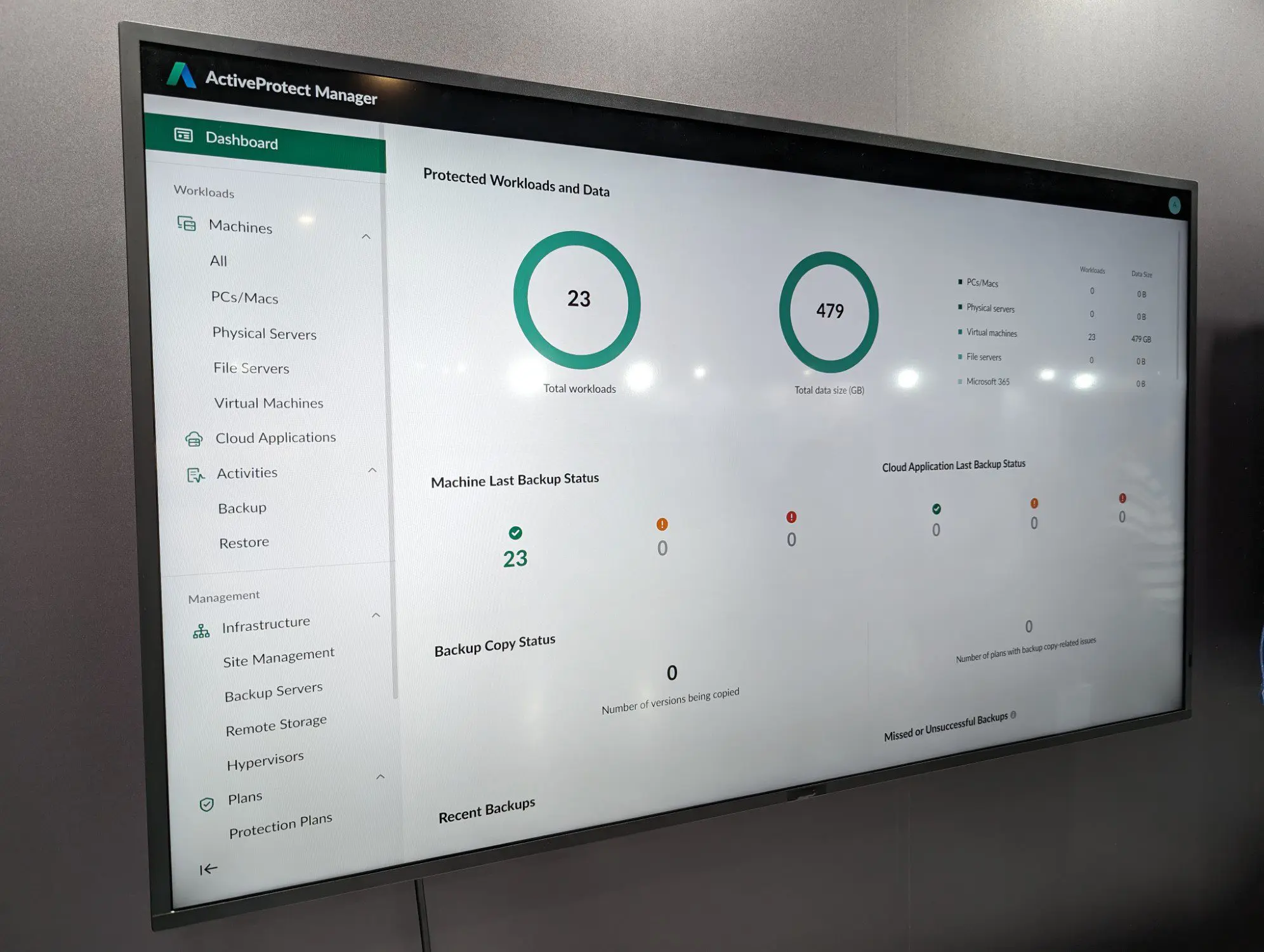
The hardware runs an operating system developed by Synology. It is not the popular DiskStation Manager (DSM), but the new ActiveProtect Manager. This software is specifically developed to support advanced backup functionality.
At first glance, this seems a bit redundant. After all, Synology’s DiskStation and RackStation storage servers already have built-in backup functionality. However, according to Synology, this is not sufficient for the backup needs of larger enterprises.
Targeted
Gento Pariente, Regional Marketing Manager Southern Europe and Benelux at Synology, clarifies the vision: “Backup based on DSM is versatile, but a standalone ActiveProtect device is optimized and focused on one single task: disaster recovery.”
“This is crucial for large enterprises because they need a tailored tool, not a shared system,” he continues. “ActiveProtect offers advantages that a multifunctional NAS cannot provide.”
Large enterprises need a tailored tool, not a shared system.
Gento Pariente, Regional Marketing Manager Southern Europe and Benelux, Synology
Pariente refers to targeted efficiency through the combination of hardware and an operating system specifically built for backups. ActiveProtect is developed with fast deduplication in mind, but also security tailored for backups through immutable storage and air-gap capabilities. Then there is the scalability that a dedicated backup device can offer: ActiveProtect can handle up to 150,000 workloads.
The interface of the ActiveProtect Manager is tailored for that use. The software includes features tailored for those enterprise-level backups, both for administrators and users. Think of a recovery portal where employees themselves get access, within the framework of policy and access rules.
Built on Experience
ActiveProtect did not come out of nowhere. Although DSM and its backup capabilities are not sufficiently targeted for large enterprises, Synology has built up a lot of expertise with it over the years.
Pariente: “ActiveProtect is not a project of the last two years, but the result of twenty years of experience in hardware and software engineering.” Synology decided to develop ActiveProtect based on demand from the enterprise market: a market that is becoming increasingly important for Synology.
Need for Backup Solution
“We saw a clear need to transition from our versatile, DSM-based solutions to a uniform, specially designed device for medium to large companies,” Pariente explains. “The goal was to simplify and centralize enterprise backups by integrating crucial features, such as source deduplication, air-gapped protection, and scalability, into a single, easy-to-manage platform, eliminating the need for IT teams to manage fragmented software and complex licenses.”
read also
Synology DP320 ActiveProtect Review: Laser Focus on Backups
ActiveProtect integrates the lessons Synology has learned during collaborations with large international companies. Pariente: “Although the launch of the final product was accompanied by intensive, dedicated development, the core technology behind ActiveProtect is rooted in our long-standing commitment to data protection.”
Completely within its Own Ecosystem
Because Synology has a total solution in mind with ActiveProtect, the devices are only available with the manufacturer’s own storage. The DP320, for example, comes with two 8 TB HAT3310 drives. This solution is suitable for smaller teams or companies.
The DP7400 rack server, on the other hand, has space for ten 20 TB HDDs from Synology, along with two 2.5-inch SSDs. This device is powered by an AMD Epyc 7272 server chip and has 64 GB of RAM on board. Synology provides two 10 GbE ports and one classic 1 GbE connection for management. The DP320 also has such a management port. This illustrates how the hardware is designed to meet specific backup needs.
Two Faces
On the software side, ActiveProtect has two faces. The ActiveProtect Manager itself is a web interface where you can manage the backups yourself. It is behind port 443. Behind port 5001 is an interface tailored for administrators, which will seem familiar to anyone who has worked with DSM before. Here, administrators can configure the device and the drives themselves. The separation of functionality ensures that backup management is separated from the management of the server itself.
read also
Not Mandatory, but more Reliable: why Synology Prefers its Own HDDs
Set and forget is the goal. Once ActiveProtect is set up, the intention is for users to essentially forget that the solution is active. The backups occur as set in the background, and when something goes wrong, ActiveProtect Manager is ready. In the meantime, administrators can check via the dashboard to ensure everything is running as planned.
Synology expects to appeal to many companies with ActiveProtect. The fact that the backup solution is so targeted should resonate with enterprises that want to protect their data locally. ActiveProtect will thus exist alongside the manufacturer’s NAS offerings, which are more intended for everyday storage use.
This article was created in collaboration with our partner Synology.