

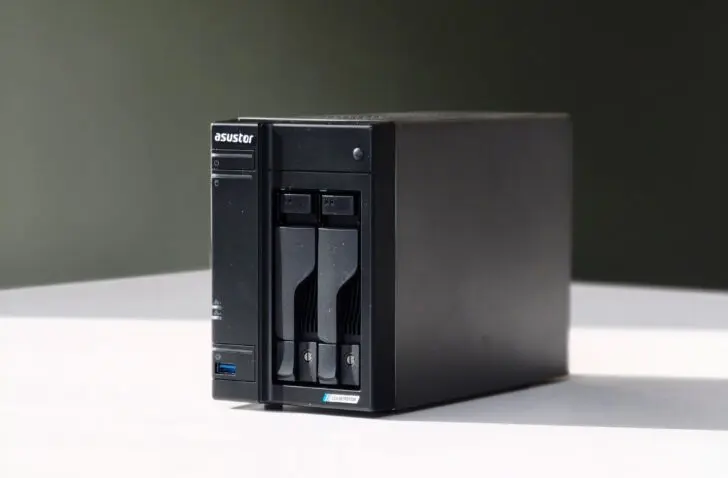
The Asustor Lockerstor 2 Gen 2+ is a 2-bay NAS that combines connectivity and performance with a user-friendly operating system and broad app support.
The Asustor Lockerstor 2 Gen 2+ (609 euros incl. VAT), AS6702T v2 for those in the know, is a classic-looking 2-bay NAS from Asustor, a subsidiary of Asus. As the name suggests, this is the second iteration of the device, following the standard Gen 2 from 2022.
Asustor has existed since 2011 and has since become an experienced player in the NAS market. Nevertheless, the company remains an underdog compared to its main competitors Synology (active since 2000) and Qnap (2004). Asustor confirms our suspicion that there is something in the water in Taiwan that promotes the manufacture of high-quality and user-friendly NAS devices. During our tests, this AS6702T v2 is in no way inferior to the competition.
5 GbE steals the show
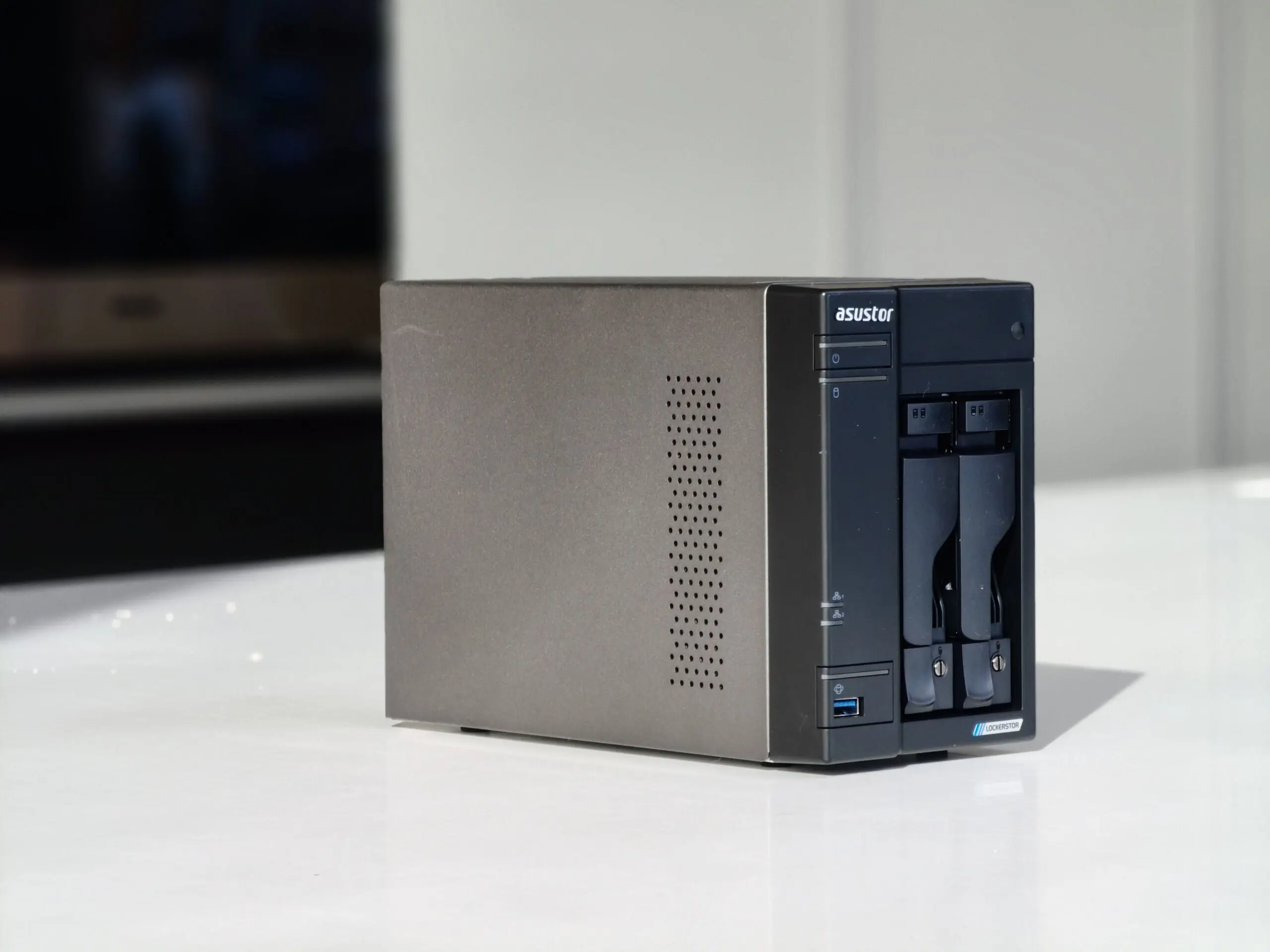
The Asustor Lockerstor 2 Gen 2+ looks like any other 2-bay NAS. Perhaps Asustor’s design language is slightly less flashy than that of, say, Synology, but who’s losing sleep over that?
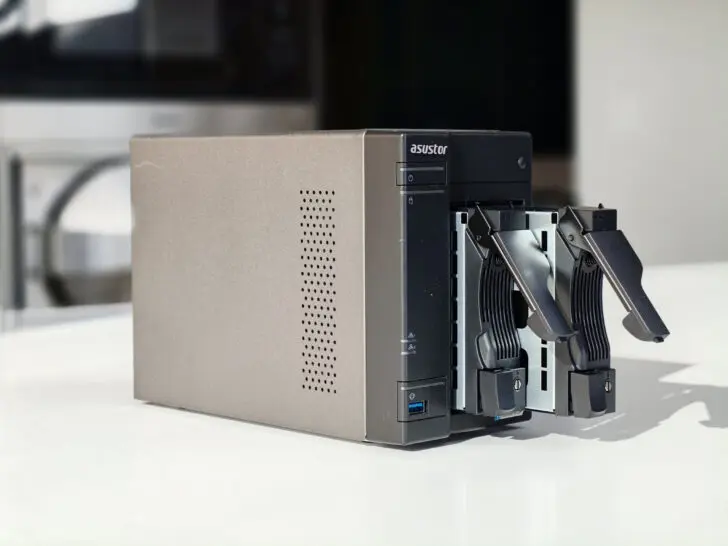
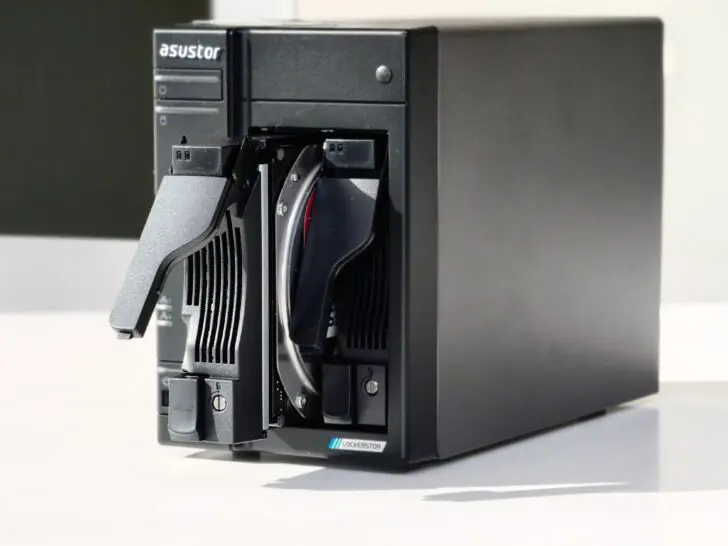
On the front of the NAS, we find the two removable HDD trays, alongside a power button, status lights, and a USB 3.2 Type-A port. Another such port is hidden at the back, above an older USB 2.0 connection and an HDMI port (for those who want to use the NAS as a Linux PC).
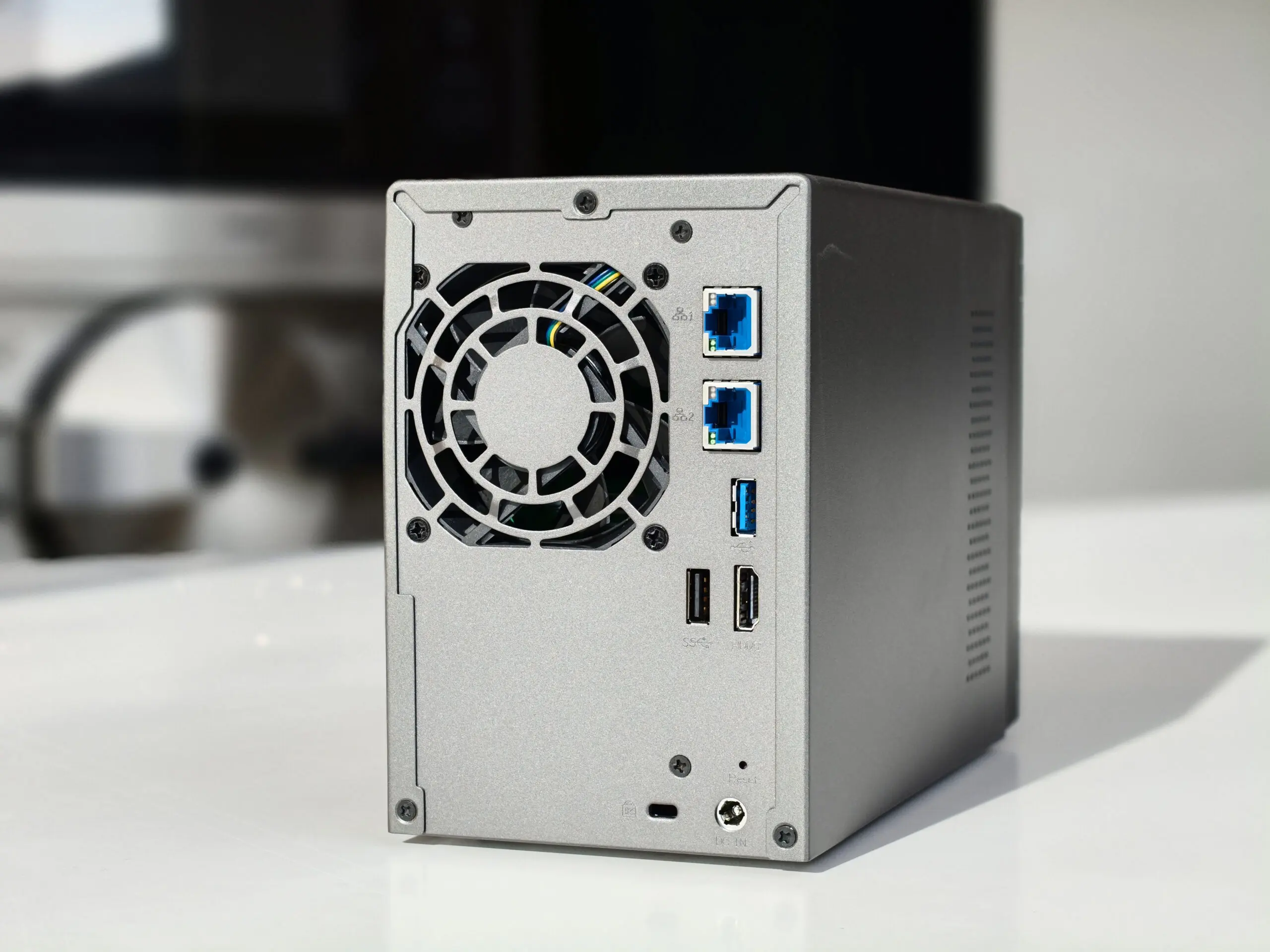
The major omission is USB-C. That is an immediate minor disadvantage, which Asustor compensates for with its first trump card. This relatively budget-friendly NAS model is equipped with two 5 GbE ports, which also support link aggregation. It goes without saying that the routers and switches in your network must also be able to handle this if you want to benefit from it.
This immediately distinguishes Asustor from the slightly cheaper Synology DS225+ (1 GbE + 2.5 GbE) and the more expensive Synology DS725+ with an identical RJ-45 configuration to its smaller brother. The Qnap TS-262A also cannot compete with its 2.5 GbE port. With the dual 5 GbE ports, Asustor shows that it is bringing this product to market with a mission: high performance in an entry-friendly context.
Start could be smoother
We are testing the Asustor Lockerstor 2 Gen 2+ with two 6 TB WD Red Pro drives. We have to mount these in the HDD trays using four screws each (included). This is simple, but less accessible than the click system used by Qnap and Synology.
The initialization process also runs a bit more stiffly than hoped. After connecting the NAS with HDDs to our network, we browse to acc.asustor.com as indicated. There, we have to download the Asustor Control Center (available for Windows and macOS). That tool is in a zip file. After extracting, we need to install the program. After that installation, an interface opens which, despite our complex corporate network, immediately detects the new NAS.
We’re not there yet: the tool does not contain a large button to start. We do see in red under status that the NAS is Uninitialized. Only when we click on that does the browser open to a web portal where we can start the actual installation. This could be simpler: with Synology, for example, it is sufficient to browse to a URL that automatically redirects to a new NAS on the network.
For those who want to avoid this obstacle course: if you know the IP address assigned to the NAS and browse to port 8000, you can skip the above hassle.
User-friendly wizard
Once we are launched, the contrast with the first steps is significant. The initialization interface is very user-friendly, even when we choose the Advanced Setup. There we can already select several things, such as the file system (ext4 and Btrfs are options; the latter is the only option for those who want to work with snapshots). Since this NAS only has two slots for HDDs, you can only choose between JBOD, Single (each drive as a separate volume), RAID 0, and RAID 1.
During the initialization wizard, Asustor further guides us in creating an Asustor ID. Link aggregation is also covered. After a few minutes, we arrive at the Asustor Data Master (ADM) interface: Asustor’s operating system for its NAS devices. There we face the final hurdle: an update that we felt could have been performed immediately during initialization.
Getting started quickly
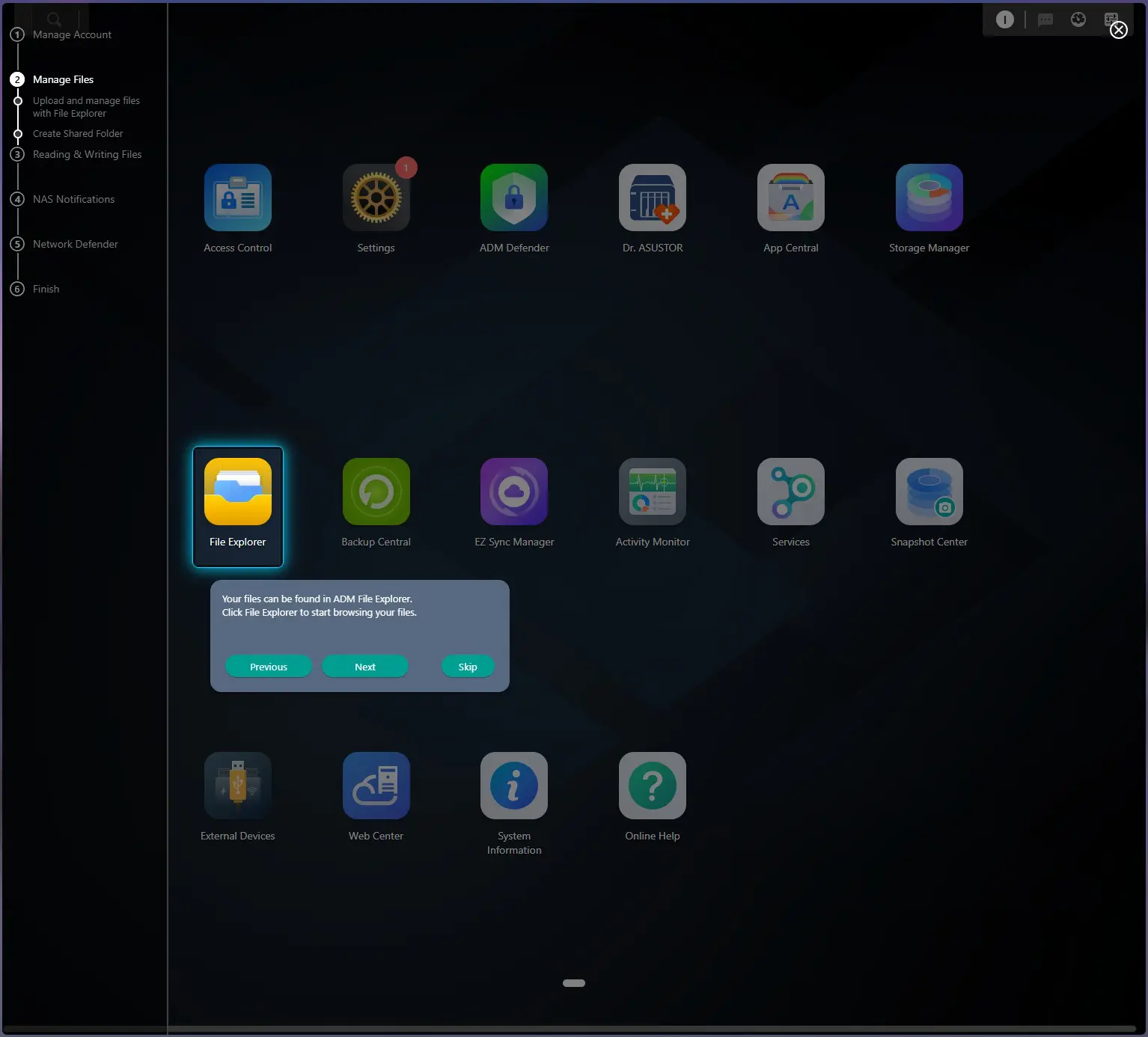
Asustor keeps new users in mind. A guide to lead us through the main functions is ready after logging in. For instance, the software itself guides us toward creating new users and the associated rights management.
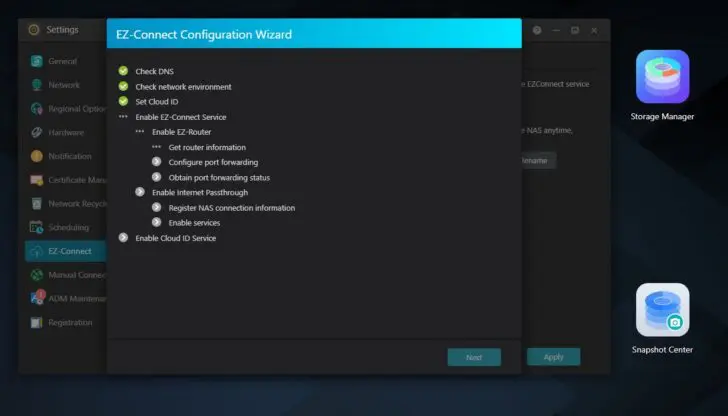
We also immediately configure remote access. This runs via a self-chosen ID and EZ Connect. Within minutes, our NAS is accessible from anywhere in the world. Asustor provides some good and some less good security suggestions along with it.
For example, we can immediately adjust the default port for access, but we are also advised to change our password frequently. The latter is a dated suggestion. Research has confirmed for more than a decade that users who change passwords often generally use much weaker passwords. Ignore this tip and choose a unique, sufficiently long password for your account. This advice applies to all accounts with passwords.
Intuitive OS
ADM OS is not a complex operating system. The desktop shows installed apps with an interface that resembles a tablet but works perfectly on a PC. The web interface is also suitable for a tablet. A mobile view for smartphones does not appear, but Asustor provides apps for iOS and Android.
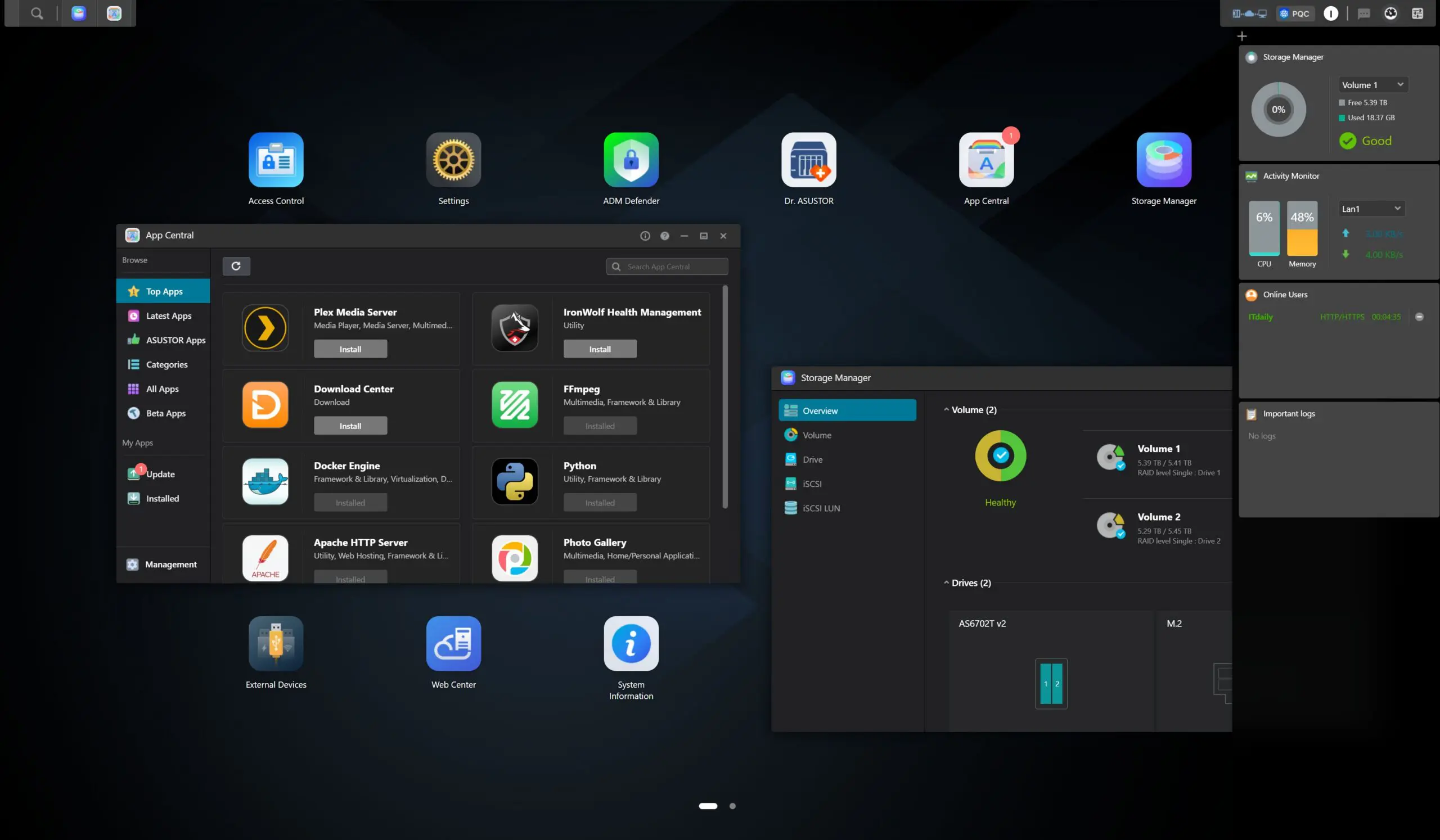
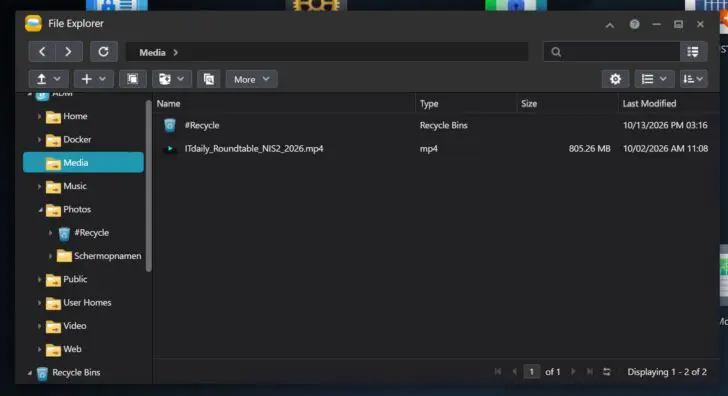
The available applications are self-explanatory. We can quickly configure a right-hand bar with some widgets such as connections and system usage. User management is under Access Control, the Storage Manager allows us to configure volumes, including iSCSI, the Snapshot Center does what the name suggests, as does the File Explorer, which will feel familiar to anyone who has ever worked with a computer.
The entire interface is intuitive. Anyone with interest and a little bit of affinity can configure this NAS themselves for secure use in a business context. The primary goal might then be to make shared network storage available. It goes without saying that you can add network folders from the NAS to your PC.
Ample possibilities
Backups are also among the simple integrated possibilities. Backup Central allows you to back up internal and external folders. It is noticeable, however, that this tool is slightly less extensive than, say, Hyper Backup in Synology’s DSM. Making backups in the cloud runs via a separate app.
For folder synchronization in the style of Microsoft OneDrive or Dropbox, there is EZ Sync Manager, available on desktop (Windows and macOS) and mobile (Android and iOS). With DataSync Center, you can synchronize data from those cloud storage services (also including Google Drive, Baidu Netdisk, and somewhat surprisingly, the Russian Yandex) with your NAS.
For personal use, Asustor itself provides several interesting applications in ADM. SoundsGood is an application for playing music, which can be linked to an app, and LooksGood does the same for video. For professional use, we can immediately configure Nextcloud.
Apps and containers
The Asustor Lockerstor 2 Gen 2+ has access to Asustor’s extensive App Central application store. There we find classics such as the Plex Media Server, a photo gallery app, and with Surveillance Center, a tool to monitor camera streams from security cameras. You get four camera channels for free. The app store is in no way inferior to those of competitors.
For those who don’t mind a bit of custom configuration, apps are, of course, a bit dated. This NAS supports Docker, and there is even a Portainer CE application in the app store. With this, Asustor opens the door to much more advanced use of the device.
CPU and modest RAM supply
The hardware also supports that, to some extent. The Intel Celeron N5105 inside is no slouch by NAS standards. The 2021 chip is built on a 10 nm process and clocks at 2 GHz by default on its four cores with as many threads. The chip is not the youngest, but not very old either. Synology, for example, puts a 14 nm Intel Celeron J4125 from 2019 in its DS225+. We also note that the chip can decode 4K H.265: this is relevant for media use.
Asustor includes 4 GB of RAM in this NAS, in one SO-DIMM. This is DDR4 memory. Before the AI hype, that was an advantage, as DDR4 was cheaper than DDR5. Today, all memory is expensive, and old DDR4 RAM is distinguished mainly by its extra limited availability. If you can still find RAM sticks, you can fill the two available slots with 16 GB in total (2 x 8 GB). If you want to run a multitude of containers, that is not an unnecessary luxury.
The Intel Celeron N5105 and the 4 GB of RAM support the basic functionality excellently. ADM works smoothly, as do the installed applications. The higher throughput speed of the NAS ensures that it is the HDDs rather than the hardware that cause any delay.
M.2 slots to spare
That too can be solved. Asustor provides space for four M.2 SSDs in the NAS. This is again more than the competition offers for similar models. You can fit up to 8 TB per SSD slot, and that fast storage memory can then be configured as storage or as cache. You can set up the SSDs in RAID configurations. Want more storage than what the HDDs and SSDs allow? Then you can expand the NAS with Asustor’s Expansion Box (AS6004U), connected via the USB port.
The Asustor Lockerstor 2 Gen 2+ AS6702T v2 is an interesting device in the 2-bay NAS segment. With a price tag of 609 euros incl. VAT, Asustor positions itself competitively. The NAS is slightly more expensive than the Synology DS225+ (403 euros incl. VAT), but for the extra cost, you get significantly better connectivity and a more modern CPU.
Verdict
The Asustor Lockerstor 2 Gen 2+ is even more interesting than more expensive models when file storage and connectivity are priorities. As a central storage hub for home or office, this device excels. Especially the combination of ample possibilities for flash storage or cache with the 5 GbE is useful. The link aggregation will, in turn, be an added value in a context with multiple users.
The NAS also holds its own in more classic domains. For instance, ADM is simple and user-friendly, albeit somewhat more limited than Synology’s DSM or Qnap’s QTS. The app store is well-stocked, and thanks to container support, you can push this small NAS to its absolute limits. Do keep the limitations in mind: you are buying a compact storage server here, not a compute box.
The Asustor Lockerstor 2 Gen 2+ is a very capable and mature 2-bay NAS with several unique strengths and a user-friendly interface that will also appeal to non-IT professionals. In our opinion, that makes this device an excellent choice for those looking for a 2-bay solution for their home office or small team.
Pros
- 5 GbE
- Ample space for M.2 SSDs
- User-friendly OS
- Easy remote access
- Wide range of apps (incl. Portainer)
Cons
- Initialization could be smoother
- Chip is on the older side