


Bring structure and clarity to your digital notes with the open-source note-taking app Joplin. Microsoft OneNote is not irreplaceable.
A notebook can be useful for keeping track of meeting notes, desk research, or simply things you shouldn’t forget. Nothing can surpass the charm of pen and paper, but a digital notebook comes close. For such a simple concept, you’ll be surprised how many note-taking apps exist.
Yet for many Windows users, Microsoft’s OneNote is the go-to place for their notes. This is partly due to integration with other Microsoft applications, but also because OneNote is simply a good note-taking app. ITdaily went looking for a European alternative and found a worthy replacement in the French Joplin.
Well-organized notebook
There is nothing stopping you from testing Joplin. The desktop version is completely free. Only when you want to sync your notebooks via the cloud does a (limited) subscription cost come into play. The most important basic functions are in the free version, so this is certainly not a requirement to use Joplin. Your notebooks are then stored locally on your device.
Joplin’s interface is simple, and that’s exactly why it’s so clear. In the left panel you find your notebooks, in the middle the notes of the selected one, and on the right the note you are currently working on. You can also organize notes thematically with tags. You move easily from one note to another, as it should be.
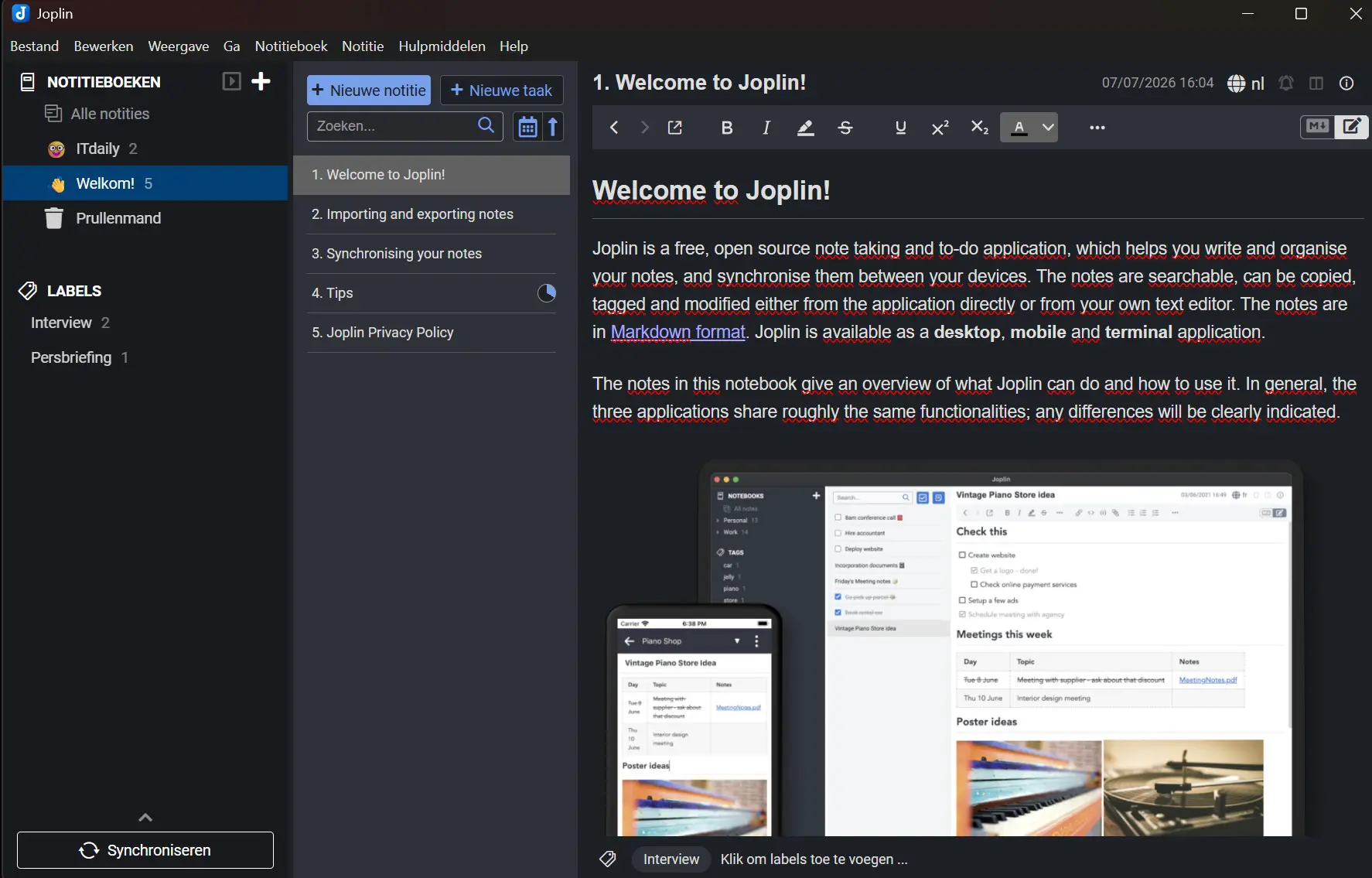
In addition to a universal text editor (rich text), Joplin also supports a Markdown mode. Markdown requires more knowledge and daring. Notes are exportable in various file formats, from HTML to Markdown or PDF. Joplin makes this much easier than OneNote, where the export function is more hidden. In the other direction, the options are rather limited: you can only import notes from Evernote.
Syncing in the cloud
The desktop app works locally, so your notebooks stay on your device. If you still want to be able to share your notes with colleagues or create a shared notebook, Joplin also offers a cloud formula. The ‘Joplin Cloud’ runs from data centers in France, so the company can rightly boast about GDPR compliance and sovereignty.
The Basic plan costs 3 euros per month and offers you 2 GB of storage, a web app, and the ability to collaborate in notebooks. For extra storage and functionality, you can take the Pro plan for 6 euros per month. The most extensive Teams subscription (6.69 euros per user) is aimed at multiple users. Syncing is also possible with Dropbox or OneDrive, but then you don’t have collaboration features.
Extra features
Joplin offers another intermediate form: the app offers its own browser extension or web clipper for Chrome and Firefox to export web pages to your notebooks. You must first manually enable the extension via the configuration menu (the fastest way to open it is via CTRL + ,) and then download it in your browser. The extension doesn’t do much beyond taking a screenshot of the active page, which is then added to a selected notebook.

Stay in the configuration screen for a moment, because you can adjust a lot here. The Joplin desktop app provides the basics for note-taking, but there are things that are not possible, such as making drawings or extracting text from images. To be honest, we don’t miss this, but Joplin still wants to offer those options via plugins. This is far too complex for what should be a simple note-taking app.
Joplin places a strong emphasis on privacy and security, and here too you can go quite far via the configuration screen. Want to be sure that no more is shared than you want when syncing notes? Then you can add end-to-end encryption to your notes and set a master password.
Verdict: simple yet complex
In this way, Joplin is a (note)book that consists of multiple layers. The app manages to be both simple and complex. At first glance, Joplin is a simple app for taking notes, with a clear user interface. You don’t have to dig deep to use the app the way it was intended. For those for whom that is good enough, Joplin is an excellent choice.
Pros
- Clear interface
- Free desktop version
- Simple export function
- Expandable with affordable cloud formula
Cons
- Limited import options
- Complicated (and redundant?) plugins
ITdaily tests European and open-source alternatives to popular American software tools we use daily. Want to discover more European software? Via this overview you can find all reviews.