


Google’s new desktop app is arriving on Windows in English. Google can search local files, Drive, and the internet using Google Lens.
Google’s search engine is now also available as a desktop app. Google has been testing the app with a limited audience in Japan and the United States since late last year, and the global rollout for Windows 10 and Windows 11 is now underway. For the time being, the application can only be used in English.
Google can be easily summoned using the Alt + Spacebar keyboard shortcut. You can change this combination yourself via the app settings. The Google app has both a local and an online component. The local search functions are used to find information about files and applications on your PC, and you can also link your Google Drive to the app. In addition to looking up information, you can also have text from files and images translated, among other things.
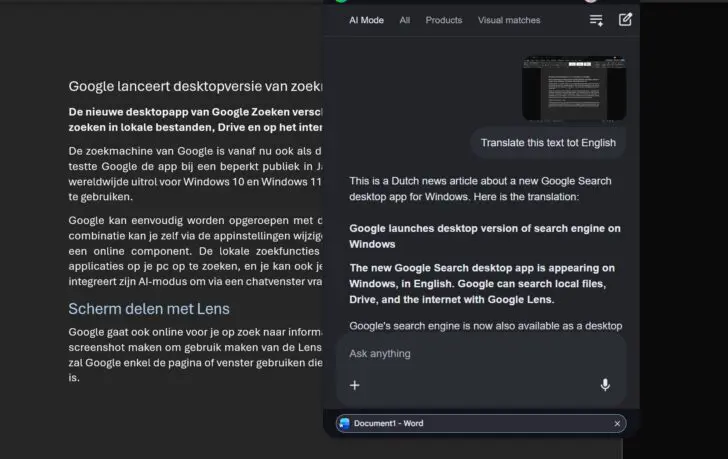
Share screen with Lens
Google also searches for information for you online. For example, you can share your entire screen or take a screenshot to be analyzed by Lens. If you share the full screen, Google will only use the page or window that is visible to you at that specific moment. Google integrates its AI mode—which is not the same as AI Overviews—to allow you to ask questions via a chat window.
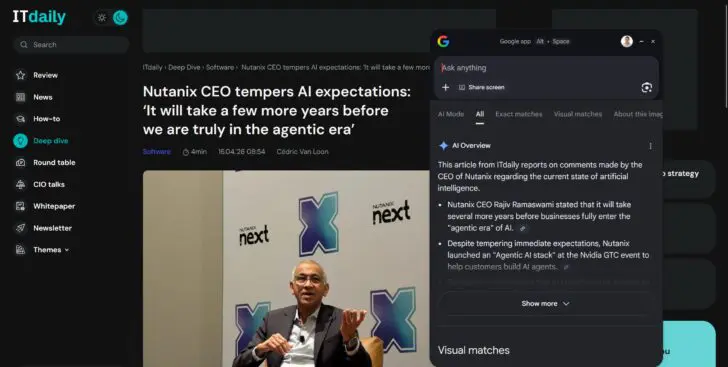
Although Google grew large on the internet, the company is focusing more on desktop versions of its applications. Google Drive and Quick Share, among others, are also available on Windows. In the past, Google already tried to put its search engine into a PC app, but that first attempt failed.
Windows Search
With Google for desktop, a second local search function appears on Windows. The Windows Start menu search bar was originally intended to find files and settings on your PC faster, but Microsoft has ruined the search function with forced Bing integration. If that also bothers you immensely, read here how to remove Bing from the Windows search bar.