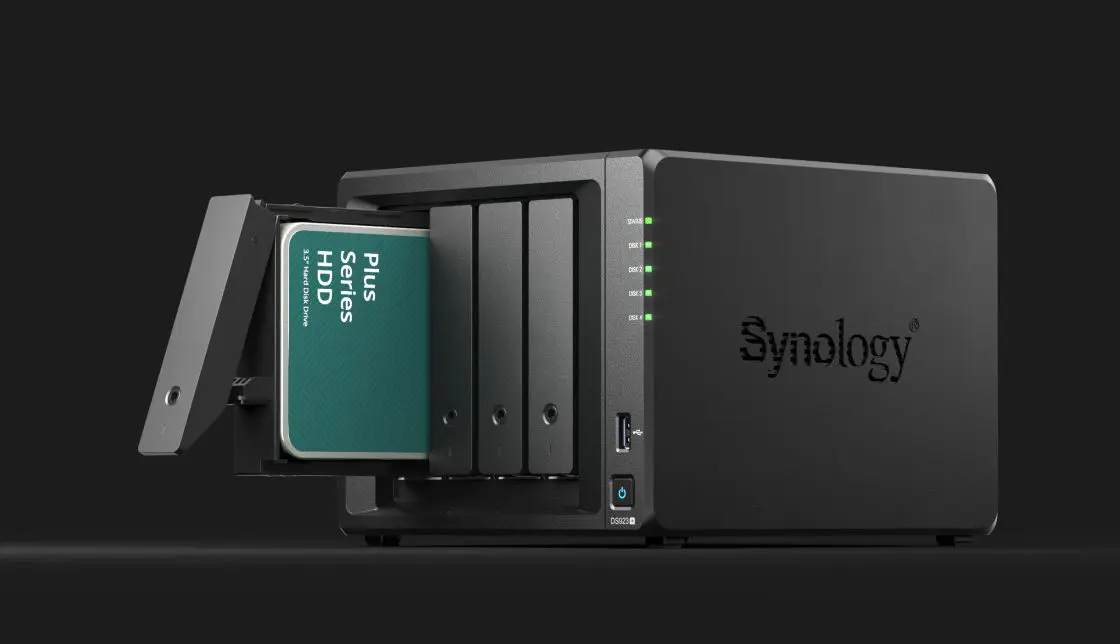
Synology brings HDDs and SSDs to market under its own brand name and strongly prefers that customers install those drives in the manufacturer’s NAS devices and storage servers. Ultimately, it’s the customer who benefits most according to the manufacturer.
Synology no longer requires customers of its NAS devices to install HDDs (or SSDs) in new devices. The reduction in flexibility couldn’t count on much understanding from the prosumer target audience, which is still important for Synology. While the Taiwanese NAS specialist once again holds freedom of choice high, if you ask the company’s experts, there is indeed one choice that stands out above the others: install Synology’s own HDDs.
“Behind every reliable storage solution lies an optimized network of interdependent elements,” says Gento Pariente, Regional Marketing Manager for Southern Europe and Benelux at Synology, when we ask for more clarification. “Hardware, firmware, operating system, and the way workloads behave all work together in harmony.”
Greater Chance of Problems
When customers combine a Synology device with third-party hardware, the chance of problems is greater according to Pariente. “We see this ourselves based on figures from our customer support and problem analysis,” he says. “Some drives have hardware-level problems, such as signal integrity conflicts or poor-quality connectors. This leads to recognition errors or unstable connections.”
read also
Synology Embraces Third-Party HDDs Again with Launch of DSM 7.3
“Others have defective firmware that causes timeouts, poor performance, or RAID degradation,” he continues. “In serious cases, failed firmware updates or power outages can cause drives to not be recognized at all.”
Complex Diagnosis
When a customer faces a problem, they turn to Synology. Then begins the search for the error that lies at the root of the misery.
Pariente: “To diagnose the problems, extensive testing, in-depth log analysis, and lengthy trial-and-error are required. The process is further delayed by fragmented communication between external hardware suppliers and end customers.”
“Even when a hard drive issue is identified, a solution is often not immediately available,” he continues. “Sometimes a firmware adjustment by the external supplier is the only solution. That can then take months or even years. Worse still, the same problem can occur with other units of the same drive model.”
In such scenarios, the customer is dissatisfied with the NAS user experience, but Synology has its hands tied. The choice to bring its own SSDs and HDDs to market is a direct response to those challenges. Synology naturally hasn’t built its own HDD factory, but works with drive manufacturers to develop its own devices.
Part of the Ecosystem
“The drives are then not just loose components, but are developed by us as a full part of the storage ecosystem,” Pariente clarifies.
The biggest difference is the firmware that Synology develops itself. “It’s built with NAS devices in mind and is optimized for our own DSM operating system.”
The drive is truly part of the ecosystem, and much more than just a compatible component.
Gento Pariente, Regional Marketing Manager Synology.
The benefits of integration are tangible in daily use according to Pariente. For example, users can easily perform firmware updates via DSM, and RAID configurations are restored up to 27% faster when swapping a drive. “The drive is truly part of the ecosystem, and much more than just a compatible component,” Pariente emphasizes again.
Concrete Improvements
Synology shares some additional details about what makes the HDDs under its own flag unique. For instance, they undergo testing for more than 7,000 hours per drive model and more than 500,000 hours in total. Realistic NAS loads are simulated in the process. Synology highlights three important NAS-specific improvements found in the HDDs:
- Cache algorithm optimization: the firmware dynamically adjusts the hard drive’s cache behavior to align with network-based access patterns common in RAID environments. This minimizes latency and ensures faster read and write cycles during multiple simultaneous sessions.
- I/O request reordering: during RAID-specific operations, hard drives often deal with complex sequences of I/O requests. The hard drive firmware contains improved command queuing strategies to reduce bottlenecks caused by command conflicts.
- Shorter read request execution time: In NAS and video surveillance environments, where Synology also focuses heavily, simultaneous access to large datasets is common. The firmware reduces read operation overhead by restructuring data block retrieval and minimizing rotational delays.
One Address
If something does go wrong, the approach brings another advantage. Synology has total control over the entire storage device and all components throughout its entire lifecycle. “This allows us to be a true one-stop-shop,” says Pariente. Customers only need to approach one party. When they contact Synology support, troubleshooting proceeds faster and problems are resolved more quickly.
Pariente admits that the initial reaction to the initially mandatory shift to Synology’s own drives caused mixed reactions, especially among customers who hold choice in high regard. He does state that the reception of Synology HDDs and SSDs is generally positive.
Significant Drop in Problems
Some figures explain this. Based on figures from its own support service, Synology sees that the chance of critical drive-related problems drops by 40% when the customer chooses Synology. The number of serious storage problems has dropped by 88%. The number of support tickets has therefore also decreased.
Yet Synology today offers the choice (again). With DSM 7.3, users can again install third-party drives in new devices without the OS giving critical warnings or limiting functionality.
Door Open for Third Parties
Synology will continue working with a new validation program, where HDD manufacturers must demonstrate that their drives meet the same standards as Synology’s own.
A small caveat is relevant here: those manufacturers are the same ones that Synology collaborates with, since there are only three parties that manufacture HDDs on a large scale: Seagate and Western Digital are the largest, and Toshiba also plays a role. For those manufacturers, it shouldn’t be too complex to meet Synology’s standards.
Even with certified third-party drives, Synology continues to stand behind its own drives. “Systems show higher stability,” Pariente concludes. “Our own support model, combined with integrated drive management, enables faster diagnosis and problem resolution, resulting in a superior support experience for the customer.”
This article was created in collaboration with our partner Synology.