

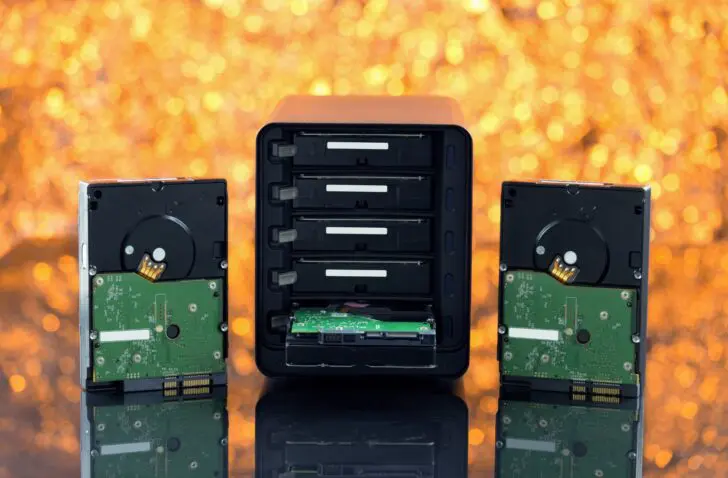
While suitable hard drives in a NAS can last for many years, there comes a point when they call it quits. Ideally, you replace the drive before it finally gives up the ghost, but how do you recognize a terminal HDD?
Is the hard drive in your NAS still alive six months after its first use? Then there is a good chance you will enjoy many years of intensive use. Most drives fail either fairly quickly, in the case of a manufacturing defect, or after a long and dutiful life.
HDDs in a NAS (or a classic storage server) take quite a beating. They are packed close to their neighbors, where they interfere with each other through vibrations. One or more users often read and write data to the HDDs simultaneously, which they have to handle smoothly. The fact that Western Digital and Seagate label hard drives as NAS drives, with WD Red and Seagate Ironwolf, is more than just marketing. The drives are internally optimized to meet these challenges.
Mechanics with tight tolerances
Regardless, hard drives remain complex mechanical devices. Inside a 3.5-inch enclosure, up to ten physical platters rotate at thousands of revolutions per minute. Above them, at a distance measured in nanometers, floats the read/write head that moves across the platters, magnetizing and reading them.
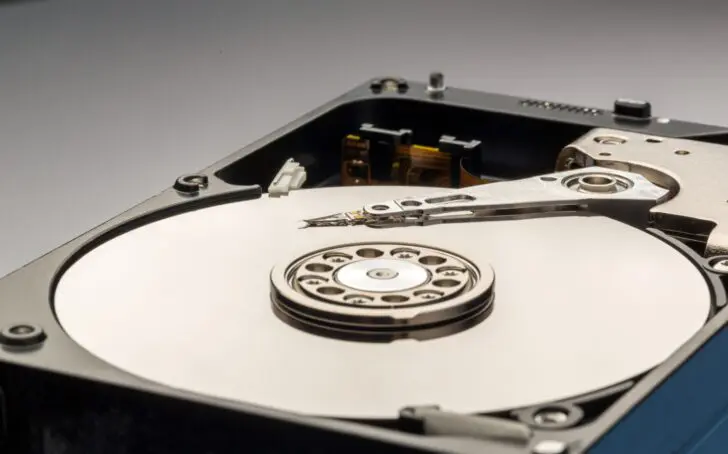
The smallest deviation can cause read and write problems. When the write head comes into contact with the platters—literally crashing—the drive is completely finished. Yet this doesn’t happen, despite all the vibrations in the NAS. Until it does: a mechanical device with such tight tolerances, which is not maintained or recalibrated since purchase, will sooner or later call it quits.
RAID offers protection
In a NAS, this is hopefully not a disaster. HDDs in a NAS are traditionally linked in a RAID configuration. This provides redundancy. When one drive fails, all data is not lost. Note: the most common RAID configurations do not write bits and bytes twice. Instead, they work with a parity bit.
Take, for example, a NAS with three drives configured in RAID-5. This means one drive can fail without data loss. This happens at the bit level, using the parity bit. If the sum of a bit on drive one and drive two is even, the parity bit on drive three has a value of 1 (0+0 or 1+1). If the sum is odd, the bit has a value of 0 (0+1 or 1+0).
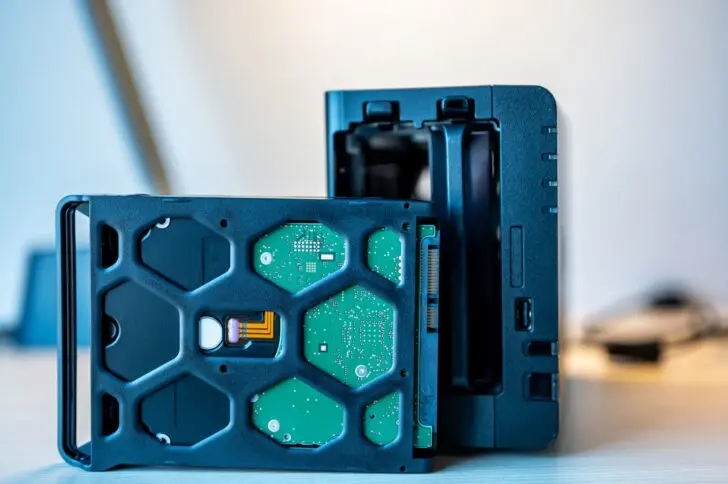
If one drive fails, the RAID system can use the parity bit and the value on the other drive to calculate what the value of the lost bit was (0+?=1, then the lost bit ? had the value 0).
Long reconstruction time
If a drive fails, it’s not the case that the lost data is still immediately available. You must replace the failed drive within the RAID configuration, after which the lost bits are reconstructed. For larger drives, this can take several days.
RAID-5 is actually not the safest option for HDDs with a capacity of several terabytes, as the remaining drives have to work hard for days. Usually, you buy drives from the same manufacturing batch at the same time, and they have the same lifespan. If one drive fails, the chance that a second one calls it quits during reconstruction is not non-existent.
The reconstruction of a large RAID system takes a while in any case. During that time, the affected volume on your NAS is unavailable. If a drive fails on a Monday morning, it can have a very noticeable impact on your business or team.
Proactive maintenance
If a drive does need to be replaced and the RAID rebuilt, it’s best to do so at an opportune moment. That’s why it’s important to recognize signs of an aging HDD. This allows you to schedule a replacement before the HDD finally gives up for good.
If you detect signs that one of the HDDs is starting to struggle, you could, for example, plan a replacement for the weekend. That way, the RAID reconstruction might be finished by Monday. Or you can ask employees to save important data locally or on another volume for a while while you perform the necessary maintenance.
Recognizing a terminal HDD
Four parameters help you schedule the replacement of an HDD in time.
1. Being smart with S.M.A.R.T
The most important and objective way to keep an eye on the health of your HDDs is S.M.A.R.T. This abbreviation stands for Self-Monitoring, Analysis and Reporting Technology.
Hard drives store telemetry including data on read problems, throughput speed, the time it takes to get the platters spinning at the right speed, the time it takes to seek data, the error values associated with that, and more.
S.M.A.R.T. tracks these parameters and can warn you when problems arise. Since HDDs have many mechanical components, there are often signs of wear before a component actually breaks. If it suddenly takes longer for the HDD to get from a standstill to the required 7,200 rpm, for example, this illustrates that there is internal wear.
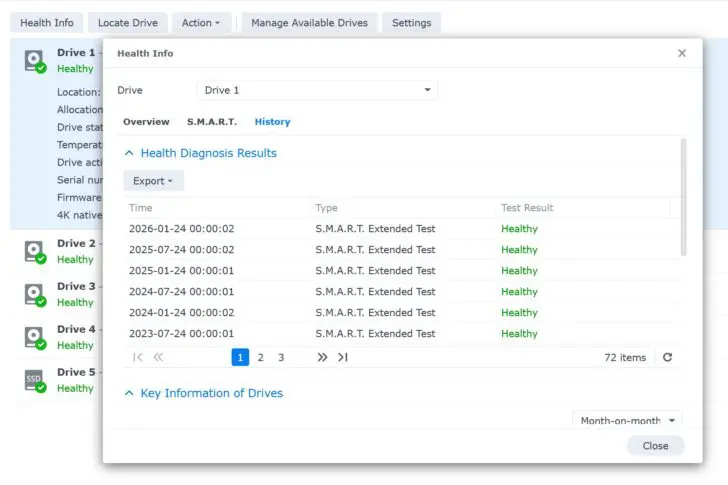
Analyzing S.M.A.R.T. in detail requires some expertise and is fortunately not necessary. In your NAS operating system, you can schedule periodic extended S.M.A.R.T. self-tests. As soon as a parameter requires attention, you will receive a notification.
An above-average number of bad sectors, problems with spinning the drives, and errors during reading and writing are all writing on the wall that the degradation of the HDD has begun. If you receive a notification about this, it’s a good idea to plan the replacement of the drive.
2. Slowdowns and file corruption
S.M.A.R.T. is not infallible. You can also determine for yourself that HDDs are not functioning properly. Bad sectors and blocks lead to data corruption. When files suddenly appear damaged or refuse to open, something might be wrong with the HDD.
In that case, it’s a good idea to start a S.M.A.R.T. test yourself and check the logs to see if anything can explain the problems. A power failure or connection issue can also be responsible for a corrupt file, so maybe nothing is wrong. If you find no explanation, it could very well be the HDD itself.
Lower performance can also signal an impending defect. When read and write speeds suddenly drop while the network and other environmental factors remain stable, you should not ignore it. Again, a self-test should signal such a thing, but it doesn’t always happen.
3. Strange noises
Finally, use your ears. HDDs are never silent. They click, tick, and creak at the most unexpected moments, and sometimes with a passion. If you suddenly hear noises that weren’t there before, such as a high-pitched beep, it could be the result of a mechanical problem.
The Greek data recovery company Northwind has posted a compilation of sounds and the defects they signal on its website. With dramatic sounds, it’s usually too late, but you can sometimes notice a motor that is no longer running properly in time.
4. Ready for retirement
You can also replace a perfectly healthy HDD when it is ready for retirement. A hard drive for a server or NAS is typically built to last actively for about five years. In your NAS operating system, you can find how long the drive has been working, expressed in hours.
If we take five years as a benchmark, then 43,800 hours is the point where your HDD goes into overtime. At that point, a planned replacement is certainly justifiable, although it depends on the context whether the investment is worth it. After all, not every environment is equally demanding. HDDs in a NAS for file storage for a freelancer take less of a beating than drives in a NAS for a team of graphic designers who all copy and edit large files back and forth simultaneously every day.
Under lighter loads, a hard drive can certainly function a lot longer. Even double that is not unheard of. If you’re not eager to invest money, you might consider taking the risk and waiting until the S.M.A.R.T. test sets off the alarm bells, or you encounter other strange issues.
Backups
Don’t forget that a NAS with RAID is not a replacement for a backup. A good backup strategy according to the 3-2-1 principle remains essential, even when you keep a close eye on the health of your drives. Timely replacement of an old HDD is useful to prevent unplanned downtime, but it is no alternative to a proper backup.