AI is playing an increasingly important role, RAM and flash storage are becoming more expensive, and data sovereignty is high on the agenda. In this context, how do you choose the right NAS for your needs?
Anyone looking for a NAS today has more factors to consider than ever before. Although NAS stands for Network Attached Storage, in practice the devices can serve as fully-fledged servers for home users, freelancers, small businesses and teams. The devices not only provide pure storage and back-up, but also support handy software and application virtualization.
However, not every NAS is suitable for every application. A NAS comes in many formats, with space for many or few drives, with or without space for flash cache, equipped with a diversity of connections and powered by everything from light ARM processors to server chips from AMD or Intel. To choose the perfect device, you need to know which variables are important and how they relate to the goal you have in mind.
We look at some major use scenarios and analyze which specifications have a major impact for each scenario. For this piece, we focus specifically on desktop NAS devices. These are storage servers that you can put on a desk or shelf. We illustrate the story with Qnap’s portfolio.
A NAS for storage and back-up
At its core, a NAS is a device to make storage available over the internal company or home network. This way you can always access important data from different devices, or you can back up devices to a central location without having to connect an external hard drive.
read also
Qnap bundles backup tools under new brand name: Hyper Data Protection
If network storage is the only function of the NAS, you don’t immediately need to get the device with the most powerful processor. A lighter CPU from Intel or AMD, or even an ARM processor, will suffice. You can also save on RAM. This is good news, as the insatiable hunger for RAM from AI data centers has driven up the price of memory.
More important is the number of bays (slots) in which you can store hard drives. For a serious storage solution, four or five is quickly the norm. If you fill a 5-bay NAS with 6 TB drives in RAID 5, you have 24 TB of capacity available. You can back up several PCs on it, but also share files with colleagues via one or more network folders.
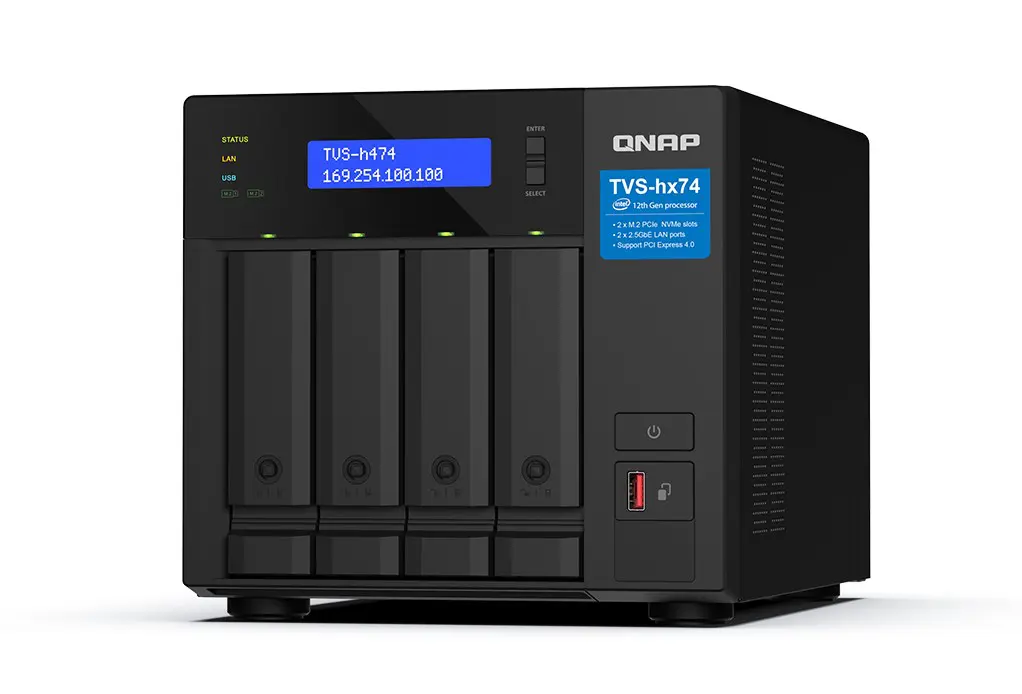
The network capabilities are also important. If you only want to take backups of PCs at night, it doesn’t matter so much that they take a little longer. When several people move large files to and from a network folder, the network should of course not be a bottleneck. 1 GbE is a bit too little for an intensively used NAS: aim for at least one 2.5 GbE port, if the rest of your network also supports 2.5 GbE.
A NAS for photos and videos
Photographers and videographers who want to store their footage in a central location will find the perfect solution in a NAS. Many manufacturers, including Qnap, have built hardware and supplied software specifically to support multimedia.
Photos and videos quickly take up a lot of space. Again, the number of HDD slots is of great importance. Six bays or even more are not an unnecessary luxury. An example with space for eight HDDs, filled with 8 TB drives in RAID-5, provides 56 TB of capacity. That’s a lot, but anyone who professionally makes photos and videos will fill the capacity.
Therefore, choose a NAS that can grow, which is compatible with an expansion unit. This is a device that cost-effectively increases the HDD capacity of a NAS, without having to buy and configure a completely new device.

As for the processor, you have options. If you only want to store photos and videos on the NAS, you don’t need a very powerful CPU. That’s different if you want to use built-in photo management applications such as QuMagie from Qnap. The functionality of such a solution can best be compared to Google Photos. To display photos and videos smoothly from the NAS, it naturally needs enough horsepower.
read also
Qnap TS-AI642 review: 6 bays, plenty of power and a (sometimes) useful NPU
More and more tools also support facial and object recognition from the NAS itself. If you want photos to be automatically organized based on that smart recognition, it is best to choose a NAS with an NPU on board. This accelerates ‘AI’ workloads, such as facial recognition. Also choose sufficient RAM: 8 GB or more.

Also choose 2.5 GbE in this scenario if your network supports it, and definitely consider 10 GbE when working with 4K video. For creative professionals, it can also be useful to access a NAS not only via the network, but to connect it directly to the PC via a fast Thunderbolt connection. NAS devices aimed at this target group can support such functionality. This can be done both right out of the box, and after adding a PCIe expansion card.
read also
Qnap TVS-h874T review: NAS & DAS all in one
A NAS for video surveillance
For organizations with surveillance cameras, a NAS is the ideal storage location for images. Every NAS can fulfill this role, but some devices offer more functionality than others. It goes without saying that many cameras generate many images. A high storage capacity with many bays is a must for companies with an extensive video surveillance network.
For more modest purposes, where one or two surveillance cameras run at night and it is not the intention to keep images forever, a dual bay NAS may suffice.
For the choice of your NAS, you need to decide whether you also want to use the device as the brain for video surveillance. All major NAS manufacturers have solutions to bring video streams together so that you can quickly (re)view them. You can also add intelligence to those streams via the NAS. Think of the recognition of people and objects, or counting passers-by in a store.
For the latter, you again need the right hardware: in this case a processor that is powerful enough to support AI workloads in real time. To meet this demand, NAS manufacturers are specifically marketing a selection of their range with a view to video surveillance.
Such devices have additional handy functionality on board, such as HDMI ports to immediately display video streams in real time, and 2.5 GbE network capacity.
A NAS for applications and virtualization
A NAS is in fact a small all-in-one server and is often used as such. You can run fully-fledged virtual machines on a sufficiently powerful NAS, just like containers. In addition, manufacturers themselves also offer all kinds of useful software applications for their NAS.
If you mainly want to run applications, CPU and RAM are important. Look for a NAS with a sufficiently powerful x86 processor. With an Intel Core processor you can get a long way, but for really demanding applications, server CPUs such as an Intel Xeon or AMD Epyc are relevant.
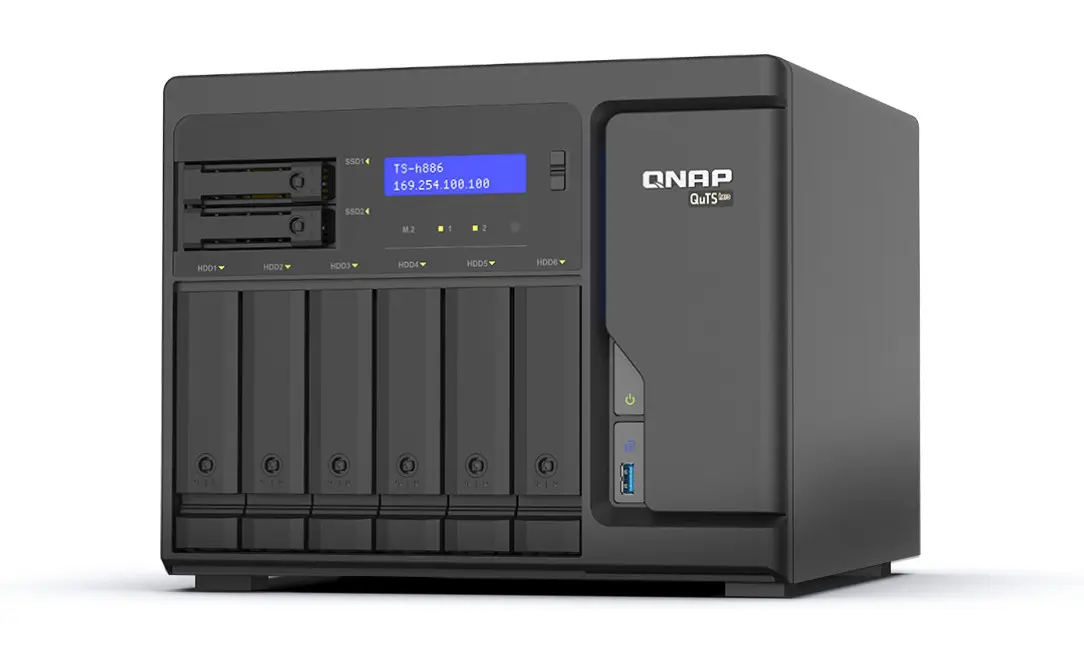
You don’t need excessively much RAM for containers. A NAS with 16 GB can already support a lot. For larger projects, it is best to aim for 32 GB or more.
Not all applications require a lot of storage. The number of bays you need depends on your plans, but can be subordinate to performance. Also think about flash storage, as this will make interactive virtualized applications a lot more responsive. You can think about a (more expensive) all flash NAS, or a specialized example with space for both HDDs and some SSDs that can serve as a cache, for example.
read also
Qnap Launches NAS with Space for Twelve HDDs and Built-In NPU
When applications are an important goal of your device, it is wise to invest in at least a small piece of flash storage or cache on which virtual machines and containers run. You can then park the bulk of the storage cost-effectively on HDDs.
A NAS tailored to everyone
Which NAS you need depends on your specific needs. NAS manufacturers have an extensive portfolio for a reason. Often the purpose of a NAS cannot be captured in one profile. Maybe you also want to use a back-up NAS to manage a single surveillance camera, or the main goal is network storage but you are still planning to run one or two containers.
Based on the above information, you can look at what is important for your unique situation. A NAS is a long-term investment, so in case of doubt, it is best to choose an extra HDD slot, or a slightly more powerful x86 processor over a more niche ARM chip if you cherish light virtualization plans, for example.
Don’t go too far either: a NAS with a Pentium chip on board can absolutely support a team of a handful of colleagues with network storage and back-up, and still has room to run some simple containers.
This is an editorial article in collaboration with our partner Qnap. The text is editorially independent, but the examples come exclusively from Qnap.