

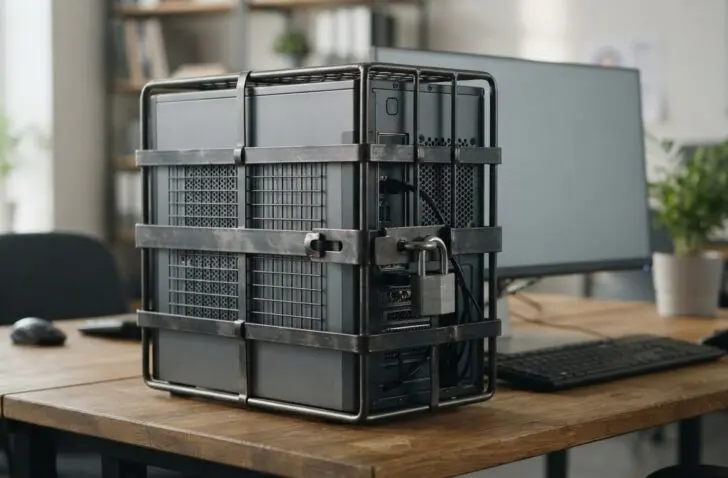
Microsoft is working on Windows security at Ignite. A new Insider build shows what the revamped Windows security looks like, including Remote Lock via Intune.
Dana Huang, Corporate Vice President Windows Security at Microsoft, rounds up the security news for Windows at Ignite 2026 in a blog post. “AI is changing threats as fast as it is changing the way we work,” she writes. According to Huang, a secure configuration and fast patching remain the main line of defence. A security strategy must also cover AI and agents.
Part of those announcements is already in a preview version for Windows 11 (Build 26340.10013) that Microsoft released on 16 November. Since 17 November, Windows baseline protection and a new Security page in Settings are gradually rolling out in preview.
Kernel drivers and post-quantum cryptography
The Windows endpoint security platform is now generally available on Windows 11. As a result, security solutions need to rely less on kernel drivers while keeping the capabilities they count on. The platform is part of the Driver Quality Initiative and Microsoft’s broader effort to reduce kernel exposure and strengthen recovery after incidents.
Microsoft is also expanding post-quantum protection in the Windows TLS stack, with key exchange and authentication that rely entirely on post-quantum algorithms. Underneath sits a crypto-agile foundation for the entire platform, so that algorithms can be replaced more easily later. Huang describes a transition that will take several years, across applications, infrastructure and identity.
In the Insider build, developers get the Microsoft Pluton Cryptographic Provider, in preview. It lets them store and use keys in the Pluton security processor on supported devices, via the standard CNG APIs in Windows.
A fixed baseline for Windows security
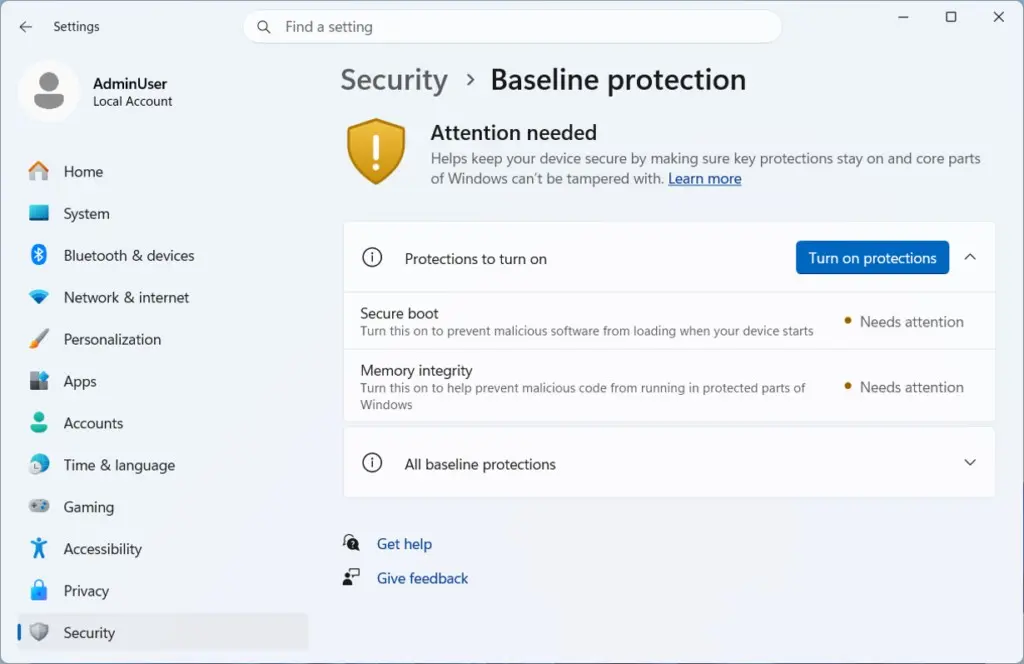
Windows baseline protection combines Secure Boot, virtualization-based security and memory integrity into a single security state with a version number, which Microsoft maintains itself. Where more assurance is needed, hardware-based attestation confirms that state. Developers can use it in their software to check whether a device is secure.
In the Insider build, the feature is located under Settings > Security > Baseline protection. It shows whether the device meets the baseline from startup. The Security page is new too. It brings together device security, device encryption, and virus and threat protection, and links through to passkeys. The firewall now sits under the network settings, and app and browser protection under the app settings.
Passwordless sign-in and standard permissions
Windows Hello is meant to make passwordless sign-in more consistent and get users to their desktop faster. IT can now see whether users sign in with biometrics or with a PIN. Web sign-in works passwordless on more devices, and when signing in with a security key, Windows shows on screen where to tap.
Managing those keys also gets easier. In the Insider build, you can view and delete individual passkeys on a FIDO2 key, so you no longer have to reset the entire key. Administrators set a minimum PIN length and can make user verification mandatory. Users work with standard permissions by default and only get administrator rights when a task requires it.
PC locked down
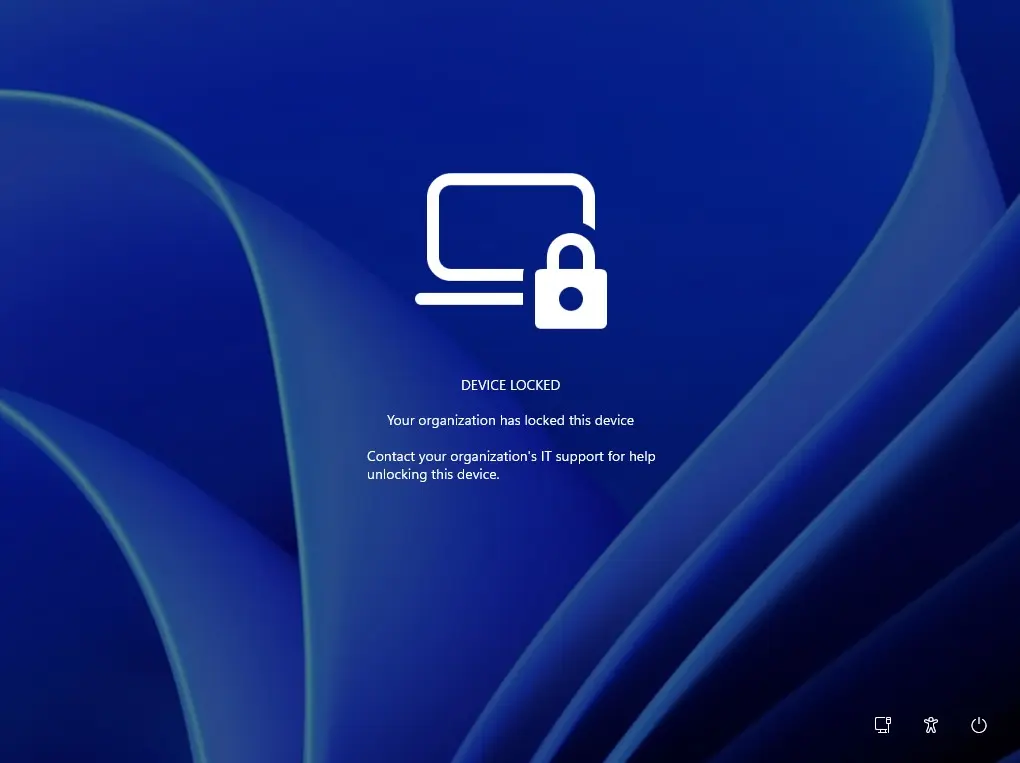
Another new feature is Remote Lock. It allows the IT administrator to lock a lost, stolen or compromised Windows device from Intune without wiping it. Windows signs out all active sessions, hides the sign-in options and displays the message “Device locked” on screen.
The device stays enrolled and managed, with BitLocker enabled and the user’s data intact. Only an administrator can unlock it remotely. With the LockReason and RecoveryHint settings, administrators add a custom reason and the helpdesk contact.
In the Insider build, users without administrator rights can set a startup BitLocker PIN themselves. This requires four existing BitLocker policies in Intune or another MDM solution: AllowStandardUserEncryption, RequireDeviceEncryption and SystemDrivesRequireStartupAuthentication set to on, and AllowWarningForOtherDiskEncryption set to off. The user then gets a prompt to set the PIN.
Microsoft advises targeting those policies only at a test group that has the new feature. For standard users without the feature, encryption fails, and devices that are already encrypted with TPM only are reported as non-compliant. Anyone who switches from a Microsoft account to a local account in the settings will now always be asked to back up the BitLocker recovery key.
Intune and Windows Autopatch are coming to suitable Windows Server scenarios in preview. Endpoint teams then manage configuration, compliance, apps, updates and security in a single environment for Windows clients and supported servers. Microsoft positions it as a complement to Azure Arc. Intune management for servers also surfaced earlier this week in the public preview of Windows Server 2028.
Microsoft is also working on Autopatch, declarative management and recovery, so that IT can monitor the desired state of devices and restore operation after a disruption. Intune gets new features for the rollout, inventory and lifecycle of applications.
Limits for AI agents
Microsoft wants users to be able to trust and control AI agents on their device. An agent may only do what it has permission for, must not damage the device or data, and every action falls under governance. To that end, Windows builds on identity, containment, isolation, policy, observability and governance for agents.
One concrete component is the Microsoft Execution Containers, which Microsoft announced in October. They draw boundaries around what an agent executes and control its access to resources and tools. We described at the time how developers and administrators use them to define which files and network destinations an agent may use.
Agent 365 becomes part of the foundation for managing AI securely. How Microsoft gives agents their own identity became clear this week with Copilot Autopilot: every Autopilot agent gets an Entra Agent ID and a manager who is responsible for it. This Autopilot is separate from Windows Autopilot, the service Intune uses to set up new devices.
Also in preview
The Insider build also brings changes beyond security. The taskbar gets a list view that shows open windows with their title, which can be enabled under Settings > Personalization > Taskbar. Magnifier now also responds to touchpad and touchscreen gestures, such as swiping with three fingers to zoom in and out. The persistent Remote Desktop problem has been fixed.
Windows baseline protection and the new Security page are rolling out gradually, so not every Insider will see them right away. Features in the Experimental channel may still change or disappear. Microsoft has not yet announced when baseline protection will become generally available.