

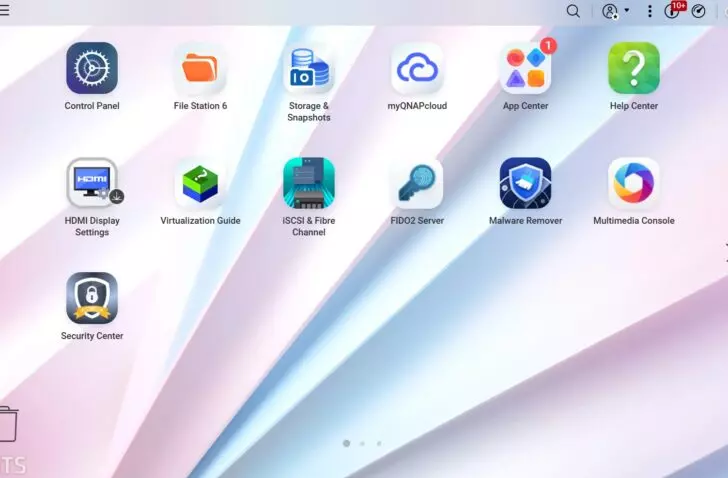
Qnap has released a public beta of QTS 6.1. The new version of the operating system for its NAS devices mainly revolves around a new look, from the login screen to the dashboard.
Qnap is launching QTS 6.1 in beta. The new version of the operating system for its NAS devices mainly brings visual improvements. In QTS 6.1, the login screen, the desktop menus, the taskbar and the pop-up windows all get a new design.
Easier for beginners
New installations start with a simpler default desktop layout, and Recent Notifications and Notification Center now sit together behind a single icon. The former Quick Start page is now called Feature Tour. The App Center has a completely new interface.
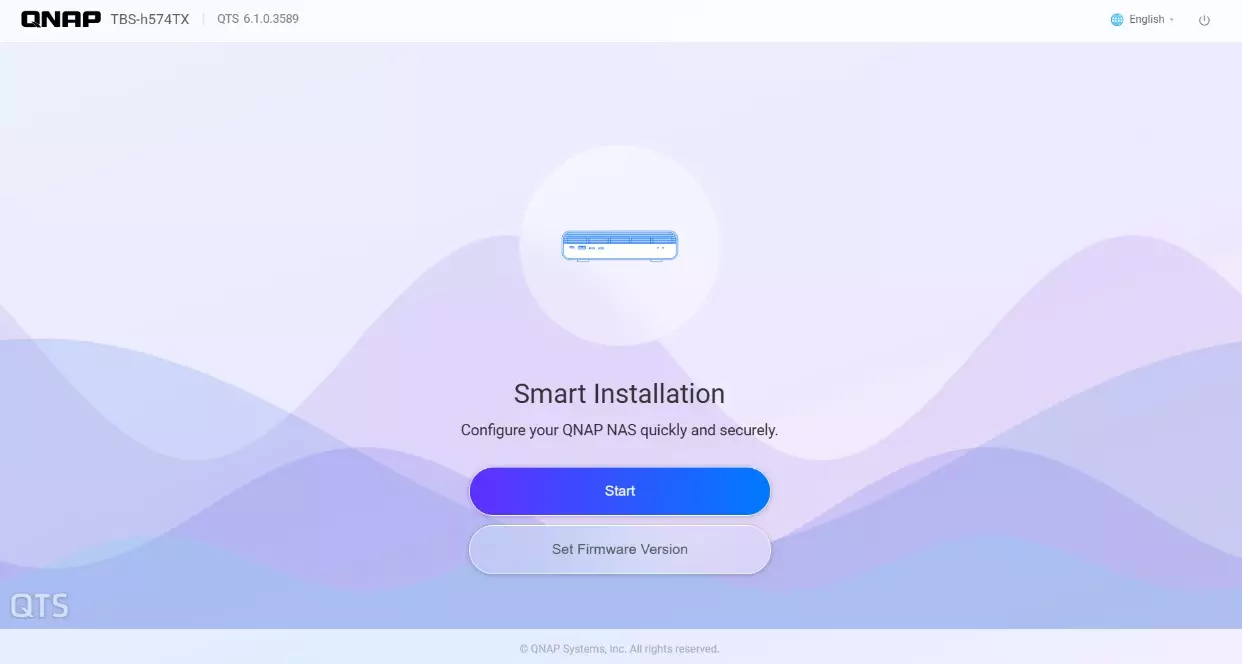
The initial setup via the browser has been reworked as well. Users get step-by-step guidance and an optional step that suggests a RAID level based on the number and type of drives.
On the dashboard, the panel on the right-hand side has been simplified. Users add cards, remove them or resize them, and that layout syncs between desktop and mobile via the Qnap account. Widgets that were on the desktop in an earlier version are not carried over during the upgrade.
Log in with a Qnap account or passkey
There are functional changes too. In QTS 6.1, users can log in with their Qnap account (Qnap ID), without the credentials of a local account. An administrator enables that option and manages which Qnap accounts are linked to which users. If a Qnap account is not yet linked to a local NAS account, the system guides the user through that linking process.
QTS 6.1 also supports passkeys based on the FIDO2 standard, both with physical security keys such as a YubiKey and with built-in authenticators such as Windows Hello and Touch ID. You enable the option via Desktop > Login & Security > 2-step Verification or Passwordless Login.
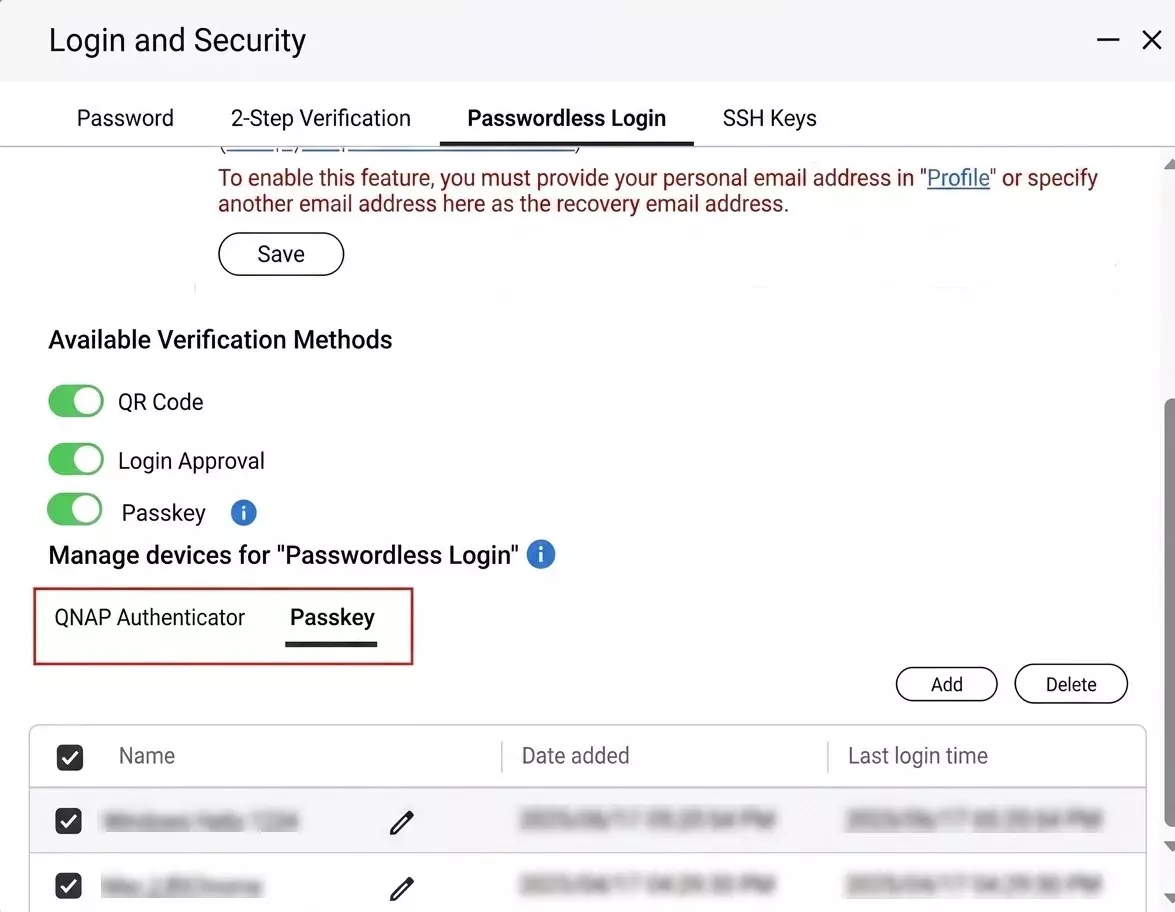
A passkey can serve as a second verification step or to log in without a password. To do so, the NAS must be reachable via HTTPS with a domain name, and the FIDO2 Server app must be installed.
Users can also disable password login entirely. That is more secure, but it means that only applications that support passwordless login remain available. These include the web interface, the mobile apps Qfile Pro and Qmanager, and Qsync Client. If TLS 1.3 is configured, QTS automatically enables post-quantum cryptography and the login screen shows that the connection is secure.
AI assistant and semantic search
The new AI Service Center centrally manages AI models for various NAS apps and lets them run locally with hardware acceleration or via cloud services such as OpenAI, Gemini and Azure.
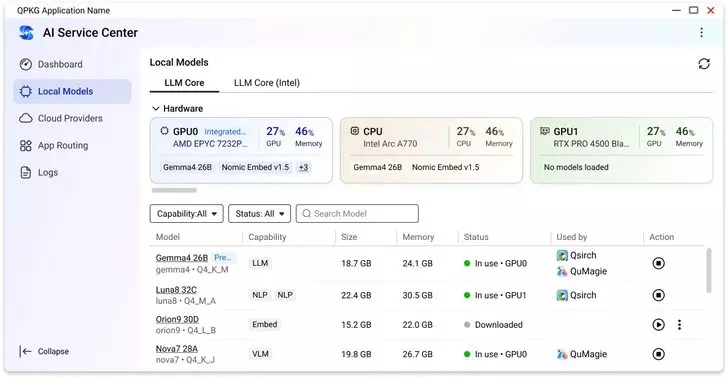
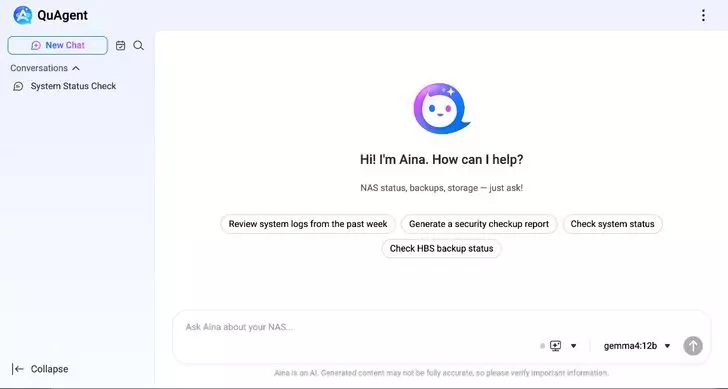
QuAgent is a chat assistant for NAS management that, among other things, retrieves the system status and checks backup tasks. Qsirch searches for files based on a description in plain language, provided the NAS has a GPU with at least 16 GB of VRAM. As for GPU support, with the latest version of its OS Qnap embraces the Intel Arc B70 on compatible NAS models.
Availability
As of QTS 6.1, Qnap no longer supports a number of older apps, including TeamViewer, phpMyAdmin, Python and MariaDB 5 and 10. Support for Tehuti network cards is also dropped. The validity fields of certificates must now comply with the encoding rules of ITU-T X.690. Certificates that do not can no longer be loaded.
The public beta, version 6.1.0.3640, is available for a long list of NAS models from, among others, the TS, TVS, TBS, TES and QAI series. For the time being, the beta supports a limited selection of apps, a list that Qnap says will grow in later official releases. After the firmware update, Qnap recommends updating all apps in the App Center. Qnap has not yet given a date for the final version.