


With the OpenMeet UC, Shokz serves a niche: the headset with a microphone uses bone conduction for sound, keeping your ears free and allowing ambient noise to pass through unhindered. This brings unique advantages, although the execution is not perfect.
While many manufacturers of office headsets want to block out as much ambient noise as possible, both by sealing your ears and implementing active noise cancellation, Shokz radically chooses the opposite. The Shokz OpenMeet (279.95 euros incl. VAT) lets you listen to what is happening on your laptop or smartphone while keeping your ears completely free. This approach proved convincing in various scenarios.
Bone-what?
Before we dive into the pros and cons of this specific headset, some background is in order. Shokz (known as AfterShokz until 2021) specializes in headphones and earbuds where ambient noise is not excluded. For its main products, the company embraces bone conduction for this purpose. This is a technology where sound reaches your inner ear via vibrations through your skin (and thus not through your ear and eardrum).
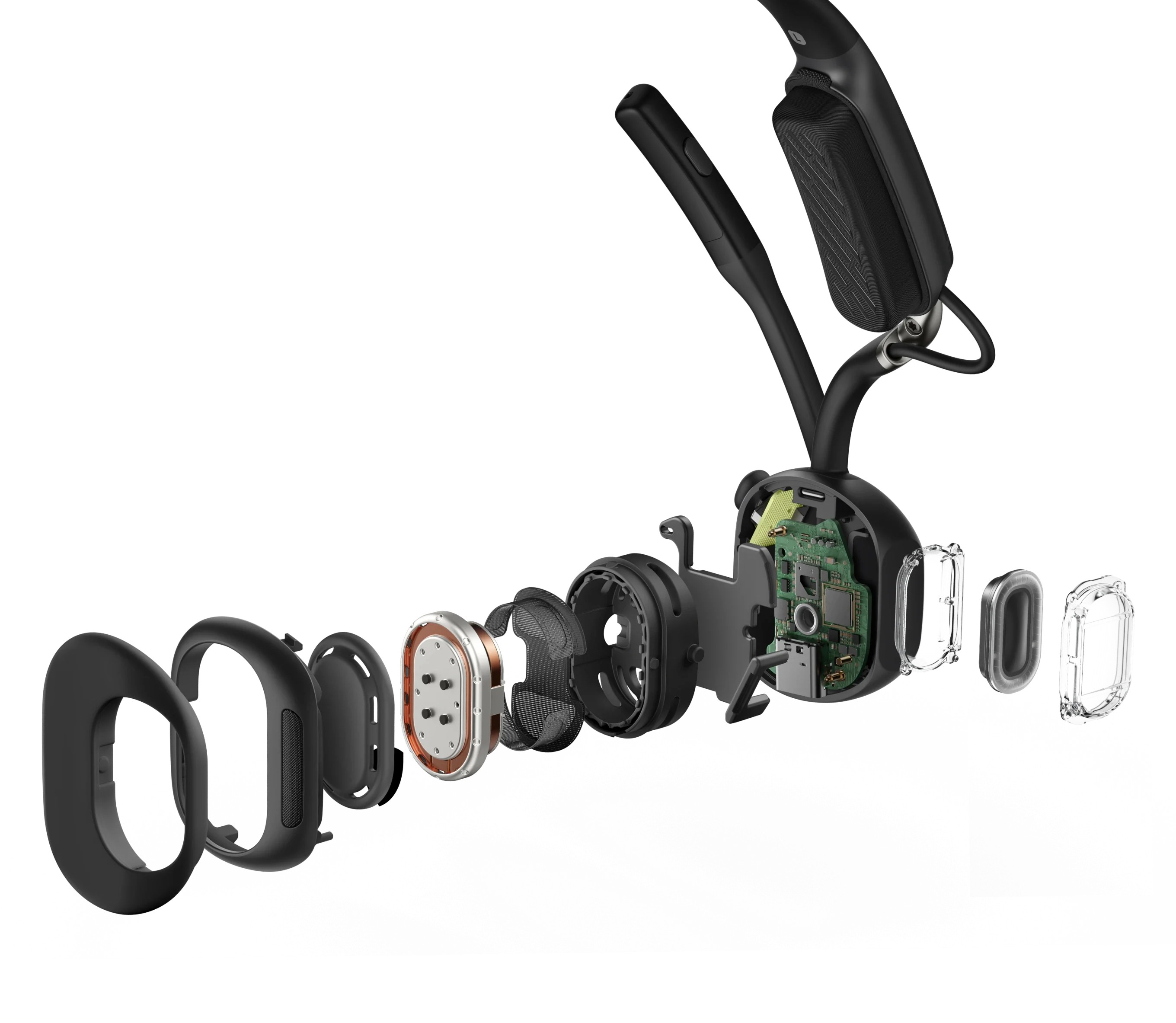
So, you don’t place bone conduction earbuds over your ears, but just in front of them. Shokz initially became known by focusing the technology on athletes. Anyone running or cycling through traffic can safely enjoy music or a podcast without missing a car horn or a bicycle bell. In 2025, Shokz turned its attention to the professional market.
The Shokz OpenMeet aims to appeal to professionals with the same promise: clear sound, but free ears.
On your head
The headset comes in a compact case with space for the OpenMeet itself, a USB-C charging cable, a small manual, and two additional sizes of headband attachments.
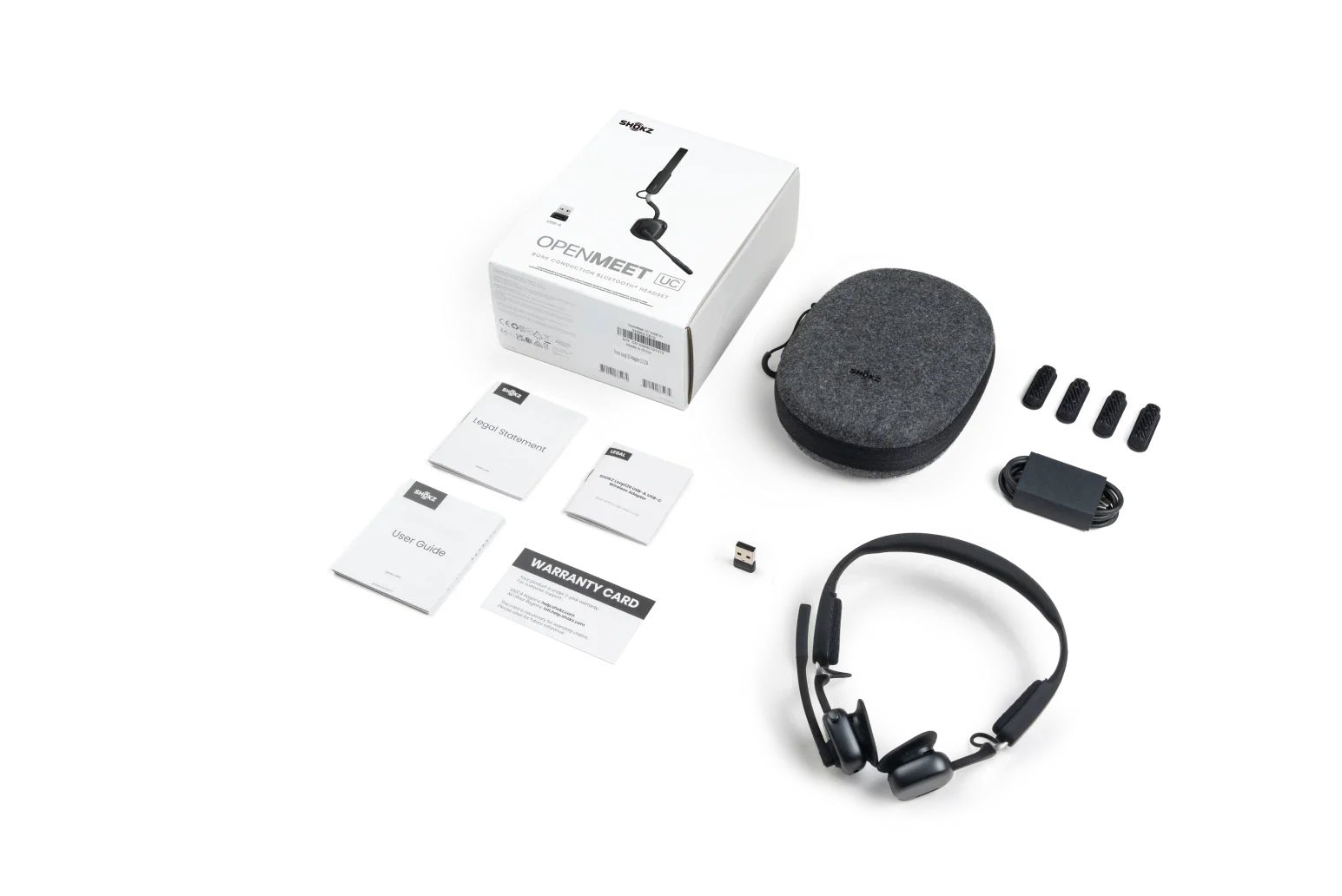
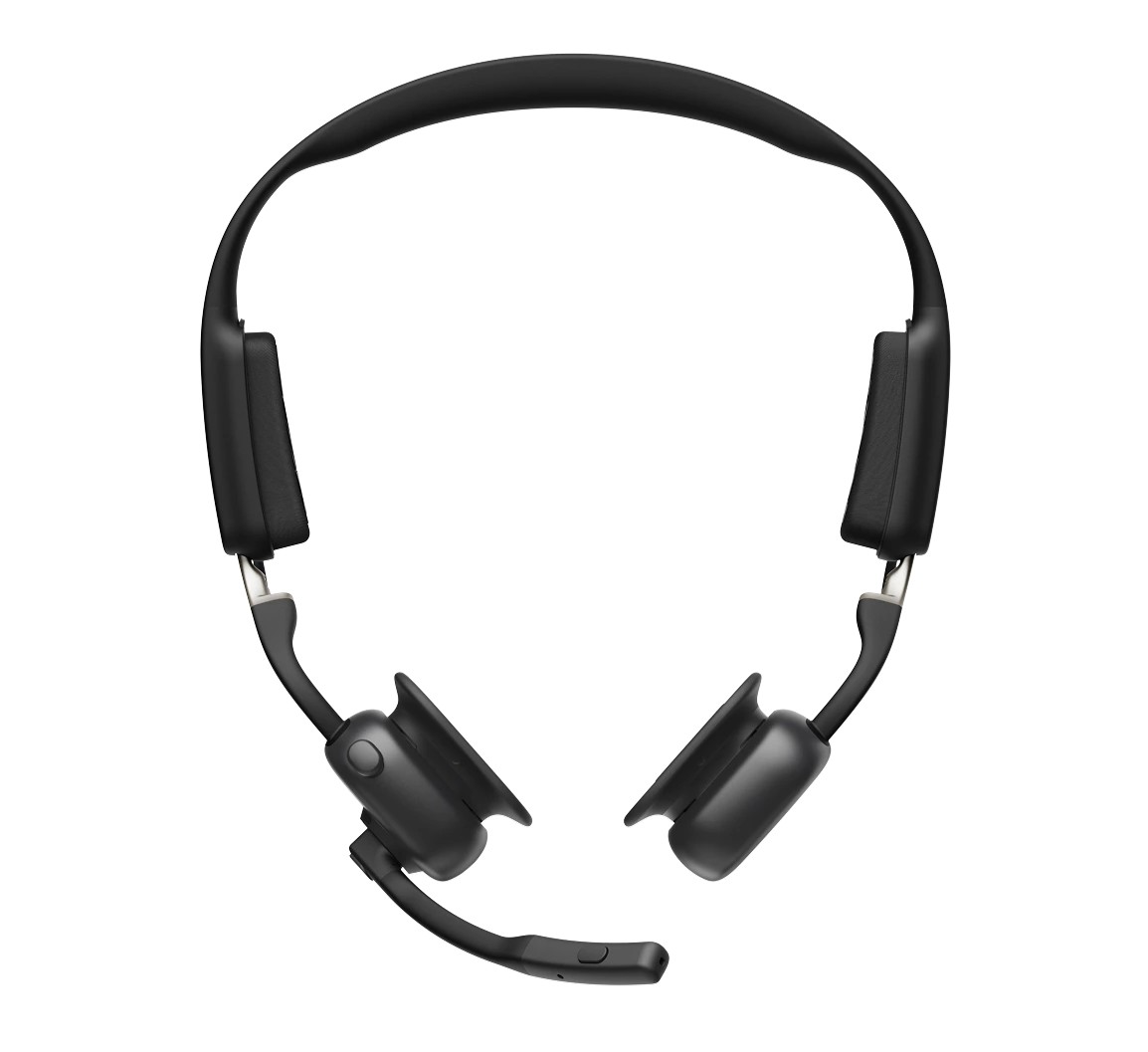
The device looks like a very lightweight headset, except that the ear cups have been replaced by the two bone conduction speakers. You place these on your head in front of your ears with a soft, comfortable silicone connection.
The Shokz OpenMeet features a lightweight and flexible headband. There is space for two very soft attachments on the left and right. This is where the band will rest lightly on your head. This is different from a classic headset, which embraces your ears and rests mainly on the top of your head. Shokz provides three sizes for the attachments, which you can easily swap. The comparison with different sizes of tips for classic earbuds is easily made. For us, the largest ones are the most comfortable, as they allow the speakers to rest best against our temporal bone.
Controls
On the right, we find a microphone attached to a flexible boom, which we can easily click upwards. Three buttons are present: a large one at the front right of the speaker is the main one. You can move the button up and down and press it. By doing this briefly or for a long time, you turn the Shokz OpenMeet on and off, pause tracks, adjust the volume, and more.
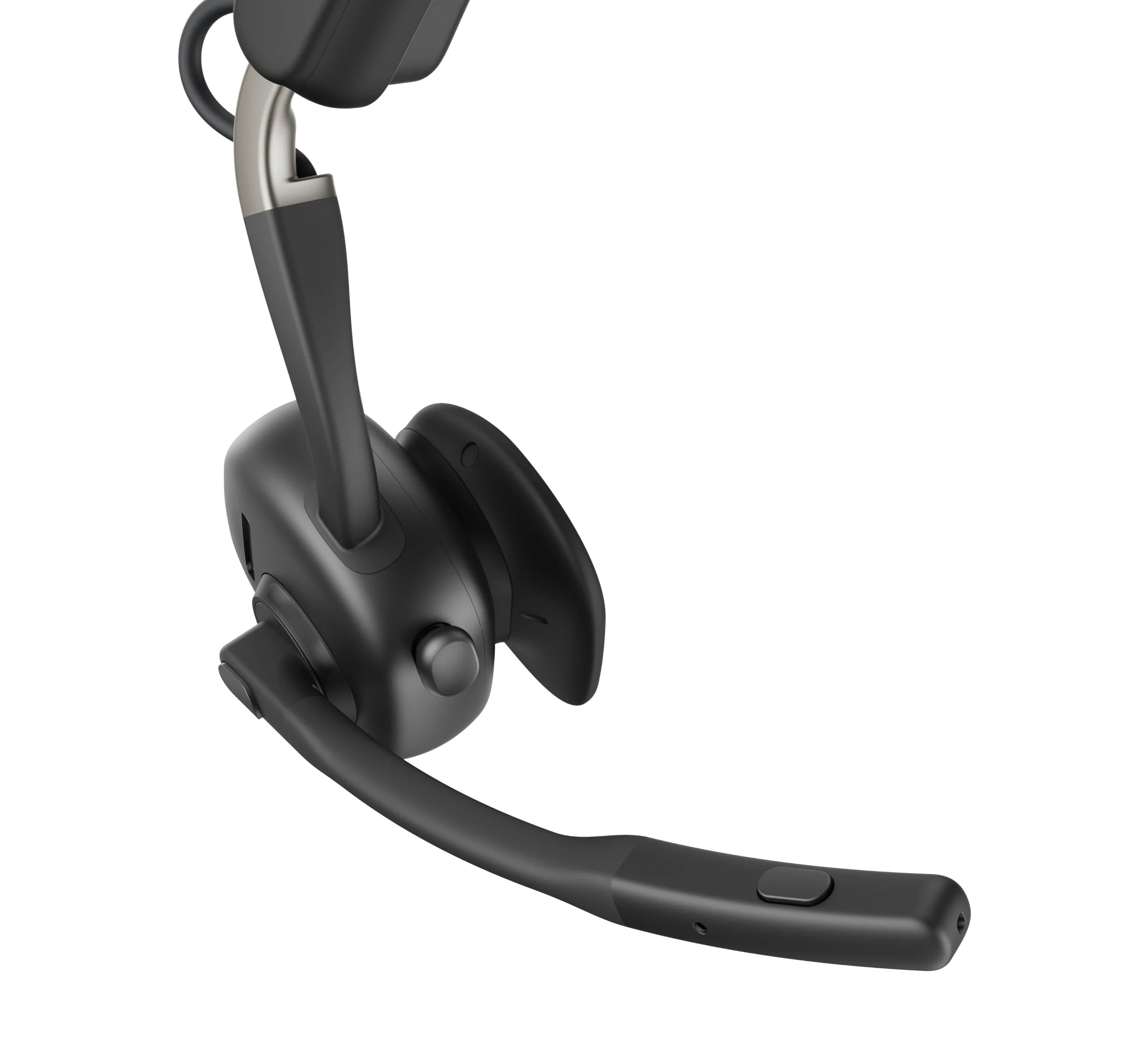
A second button on the side of the speaker allows you to quickly answer or end a call. At the front of the microphone is a final button that lets you temporarily mute the microphone.
Battery
The Shokz OpenMeet has a small light on the right. It appears blue when you start the headphones, shines red when you are in a call, and flashes when connecting. A voice helps you further to discover what is happening (“battery medium”).
Furthermore, the battery lasts long enough. Shokz claims you can talk for fourteen hours and listen for an hour longer. This is in line with our findings. Five minutes of charging already gives you about two hours of extra talk time: ideal for when you discover just before a meeting that you still need to recharge.
Connection and app
It is very easy to connect our Shokz OpenMeet to both a smartphone and a laptop without a dongle. Our test model is not equipped with a wireless USB adapter, but Shokz does offer one in the UC version of this product.
On the smartphone, we can further control the Shokz OpenMeet with the Shokz app. There, we can enable and disable some functions, such as the Vocal mode, which makes voices sound slightly clearer. You can also install firmware updates via the app.
On the (Windows) PC, we simply connect the headset via Bluetooth, which also works perfectly. During Teams meetings, the device performs very well.
Sound quality
The sound quality is good – for bone conduction. Phone calls are clear. We hear our colleagues well, and they understand us crystal clear. Have you never experienced bone conduction? Then don’t imagine too much: sound sounds very normal while your ears are free. It feels a bit like a small, high-quality speaker is hovering near your ears without drowning out other sounds too much.
Listening to music is also a pleasant experience. Bass and treble are present, and the midrange is acceptable. In no case should you expect sound quality on the level of classic headphones in this price range, but the result is enjoyable.
Weight and stability
The headphones themselves are very light. At 78 grams, you hardly feel like you’re wearing anything on your head, which is one of Shokz’s selling points. The Shokz OpenMeet doesn’t press hard anywhere on your head and remains comfortable even after long sessions. Because nothing covers your ears, the OpenMeet is also significantly cooler than classic headsets.
On the other hand, the lightweight device is quite flexible and therefore slightly less stable. When we look up or down, the Shokz OpenMeet tends to shift a bit. Furthermore, it is not that easy to position the headset in the perfect spot in front of the ears.
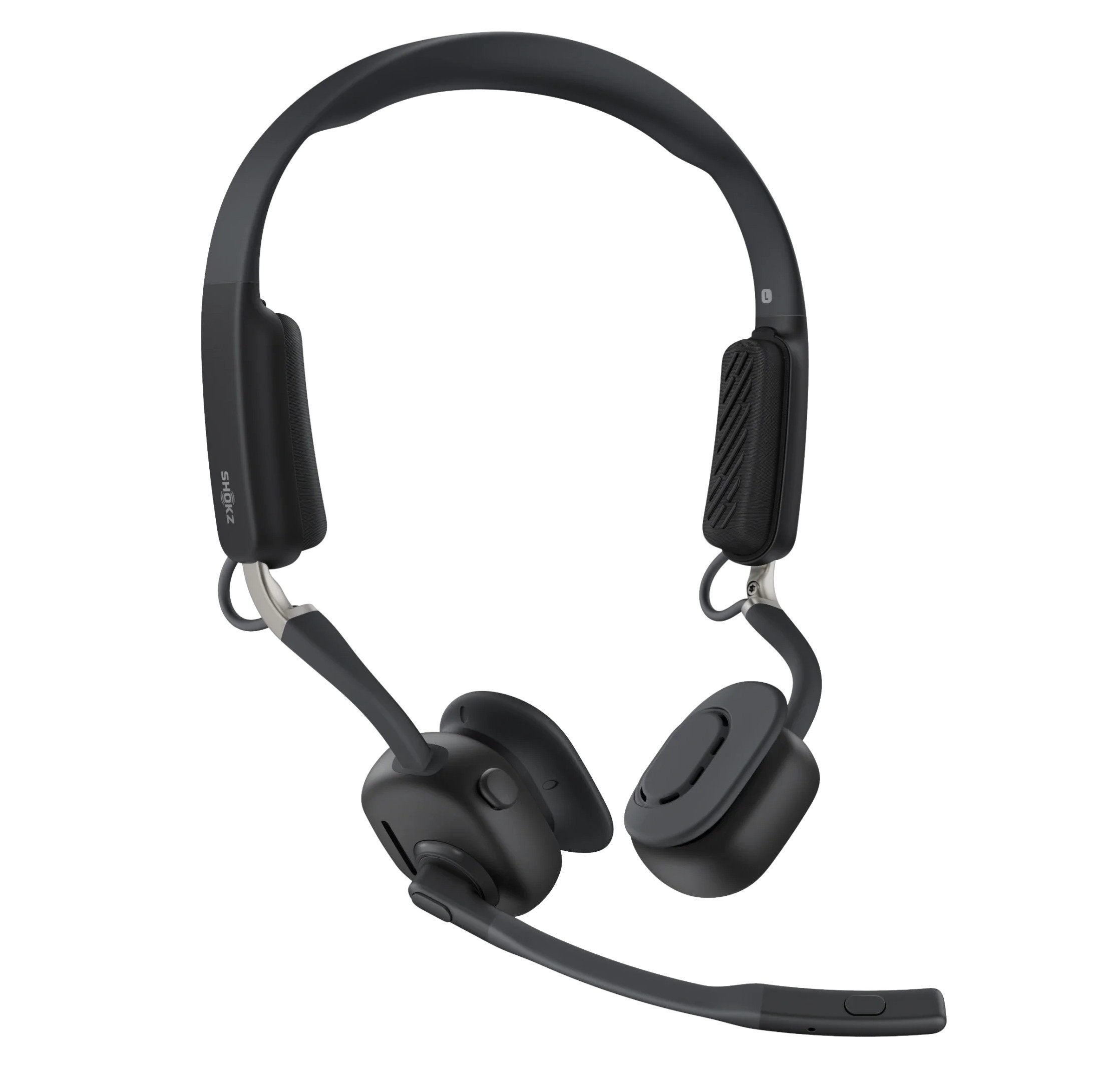
In our opinion, this is due to the chosen shape. With the OpenMeet, Shokz was heavily inspired by classic business headsets by using a headband. However, headphones fit on or around the ears, where they naturally stay in place. That is not the case here.
Alternative design
Actually, Shokz should have known this. Almost the entire other (sports) range from the manufacturer runs behind the ears, which makes positioning easier and adds an extra element of stability. We were briefly able to try on the OpenComm 2 during ISE 2026, and it combines the microphone boom of this OpenMeet with the design of the OpenRun headsets from the sports range. During the extensive testing of the Shokz OpenMeet, we frequently thought back to that design. It seems like a slightly more practical choice to us.
We suspect that Shokz chose the design of a classic headset for the OpenMeet to provide slightly larger speakers, but also to stand out more clearly alongside classic headsets. Unfortunately, the result is not perfect.
Shokz does succeed in its goal with the OpenMeet. The business headset is user-friendly and allows you to make calls while keeping your ears free. Technically – apart from the stability of the headband – there is little negative to say about this device.
Okay, but why bone conduction?
An additional question arises, however: why would you want free ears when most manufacturers opt for noise cancellation? Weight and heat are factors as mentioned, but we noticed other advantages.
During a long video meeting from our home office, for example, we could have background music playing through the large speakers in the room. Voices are still audible, and call participants do not hear the background music. This results in a nice experience, a bit like meeting physically in a room with a pleasant playlist on.
In the office, the Shokz OpenMeet allows us to listen to music quietly while remaining approachable. If we receive a call, we can answer immediately without being cut off from the outside world. This is relevant in the context of a quiet working environment. In noisy offices, however, the openness can become a disadvantage again.
Finally, there are many work environments where it is dangerous or not permitted to cover your ears. Think of warehouses or factory environments, where you need to be able to hear warning signals. The bone conduction headset ensures that you can still make calls in such a context.
Here too, we have to think of the OpenComm 2 again, which does not run over your head. After all, that form factor allows you to wear a helmet in such environments, which is not possible with the OpenMeet.
Top product behind the desk
Our conclusion for the Shokz OpenMeet is twofold. It is beyond doubt that Shokz delivers a good product here. The OpenMeet feels high-quality, is user-friendly, and records our voice perfectly. The sound comes in excellently via bone conduction, so even listening to music is an option. Just about the only relevant downside is the somewhat limited stability of the headband.
When we think further about scenarios in which the OpenMeet is relevant, that headband gets in the way even more. In industrial environments, for example, the design is not ideal for walking across the factory floor with an engineer on the line and a helmet on your head. Shokz knows this too: after all, the OpenComm 2 is also in the range.
Behind the desk, this plays less of a role, and that is where Shokz is targeting with the OpenMeet. In that respect, the Shokz OpenMeet is a very good product for those looking for a lightweight open headset. Talking and long-term wear are the focus, but remaining approachable while music plays is a further bonus.
Tested: Shokz OpenMeet – 279.95 euros incl. VAT
Pros
- Lightweight
- Good call quality
- Listening to music is possible
- Ears remain free
Cons
- Headband and positioning not entirely stable during movement
- Mediocre sound quality for music compared to classic headsets.