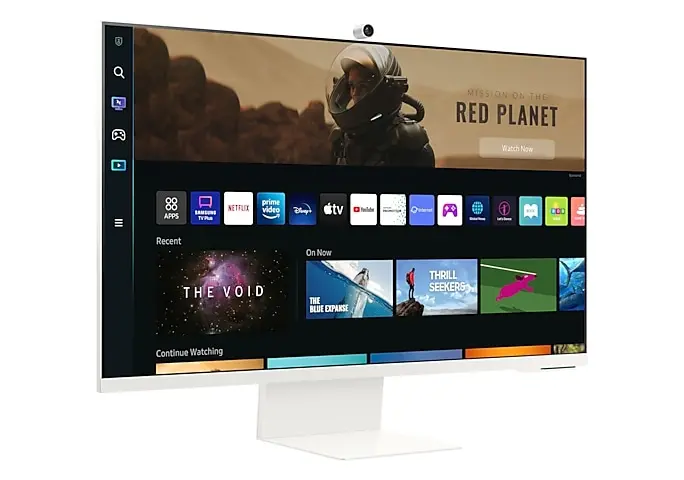
One screen for work and relaxation? The Samsung M8 takes on multiple forms. In an instant, the screen transforms from a productive office monitor into a television.
Business monitors come in all shapes and sizes. In this wide range, Samsung tries to stand out with an original concept: a “smart monitor” that serves more than just professional purposes. The Samsung M8 we review here is both an office monitor and a television.
Installation with Elevator Music
Setting up the monitor is part of the user experience. The Samsung M8 monitor requires more than just plugging in a cable and pressing the power button. To use the ‘smart’ features, the monitor must be connected to a Wi-Fi network. For extra security, you can lock the screen with a PIN code. Relaxing background music, less relaxing for your colleagues at the office, accompanies you through the process.
The design of the 32-inch M8 monitor seems inspired by Apple’s screens. The standard color option is white, but you can also choose blue, green, and even pink to add more color to your desk. The thin screen edges keep the setup compact. The screen can be tilted and adjusted in height. There is no channel provided to hide cables.
Connections and Extras
Samsung ensures you need to pull as few cables across your desk as possible. The M8 monitor supports USB-C, which is the most common connection type for electronics today. Through the USB-C port, the monitor delivers 65 W (via Power Delivery) to charge a connected device. The included cable could have been a bit longer.
With Bluetooth and Samsung DeX, you can connect wirelessly, and there is also built-in Wi-Fi support. It is compatible with Wi-Fi 5, which makes the screen less future-proof for those who want to keep up with new and faster Wi-Fi standards.
read also
HDMI, DisplayPort or USB-C: the World of Video Connections Explained
In addition to USB-C, we also find one HDMI and two second-generation USB-A ports. This standard is now long outdated and only suitable for connecting input devices such as a keyboard. The micro-HDMI port will not fit every cable. What you won’t find is a DisplayPort connection, nor an audio port for headphones.
Webcam
The webcam is a handy extra and is attached to the back via a magnetic strip. It offers decent quality for video meetings. The image appears “yellower” than the webcam of our Microsoft Surface laptop, which casts an artificial white light over our face and the room.


Image quality
Due to the multifunctionality of the screen, we need to assess the image quality in multiple usage scenarios. We start with “regular” office work. The Samsung M8 monitor features a 32-inch VA panel with a viewing angle of 178 degrees. Large monitors invariably have a high resolution (3,840 x 2,160) while VA technology ensures high contrast (3,938:1), resulting in high image quality. The monitor supports HDR10+.
We measure a high brightness of 400 to 489 nits on multiple benchmarks. You can further adjust the brightness artificially via the Adaptive Picture function, which makes the screen lighter or darker depending on what appears on the screen. This seems more like marketing to us: rely on your own eyes instead of algorithmic ones and adjust the brightness yourself. It doesn’t take much effort to slide that bar.
read also
Samsung pretends to put AI in a monitor
There are also downsides. VA screens are generally less accurate with colors than their IPS counterparts. An average DeltaE of 4.7 is not scandalously bad, but to attract graphic professionals, this figure should not be much higher than two. The monitor seems to struggle particularly with red and burgundy tones: we measure DeltaE values higher than nine to eleven on various benchmarks.
So graphic professionals are out. Does the screen have more success with gamers? Samsung proudly sells the Ultrawide Game View, which temporarily converts the 16:9 aspect ratio to 21:9 to get more on the screen. However, gamers will not be so pleased with the 60 Hz refresh rate and the “slow” response time of 4 ms. Due to these limitations, this is primarily a screen for office work, despite Samsung’s appealing sales pitch.
Watching TV
Do you feel the need for relaxation after (or secretly during) work hours? You don’t have to leave your comfy office chair. In an instant, you switch from a “classic” work monitor to a television. Through the Smart TV Hub, you can find YouTube and other popular streaming services: availability may vary from region to region.
To use the television features, you first need to be connected to Wi-Fi. It’s slightly annoying that Samsung also requires you to log in to their system before you can sign in to the streaming service of your choice. It’s a bad habit of the manufacturer, who also goes to great lengths on its phones and laptops to get you to create an account and share data.
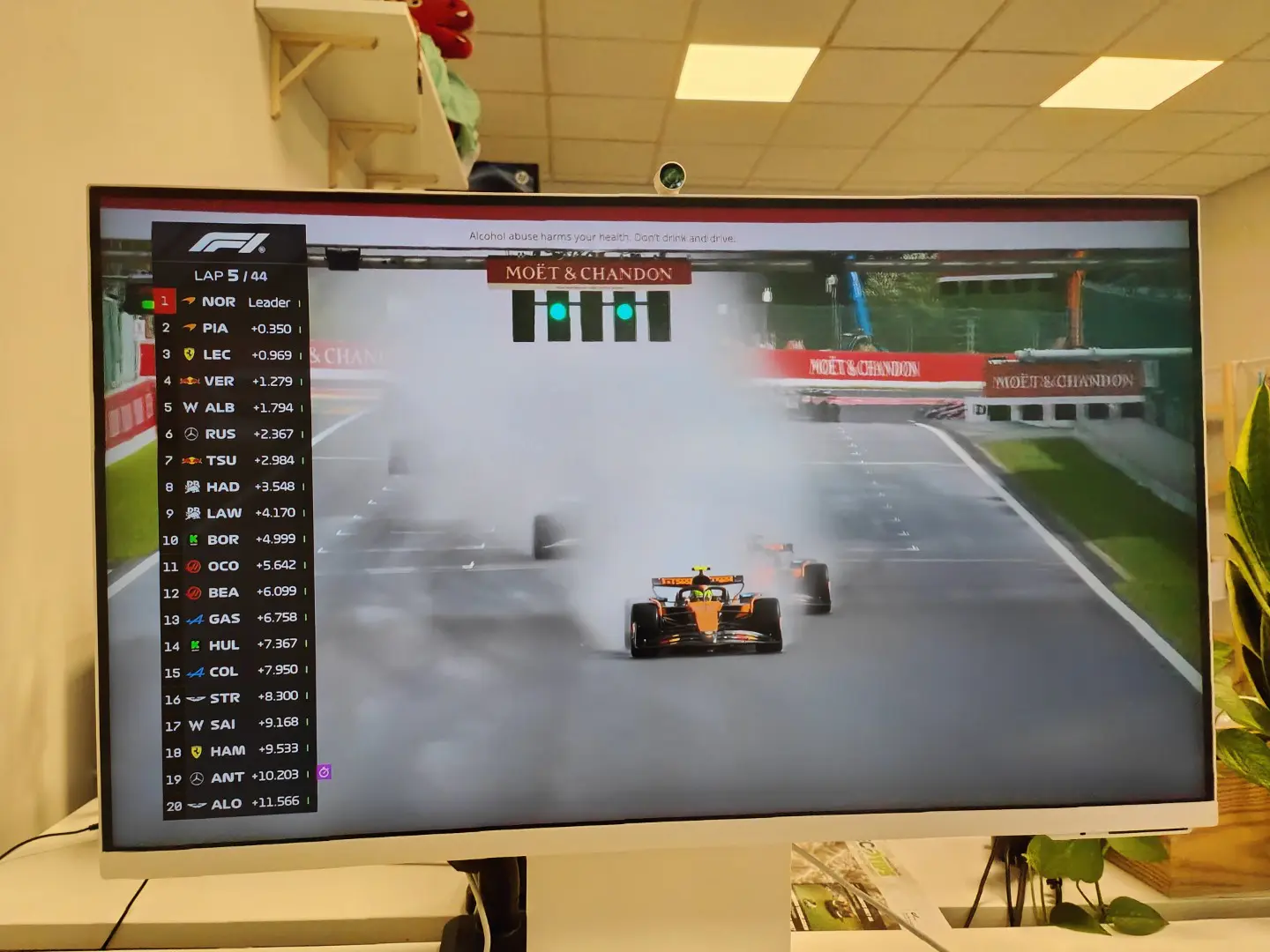
The image quality is what you can expect from a monitor and will logically not surpass your flat-screen TV. Notably, the start menu is much less sharp and only activates the maximum resolution during streaming. A 16:9 aspect ratio is in line with the standard most streaming platforms use, and the refresh rate is just high enough to keep the image running smoothly.
Two 5 W speakers provide acceptable sound. If you want to hear every rustle or sigh in the purest detail, you’ll need to look for a more professional setup. In the settings, you’ll find various (unnecessary) AI-driven functions to adjust the image and sound.
Virtual Desktop
As if a monitor and television screen weren’t enough, Samsung also markets the M8 as a virtual desktop and IoT hub. Through the Workmode, you can work without having to connect a PC. You then stream Microsoft applications from another PC to the screen. Support for Samsung’s SmartThings app lets you control smart devices in your living room from the monitor.
Conclusion: Versatile, Sometimes Too Much
The Samsung M8 is undoubtedly one of the most versatile monitors you can find. From classic office work to entertainment: this monitor wants to do it all. However, Samsung somewhat loses sight of the fact that each application and target audience has specific needs, which the screen cannot always meet equally well. Not everything can be solved with an AI button.
If versatility is a plus for you and you’re willing to compromise here and there, the Samsung M8 monitor covers multiple needs at once. If you’re looking for a screen for one specific application, it’s worth comparing alternatives, especially if you don’t need your monitor to be a TV.
Samsung M8 – from 699 euros – 2-year warranty
.pro’s
- Multifunctional
- Large 32-inch screen
- 4K image quality
- Webcam is a handy extra
- Wireless connection possible
.contra’s
- Color deviation too high for graphic professionals
- Slower response time
- AI Marketing
- Outdated standards