


Philips introduces a unique monitor with a screen on both the front and back. In which setting can the monitor justify its place?
Philips launches its first-ever double-sided screen. The Philips 24B2D5300 is a monitor with a 23.8-inch screen on each side. It replaces two monitors and is primarily interesting for customer-facing situations, such as at a reception desk or in sales. Whether such a double-sided screen can also claim its place in a professional setting? We have our doubts about that. The Philips 24B2D5300 costs 429 euros excluding VAT.
Two in one
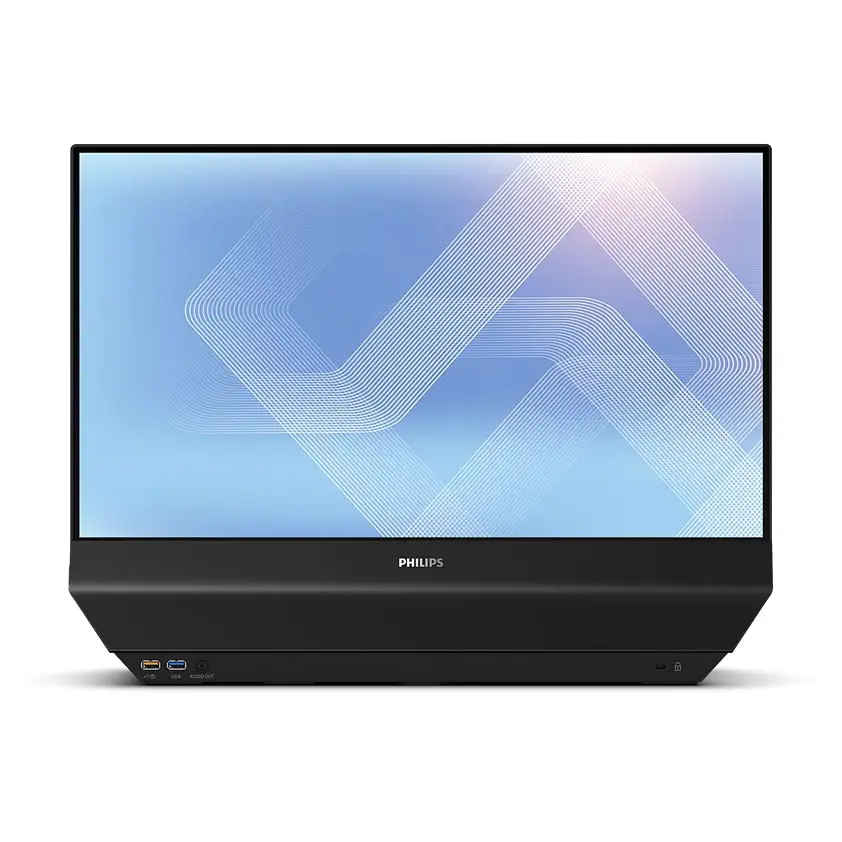
Philips adds a very special monitor to its (5000 series) range. The Philips 24B2D5300 is not ultrawide, does not have a 5K UHD resolution, but it is double-sided. Both screens have a 23.8-inch IPS panel with Full HD resolution, a refresh rate of 120 Hz, and a brightness of 300 nits.
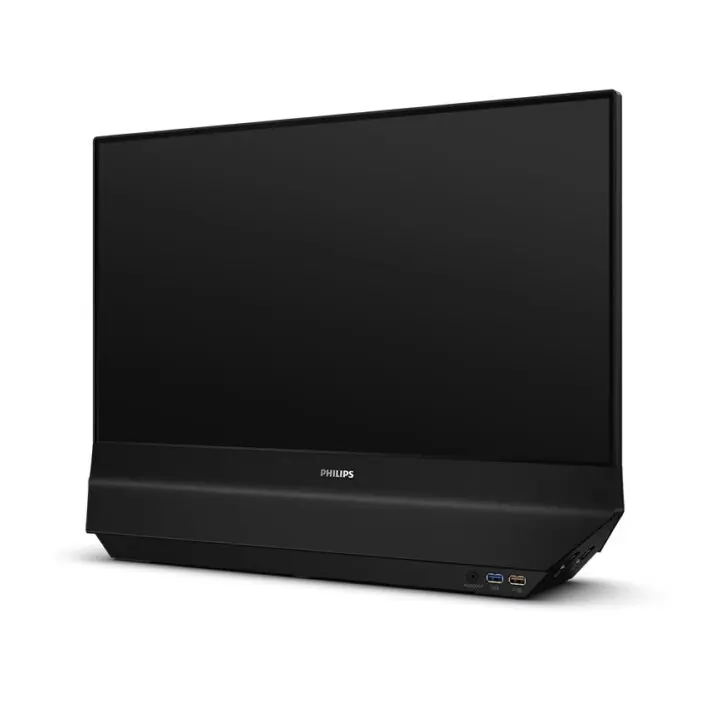
Furthermore, it includes all the comfort features you can think of, such as SoftBlue technology, flicker-free technology, and Eyesafe certification. With the built-in 180° swivel head, you can rotate the screen, although it feels rather stiff (and redundant with two screens).
Identical or fraternal?
Philips presents both panels as identical. However, we noticed some differences in our tests. The rear panel has more favorable values on paper, although the difference is not perceptible to the naked eye. Neither screen scores exceptional figures, but they are sufficient for the intended applications.
We measured a white balance of 3.7 (screen 1) and 3.1 (screen 2), and a color balance of 3 (screen 1) and 2.9 (screen 2). Figures below 2 are generally considered high quality. Unfortunately, the Philips has significantly exceeded that limit. Screen 1 has a white brightness of 413 cd/m², screen 2 of 429 cd/m². The black brightness amounts to 0.304 cd/m² and 0.311 cd/m² respectively. The contrast values are 1360:1 for screen 1 and 1374:1 for screen 2.
Both screens display realistic colors reliably, with 3.1 for screen 1 and 2.8 for screen 2. The largest deviation is visible in the color red (more than 6 for both screens).
King USB-C
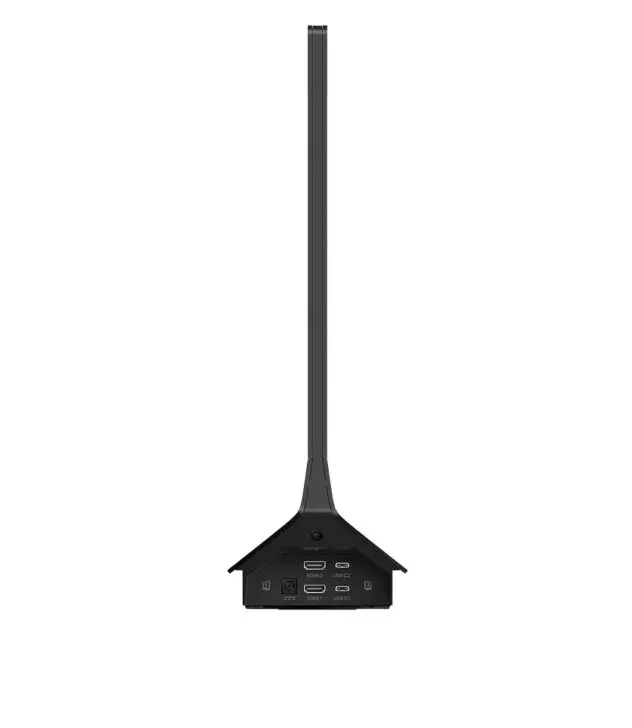
The monitor is generous with connections and provides everything in duplicate. For instance, there are two HDMI and USB-C ports provided on the right side (depending on which screen you are facing), next to the power connection. On the other side are the power buttons for both screens, which also serve to navigate through the menu.
We appreciate that the USB-C connection powers our laptop at 65W. Even when two laptops are connected, they both receive power. At the bottom of each screen, there is an additional port for USB, audio out to connect headphones or a speaker, and a Fast Charger port to charge your smartphone. Furthermore, Philips provides built-in speakers, and two USB-C cables and a charger are included in the box.
Shared asset
The monitor can serve two users simultaneously, even without them collaborating. In an office setting, you can place the monitor between you and the person opposite you and each connect your own laptop via USB-C or HDMI.
In practice, we do not find this ideal. Placed on the dividing line between two desks, the screen is too far away for comfortable work and is, of course, not height-adjustable or mountable on a monitor arm. It does create a clean desk feeling: one monitor and two USB-C cables for two workstations, nothing more. We see more potential for smaller desks or flexible workspaces. Moreover, the laptops charge simultaneously via the USB-C cable.
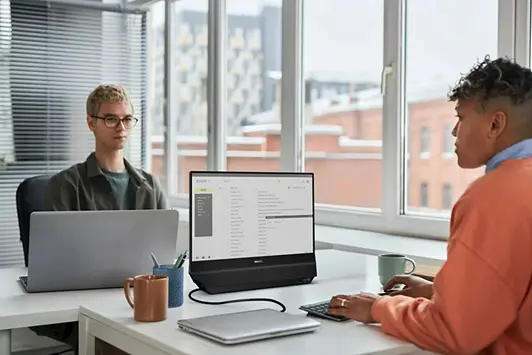
If you need to put a presentation together in a flexible workspace, the double-sided screen can be quite handy. Giving presentations to an intimate group is also perfectly possible with this monitor. You decide what appears on the screen on the other side. For example, you can place a second screen with notes next to your presentation that is not visible on the other screen. That functionality is what makes it interesting for other applications as well.
Seeing what you need to see
There are many different ways to use the monitor. A first option is to use the monitor purely as a second screen for your own workstation. To do this, connect your laptop via the USB-C cable and your screen will appear on the monitor. Be sure to extend the display via settings, otherwise you will get two identical screens. Sharing the screen with your colleague? Then, as mentioned above, you can each connect your own laptop via the two USB-C ports.
In most applications, a customer will be sitting opposite you. With the SmartView and DualView functions, you can project different information on one screen than on the second screen. SmartView splits the image from one PC so that you see multiple applications side-by-side on the same screen. DualView adds a second, rear screen to that: the split view is then extended or cloned to the display on the back.
Operation is handled via the menu on the monitor, which you can find on the side. Each screen has its own button and menu. Furthermore, you can use OSD Sync to adjust display settings such as brightness and sharpness.
One device, multiple roles
This monitor is not necessarily designed for everyday use at your desk. As mentioned earlier, you can share the screen with your colleague, but we would not recommend it for that purpose alone. The Philips 24B2D5300 does fit into many other scenarios.
In any application where an employee sits opposite a customer and shares information, the screen can be of service. Both screens offer sufficient quality and extensive sharing options. Think of a reception desk, a shop, or even the medical sector. If the monitor does appear in an office setting, the Philips 24B2D5300 will primarily be useful for working together on projects in small spaces.
Pros
- Generous with connections
- Multi-purpose
- Five-year warranty
Cons
- Not (ergonomic) as a standard monitor
- Mediocre display