

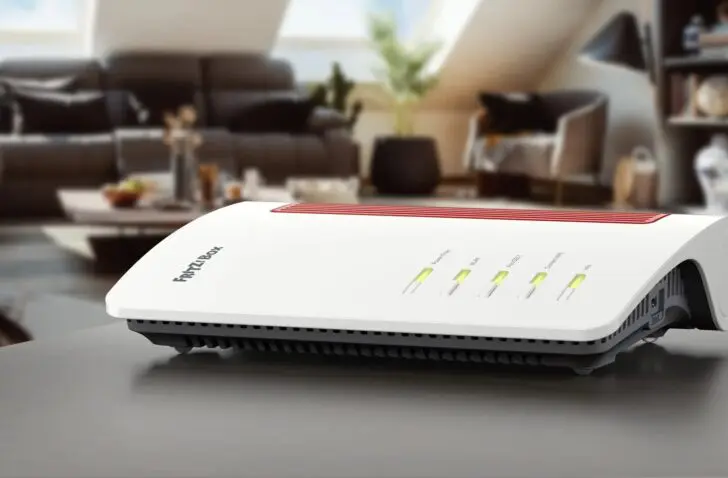
Fast Fiber is an internet provider that offers more competitive pricing, maintains high quality, and provides a fixed IP address as an option. Those who wish can even install their own modem on the day of connection. Usually, no technician visit is required.
Anyone lucky enough to have a fiber connection available at home or at their business today has the best option for a lightning-fast internet connection. New telecom providers are emerging that aren’t caught in the stranglehold of Telenet (coaxial cable) and Proximus (telephone line).
Until now, that stranglehold has made it challenging for telecom providers to be price-competitive when they have to purchase services from their direct competitor. With fiber, this is no longer the case thanks to neutral parties like Fiberklaar, which make the lines available to everyone as an independent party.
We are testing our Fiberklaar line with Fast Fiber, an internet provider that primarily connects via fiber optics. The author lives in Geel, one of the lucky cities in Flanders where a fiber connection is available almost everywhere via Fiberklaar. Prices range from 30 euros per month (50 Mbps down, 10 Mbps up) to 100 euros per month (8,500 Mbps down, 8,500 Mbps up). Both include VAT. You can find all plans here.
Why fiber?
Before we continue the review, it’s important to know why you need fiber internet. Today, you can choose from three internet options: coax, fiber, or the telephone line. The latter is the oldest technology, owned by Proximus in Belgium. That technology has had its day and hasn’t been able to compete with coax in terms of speed for years.
The coaxial cable, owned by Telenet in Belgium, still has plenty of future developments in terms of download speeds but is limited in upload. Fiber eliminates that problem and currently enables symmetrical subscriptions of up to 10 Gbps download and upload.
The big advantage of fiber is that the technology is sustainable. There is no corrosion like with coax, meaning the line will still be high-performing a hundred years from now. It is the connection of the future. It goes without saying that Proximus is rushing to lay fiber everywhere to replace its old telephone lines. Telenet and Wyre are doing the same in a joint venture (though recently no longer).
If you want higher upload speeds, more stable internet, or the lowest latency, it’s best to switch to fiber if the connection is already available in your area.
Installation options
Fast Fiber offers several connection options:
- Bring your own modem with a fiber connection
- Buy a modem of your choice to install yourself
- Buy a modem and have the installer set everything up
This kind of flexibility should be available everywhere. Nobody wants to wait around for a technician to show up. Providers often give far too wide a time slot, leaving you stuck for half a day. Here, you have two options to do it yourself. Telenet and Proximus could learn a thing or two from that.
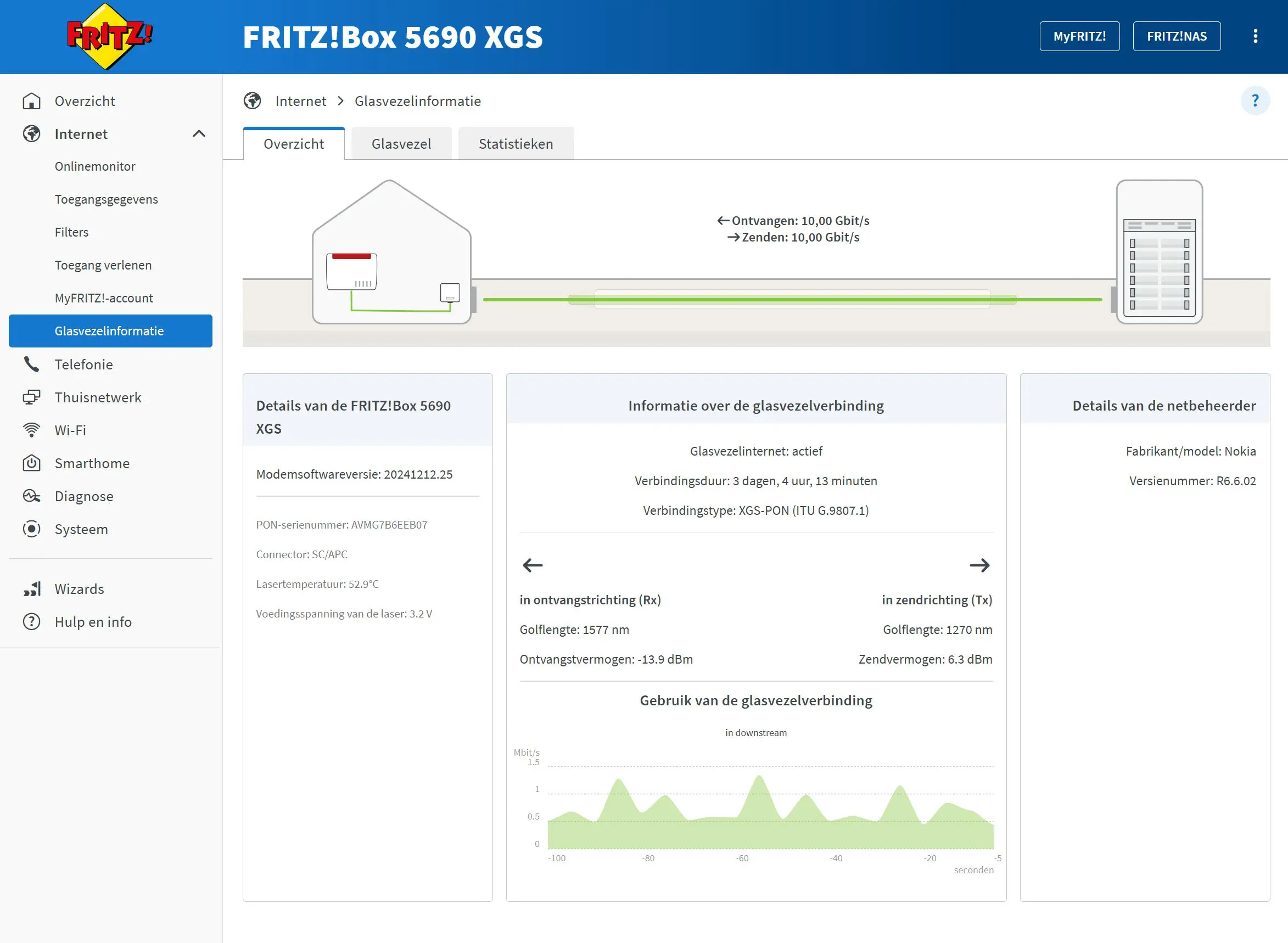
We chose the option to use our own modem because we have a FRITZ!Box 5690 XGS PON. This is a high-end model that allows you to connect symmetrical fiber subscriptions up to 10 Gbps.
Self-installation?
At least, we thought we were allowed to install it ourselves. As it turned out, Proximus still had to come by to install an ONT modem—which was actually already there from a previous Proximus fiber connection. The technician arrives, sees the modem, can’t do anything, and is gone within fifteen minutes. We find it criminal that Fast Fiber will undoubtedly receive an invoice from Proximus for this intervention.
Even sillier: we don’t even need that ONT, because our FRITZ! modem/router has one built-in. After some extra email correspondence regarding the steps to activate the ONT on our modem, we had an internet connection immediately.
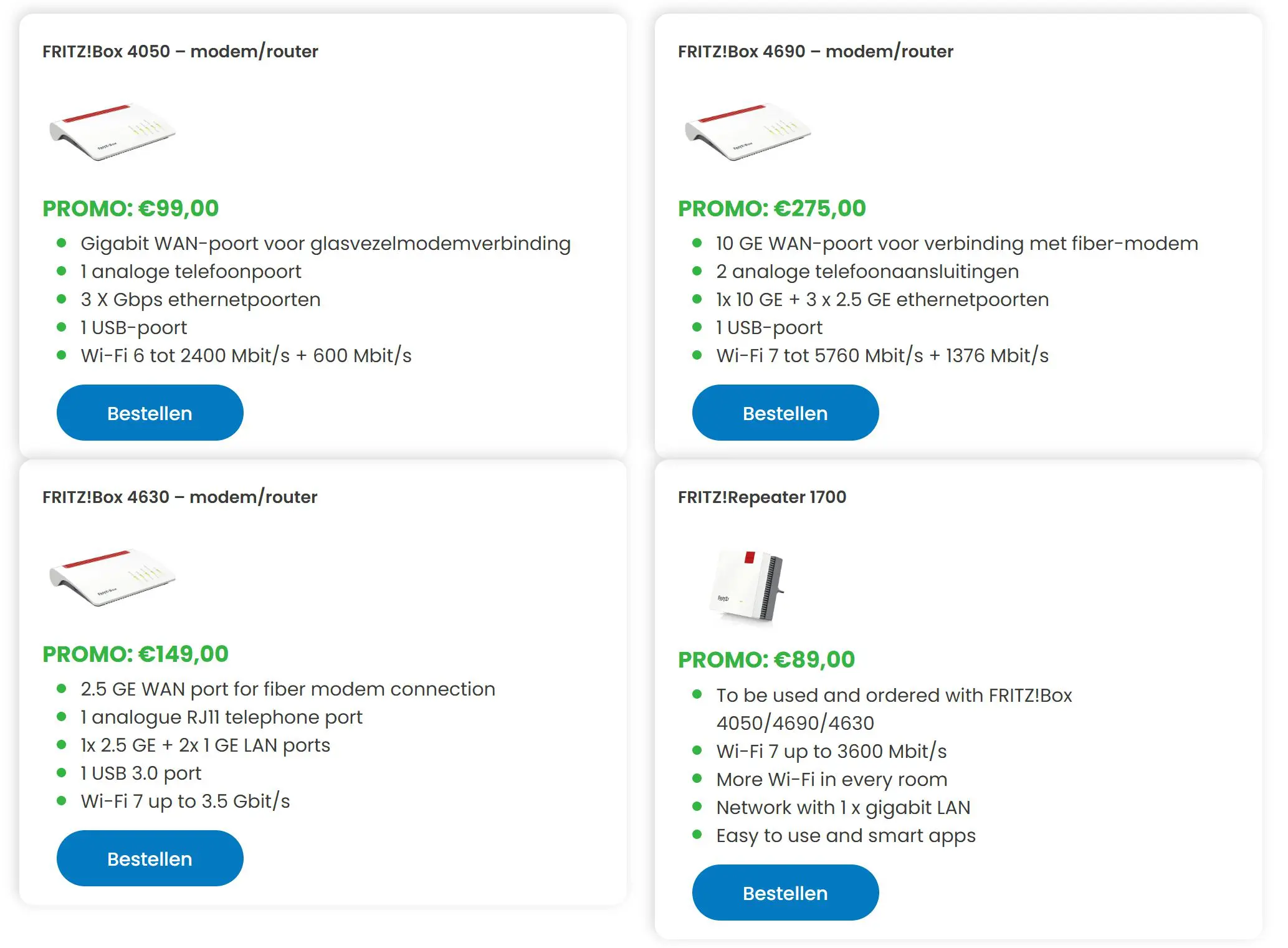
At the time of installation in late 2025, we couldn’t reach Fast Fiber by phone (this is possible today). Everything was handled via email. Fortunately, the responses were very quick, and we understood the instructions due to our technical background. If you don’t have that or are unsure, buy a FRITZ! modem/router from Fast Fiber that comes pre-configured. All you have to do then is plug in the fiber line and turn on the modem—at least, that’s the theory. We didn’t test this option ourselves.
Important detail: if you’ve never had an active fiber line before, you pay Fast Fiber a one-time activation fee of 189 euros incl. VAT. VAT. That’s for the Proximus technician who comes by, but in my case, had no work to do. Fast Fiber does suggest a clever trick on their website: Proximus often offers free installation and activation. Test the line for a few months and then cancel the contract.
Delivers on its promises
During our three-month test period, the coax backup line only had to kick in once for 5 minutes. The promised download and upload speeds—we tested the symmetrical 2.5 Gbps option (65.95 euros incl. VAT per month)—were consistently met. Occasionally we were stuck at 100 Mbps download, but that was due to a FRITZ! firmware bug that will hopefully be fixed soon.

Over this period, we performed more than 400 speed tests during the day and at night, always at random times. On average, we achieved 2.21 Gbps download and 2.08 Gbps upload. That is an excellent result, considering there are 60 IoT devices on the same line and five security cameras continuously streaming footage to the cloud.

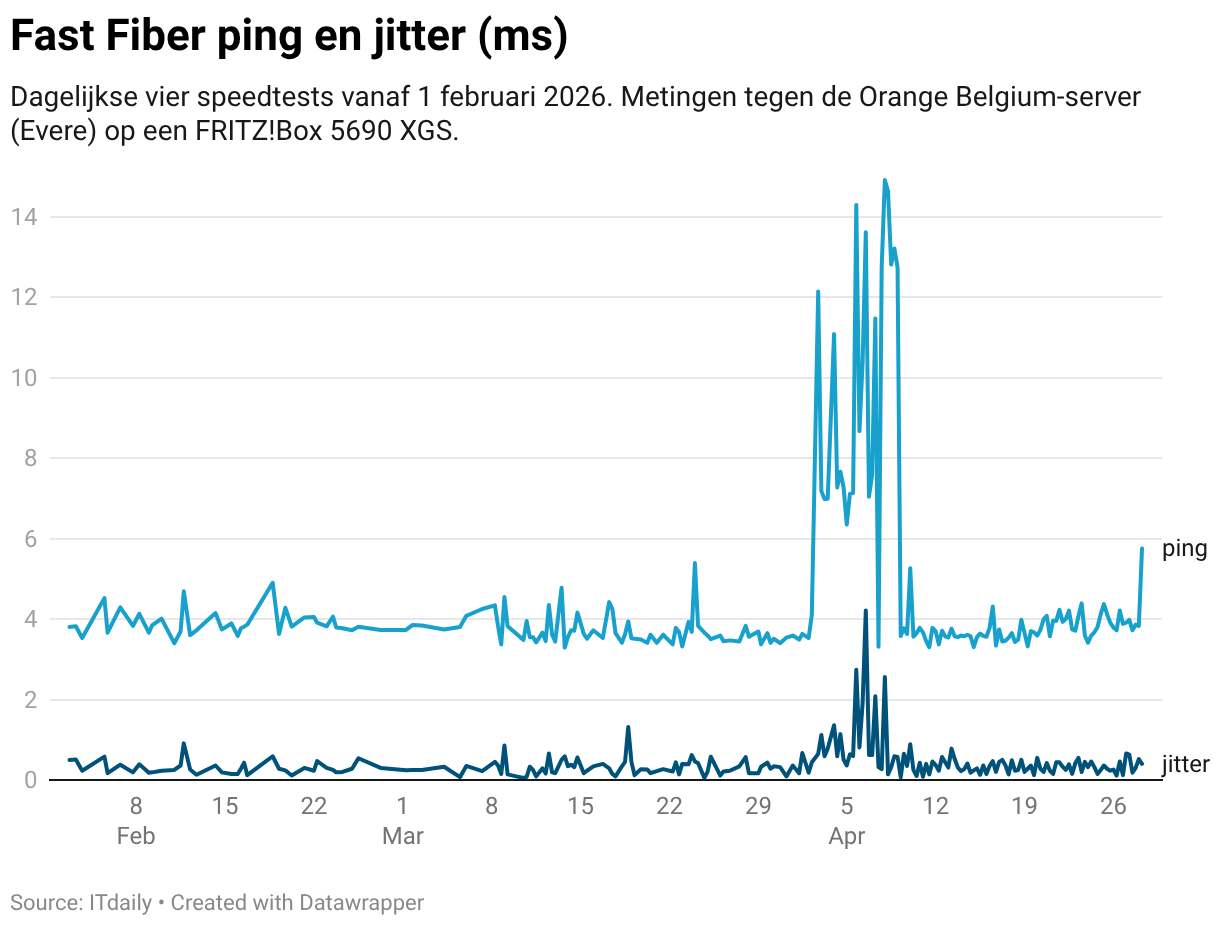
In the three months prior, our coax line had to switch to a backup line five times, with the interruption lasting longer than half an hour twice. Once it involved scheduled maintenance and the line was down for four hours.
Conclusion
A fiber line performs the same in your home or business whether you get it through Fast Fiber or another telecom provider. It therefore pays to look around for competitive prices, potential options (fixed IP address at 7 euros per month, self-installation), and the freedom you get after installation.
With Fast Fiber, that freedom is very broad; you can basically do whatever you want as long as you have a compatible router. We appreciate that flexibility, as well as the competitive pricing for the various speeds the provider offers.
Anyone who understands home or office networks will benefit from the freedom Fast Fiber offers. By working with FRITZ!, you can even easily configure a seamless backup line if you wish. The (optional) routers suggested by the telecom provider are plug-and-play. If you're afraid of computers and want everything done for you, you're better off looking at other telecom providers.
Pros
- Self-installation is an option
- Choice of your own router
- Speed promises are kept
- Stable, almost no downtime
- Fixed IP address as an affordable option
Cons
- Installation without intervention made difficult by Proximus
- Activation cost if this is your first fiber subscription
- Router cost between 99 euros and 275 euros