

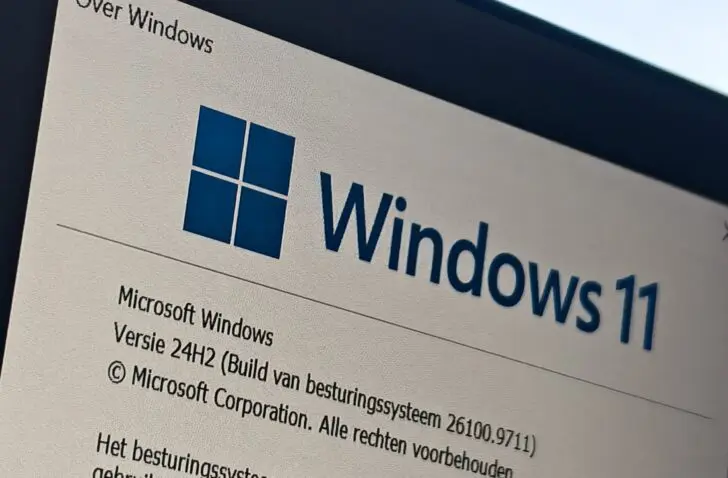
Windows 11 24H2 Home and Pro have received their final update. In it, Microsoft resolves the Always On VPN issues caused by its own September update.
Windows 11 24H2 has reached end of support. On October 13, Microsoft released cumulative update KB5127648 for Windows 11 24H2, 25H2, and 26H2. For the Home, Pro, Pro Education, and Pro for Workstations editions of 24H2, this is the final update.
These devices will no longer receive monthly security updates or preview updates. Microsoft recommends upgrading to the latest version of Windows 11. To be clear: in principle, this is not a major problem. However, take note. Microsoft does not always automatically suggest such major version updates. Open Start, type winver and press Enter to open a dialog box showing the current version of your Windows installation. Such a check is particularly relevant for those managing their own PC.
Windows 11 24H2 was released on October 1, 2024. Enterprise, Education, IoT Enterprise, and Enterprise multi-session will continue to receive security updates until October 12, 2027. For Home and Pro, support for 25H2 runs until October 2027, and for 26H2 until October 2028.
VPN fix for Windows 11 24H2
As a parting gift for 24H2 Home and Pro, Microsoft is fixing a problem it caused itself last month. Following the September 8 security update (KB5124008), Always On VPN connections would sometimes hang during connection or fail to establish after an initial failed attempt.
This occurred when automatic protocol selection or a fallback to another protocol was configured. Sometimes an error message appeared. The fix is included in the same update for 25H2 and 26H2.
Furthermore, KB5127648 addresses an issue where Explorer.exe crashed or displayed a black screen after login in multi-user environments, such as Azure Virtual Desktop with FSLogix. AC-3 audio, layered virtual disks in Storage Spaces Direct, and printing with RAW or Generic Text Only drivers are also working again.
New is auditing for ReFS volumes on externally connected storage, which is enabled by default. Microsoft is keeping the associated enforcement disabled for now, giving administrators time to prepare for stricter security.
2 ongoing issues
KB5127648 is primarily a security update, so installing it promptly remains the priority. However, there are two known issues that may justify a delay.
Following the September preview update and subsequent updates, including this one, users without administrative rights may sometimes be unable to establish a Remote Desktop connection to devices where Administrator protection is active. The connection then fails with error 0xC000000D. This mainly affects managed corporate devices serving as a Remote Desktop host. Administrator protection is enabled by default in Microsoft’s security baselines for 24H2, 25H2, and 26H2. Administrators can temporarily disable the feature via Intune or Group Policy.
Since the September 8 security update, some USB Audio Class 1.0 devices fail to start (error code 10 in Device Manager) or produce no sound. The emergency patch from September 14 only resolved this for eight-channel and 3D audio. For other symptoms, administrators can contact Microsoft Support for Business.
Microsoft is working on a solution for both problems. Devices running 24H2 Home or Pro will not receive these fixes and must first upgrade to 25H2 or 26H2.