

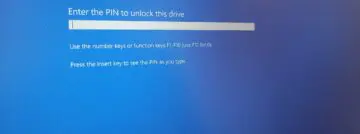
In ‘rare’ cases, the latest security update for Windows 11 and Windows Server causes a prompt to enter the BitLocker recovery key upon restart.
Microsoft rolled out the monthly security update for Windows on Tuesday, and you can bet your bottom dollar that something will happen. This month’s update triggered a BitLocker recovery screen for some users. According to Microsoft, this is a bug that only occurs in very rare cases.
BitLocker is a security feature that comes standard on business versions of Windows and protects your hard drive against data corruption. Normally, you hardly notice BitLocker: the feature only kicks in if you change the BIOS settings, although it also occasionally happens after an update. In that case, you get a lock screen when starting your device and can only proceed if you enter a unique 48-digit code combination.
Five conditions
The most recent Windows update can therefore also unintentionally activate BitLocker, which can be quite a shock if you don’t have your key combination at hand. Microsoft acknowledges the problem but also immediately minimizes its impact. According to Microsoft, the bug only occurs in ‘very rare’ cases if these five conditions are met:
- BitLocker is enabled;
- The group policy “Configure TPM platform validation profile for native UEFI firmware configurations” is configured and PCR7 is included in the validation profile (or the corresponding registry key is set manually).
- System Information (msinfo32.exe) reports that the Secure Boot State PCR7 binding is “Not Possible.”
- The Windows UEFI CA 2023 certificate is present in the device’s Secure Boot signature database (DB), making the device eligible to set the 2023-signed Windows Boot Manager as the default.
- The device is not yet running the 2023-signed Windows Boot Manager.
Due to these conditions, the BitLocker bug can only occur on managed Windows and Windows Server configurations. The recovery key only needs to be entered once. On subsequent restarts, BitLocker remains quiet, Microsoft writes.
Renewed certificates
There are reasons to install the Windows update. The update increases security against Remote Desktop phishing and fixes a bug with Windows resets. Microsoft is also preparing for the renewal of Secure Boot certificates. The current certificates expire in June.
Via the Windows Security dashboard, Windows now shows whether your certificates have been renewed or if additional updates are required first. If you want to know if your PC is secure, read our guide.