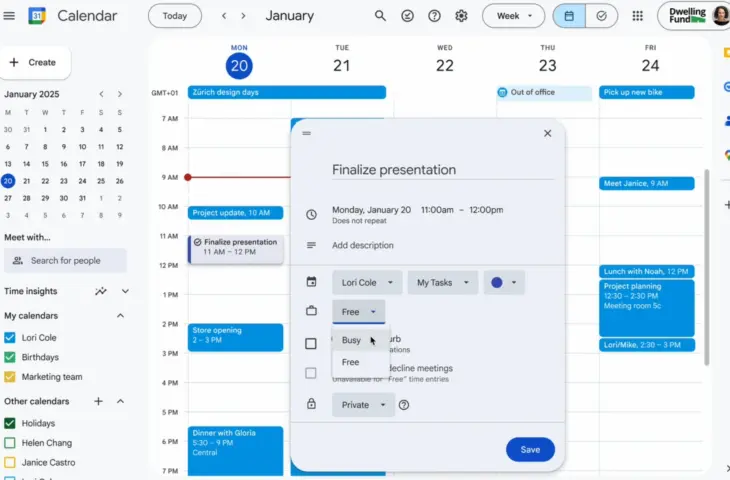
Google Calendar allows you to mark tasks in your calendar as meetings, so requests are automatically declined.
Google Calendar and Tasks are now truly working together. Google is launching a new tool in Google Calendar that allows users to reserve time for tasks. When you mark the task as ‘busy’ or ‘do not disturb’, meeting requests are automatically declined. Earlier this year, Google Calendar introduced a
Tasks as Meetings
With the new feature in Google Calendar, you get many more options to add information to tasks. The feature makes it possible for tasks to function as real meetings and to set time blocks.

Click an empty box in your calendar and select “Task.” Then you can add a relevant description and adjust the visibility. Additionally, you can indicate whether the task falls under “free”, “busy” or “do not disturb”. The task will be displayed in your calendar as well as in the task list. Google will keep reminding you of the task until it is completed.
The rollout for Rapid Release domains already started on November 6. For the gradual rollout to all users, there’s still some waiting time. This starts on December 1 and may take up to 15 days.