

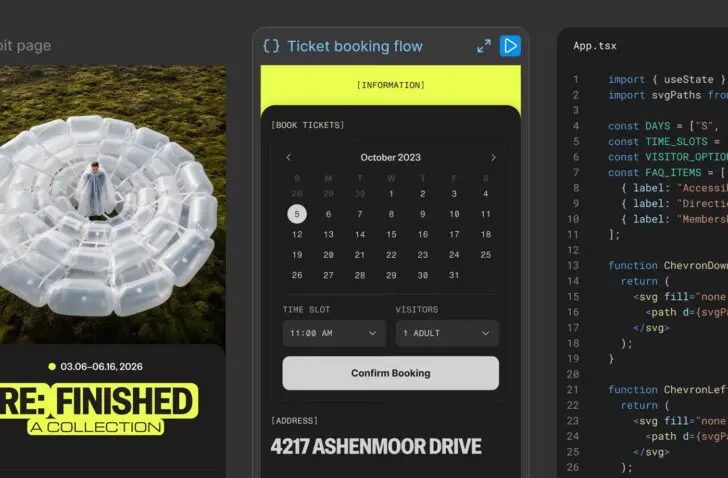
Figma Design launches code layers, allowing teams to create, edit, and share code directly on the canvas.
The design platform Figma is introducing code layers intended to simplify collaboration between designers and developers. The new feature brings design and code together within a single shared environment. Code layers are available in closed beta.
Code layers
Users can get started with code layers in Figma in several ways. Adding a new code layer can be done directly via the toolbar, from an existing frame, or with the help of the Figma agent.
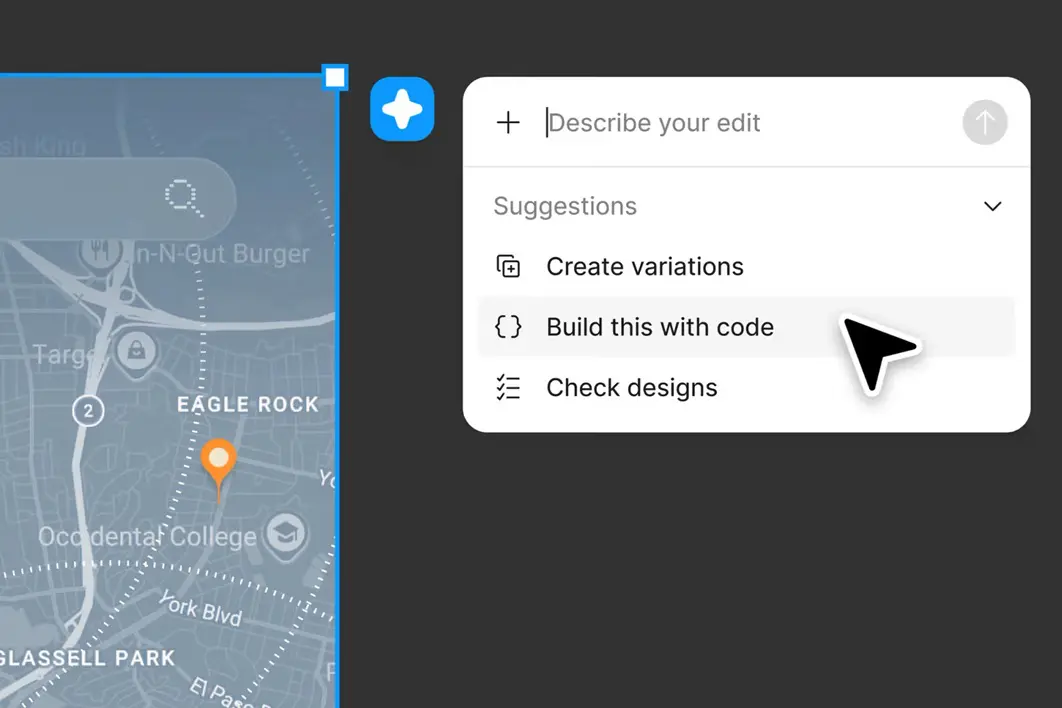
Those who already have a codebase can easily import a GitHub repository or upload a local folder. Additionally, it is possible to use a template or provide a description of what one wants to build, after which the agent generates an initial version.
Iterations
Code layers offer the possibility to explore different design options, similar to duplicating frames. Teams can place alternatives side-by-side and see not only how options look, but also how they function.
By moving or adjusting elements, the impact is immediately visible in the code. Using prompts, the Figma agent can generate variations while the original is preserved. Because code layers exist in shared files, team members can follow along live, post comments, and work together on the same layer.
With one click, users can apply edits on the canvas to the code layer. Key flows and states from the code are easily converted into editable Figma layers, giving the entire team insight into how the application works.