

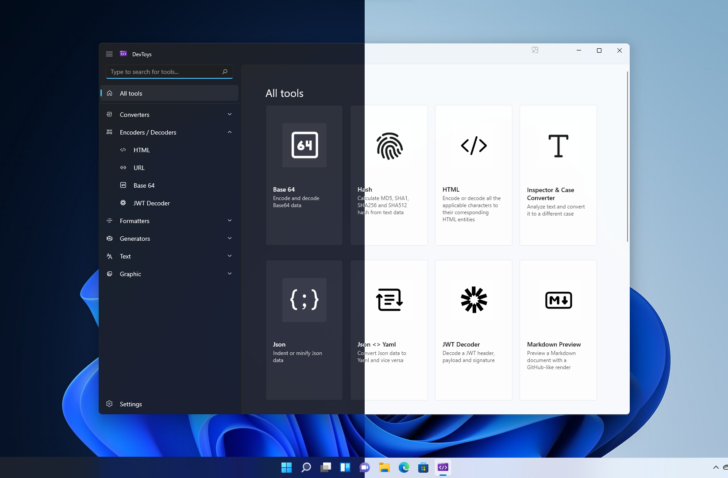
DevToys helps developers in typical daily tasks such as formatting JSON, comparing texts and testing RegExp.
Are you a big fan of PowerToys to make Windows 10 and Windows 11 more practical and convenient? So are we, but recently a similar tool for developers also exists. Microsoft developer Etienne Baudoux Veler is happy to introduce DevToys. He describes the tool as a Swiss army knife for developers.
“You no longer have to visit dodgy websites to do simple tasks with your data. Thanks to Smart Detection, DevToys can automatically recognize the best tool to process data on the clipboard. A compact overlay preserves the app in miniature above all other windows. Multiple instances of the app can be used simultaneously.”
DevToys’ current collection includes 14 different tools. Below is the full list:
- Converters
- Json <> Yaml
- Number Base
- Encoders / Decoders
- HTML
- URL
- Base64
- JWT Decoder
- Formatters
- Json
- Generators
- Hash (MD5, SHA1, SHA256, SHA512)
- UUID 1 and 4
- Lorem Ipsum
- Text
- Inspector & Case Converter
- Regex Tester
- Text Comparer
- Markdown Preview
- Graphic
- Color Blindness Simulator
- PNG / JPEG Compressor
Some tools are also of interest to a wider audience, such as text comparison and the compression tool for JPEG or PNG images. More tools may be added in the future to make the package even more interesting for developers.
You can download DevToys for free from GitHub or through the Microsoft Store.