

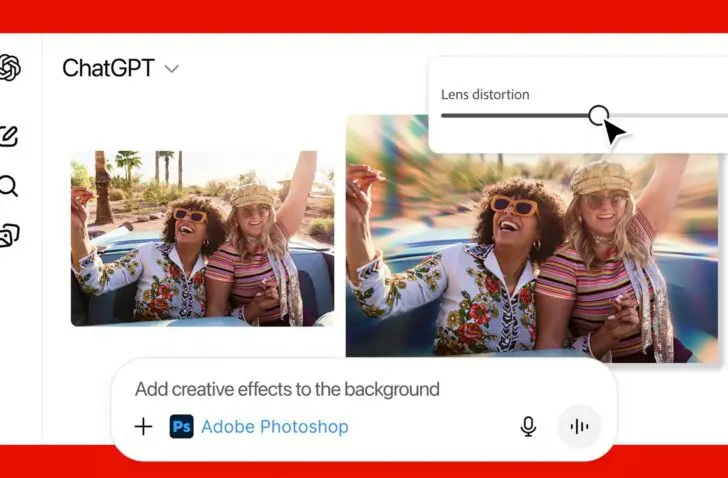
Adobe brings three of its most well-known applications to ChatGPT, allowing users to edit photos, designs and documents within the chat interface.
Adobe launches Photoshop, Adobe Express and Acrobat in ChatGPT. The integration makes it possible to adjust images, personalize designs and organize PDF files without leaving the conversation. The features are available to all ChatGPT users starting today.
Editing in chat window
To use Adobe’s applications, you only need to type the name of the application, followed by a command. ChatGPT opens the correct Adobe tool and guides the user through the process.
In Photoshop, for example, someone can blur the background or adjust brightness and contrast. Adobe Express allows users to choose designs, replace text or add animations. With Acrobat, people can edit PDF files, extract text or tables, organize documents or remove sensitive data.


The company previously introduced Acrobat Studio and AI assistants for Photoshop and Adobe Express. The connection with ChatGPT aims to lower the threshold for people less familiar with Adobe’s software.
Globally available
The integration gives a large audience access to features that were previously only available through Adobe apps. Those who want to continue later in the full desktop applications can seamlessly continue the workflow in the native software.
Photoshop, Adobe Express and Acrobat for ChatGPT are freely available on desktop, web and iOS. Adobe Express also works on Android, while support for Photoshop and Acrobat on Android will follow later.
With this extension, ChatGPT users can perform image and document edits in a conversation without opening additional software.