

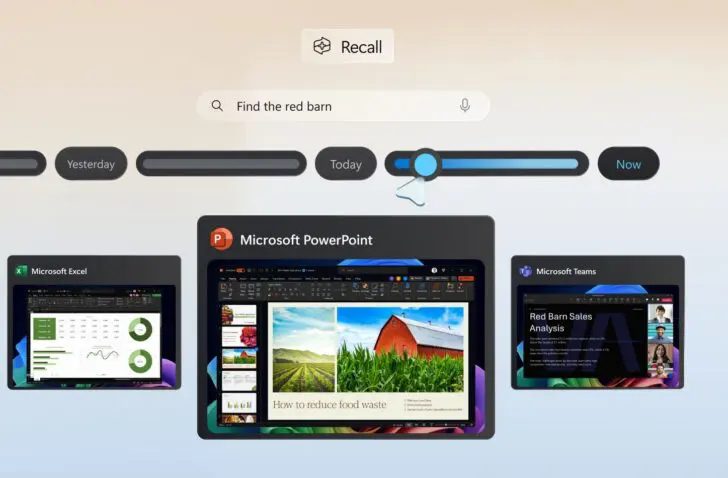
A security expert has once again exposed a potential weakness in the security of Windows Recall. According to Microsoft, there is nothing wrong.
The Windows Recall feature has already had a long and difficult journey. Since the feature was announced two years ago, Recall has been under fire. The storm had subsided for a while, but security researcher Alexander Hagenah is reigniting the flame. Via GitHub, he shares how the security of Recall implemented by Microsoft can be bypassed.
The expert is no stranger to this. Two years ago, he already developed a tool TotalRecall to expose vulnerabilities in Recall. Now he repeats his feat with TotalRecall Reloaded. According to Hagenah, the weakness this time is not in the ‘vault’, but in the ‘delivery van’. Microsoft denies that there are any problems with Recall.
Difficult launch
First, we go back to the spring of 2024: Microsoft announces Recall during its Build conference. Recall is a feature that takes screenshots of what is happening on your PC at regular intervals and saves them locally. This allows you to quickly find specific information, according to Microsoft’s sales pitch. The feature uses the local NPU and is therefore exclusive to Copilot+ PCs, which immediately made Recall the flagship of Microsoft’s marketing label.
The announcement of Recall was received very coldly. PC users did not like the idea of every mouse click and keystroke being recorded. It also didn’t take long for security experts to see problems with Recall. At first, Microsoft had forgotten to think about security, allowing anyone with access to your PC to easily access your Recall screenshots and any sensitive information.
Microsoft had to go back to the drawing board. Extra security measures such as opt-in, authentication with Windows Hello, VBS enclaves, and encryption at the TPM chip level—mandatory for every Windows 11 PC—were intended to silence the criticism. The Recall feature was rolled out to all compatible devices starting in 2025. Last year, our editorial team already got to work with it.
Unprotected delivery van
All’s well that ends well for Recall? Not quite. Hagenah has found a new weak link in Recall. Although the researcher acknowledges that the Recall ‘vault’ is unbreakable, the ‘delivery van’ can still be hijacked. The delivery van Hagenah is referring to is an unsecured AIXHost.exe process that carries screenshots, text, and metadata.
The process springs into action after the user authenticates with Windows Hello in Recall. Microsoft appears to have overlooked this specific moment in the chain. As a result, any application running under the same logged-in user can inject code into it. After all, standard Windows permissions allow processes from the same user to have extensive access to each other. This can leave Recall data up for grabs.
The researcher emphasizes that this method does not require cracking Windows Hello or Recall encryption. The attacker would simply have to wait until you log in to Recall in the normal way, and hitch a ride on the legitimate processes at the right moment to retrieve data.
But he also discovered a way to request full-resolution Recall screenshots and read metadata without authorization. He also describes a bypass for revoking data access by reconfiguring access rights. This allows data extraction to continue unnoticed, even after the user has closed Recall.
The Recall vault is made of titanium, but the delivery van has to drive without security
Alexander Hagenah, security researcher
No problem according to Microsoft
Hagenah first shared his findings with Microsoft before making them public on GitHub. However, he received no response from the software giant. Microsoft’s answer is that Recall’s security is working as intended, and that there is no security leak. Microsoft will therefore not be issuing any patches.
The research will at the very least reignite the discussion surrounding Recall. The feature has access to sensitive information on your PC, such as files, emails, but also, for example, passwords and bank details that you type in somewhere. If you want to use Recall, think carefully about which applications you want to give the tool access to. Your PC doesn’t need to see and remember everything.