

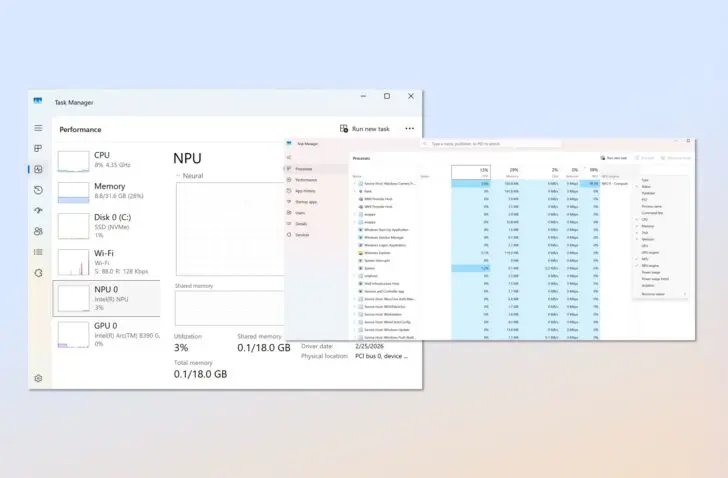
Windows Task Manager now shows the NPU and AI-related GPU usage of processes. This can be useful for developers, but makes a once lightweight application more complex again.
Microsoft is expanding Task Manager once again. The small application is receiving new columns that show how much the NPU and the neural GPU engine of a device are being utilized by AI applications. This gives IT professionals, developers, and regular users direct insight for the first time into whether AI workloads are effectively running on specialized hardware.
Useful for developers
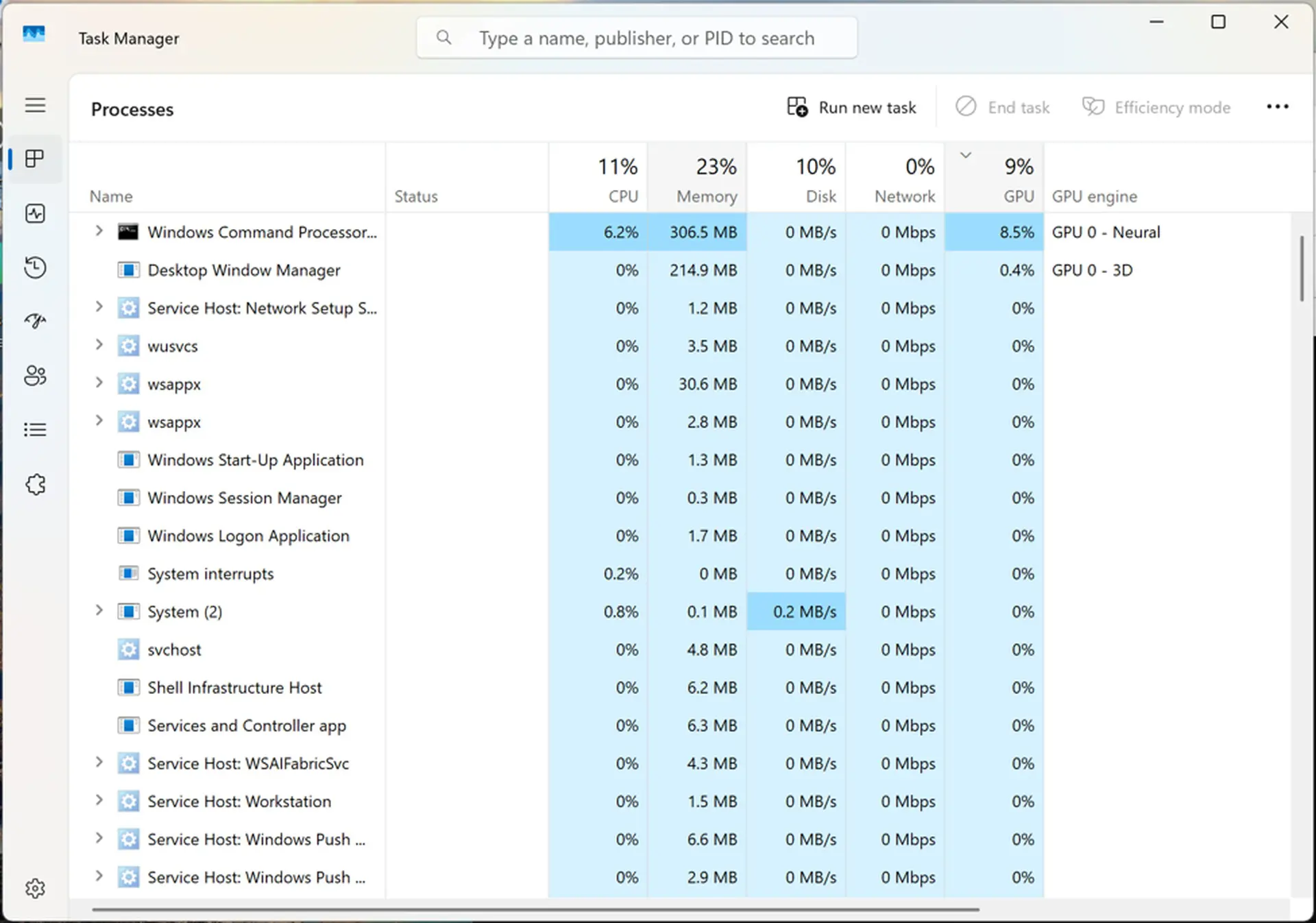
Until recently, the Processes tab in Task Manager did not show separate process usage for the neural processing unit (NPU) or the neural core of the GPU. On newer devices, this data now appears alongside the familiar CPU and GPU measurements. The Performance tab is also receiving an update with a general overview of utilization.
Microsoft justifies the update by stating that it is relevant for multiple target groups. IT professionals, for example, can more quickly detect and report problems with AI applications based on concrete performance data.
Developers, in turn, are provided with a way to verify whether their AI models are effectively reaching the intended NPU or neural GPU engine, instead of falling back on the CPU or standard GPU rendering.
Fallback in view
A relevant scenario is, for example, the detection of a fallback. When an application uses an unsupported data type or a driver does not match, a framework such as ONNX Runtime or Windows DirectML can silently fall back on a heavier computing pipeline to avoid a crash. New columns such as NPU, NPU engine, GPU, and GPU engine now make that transition quickly visible.
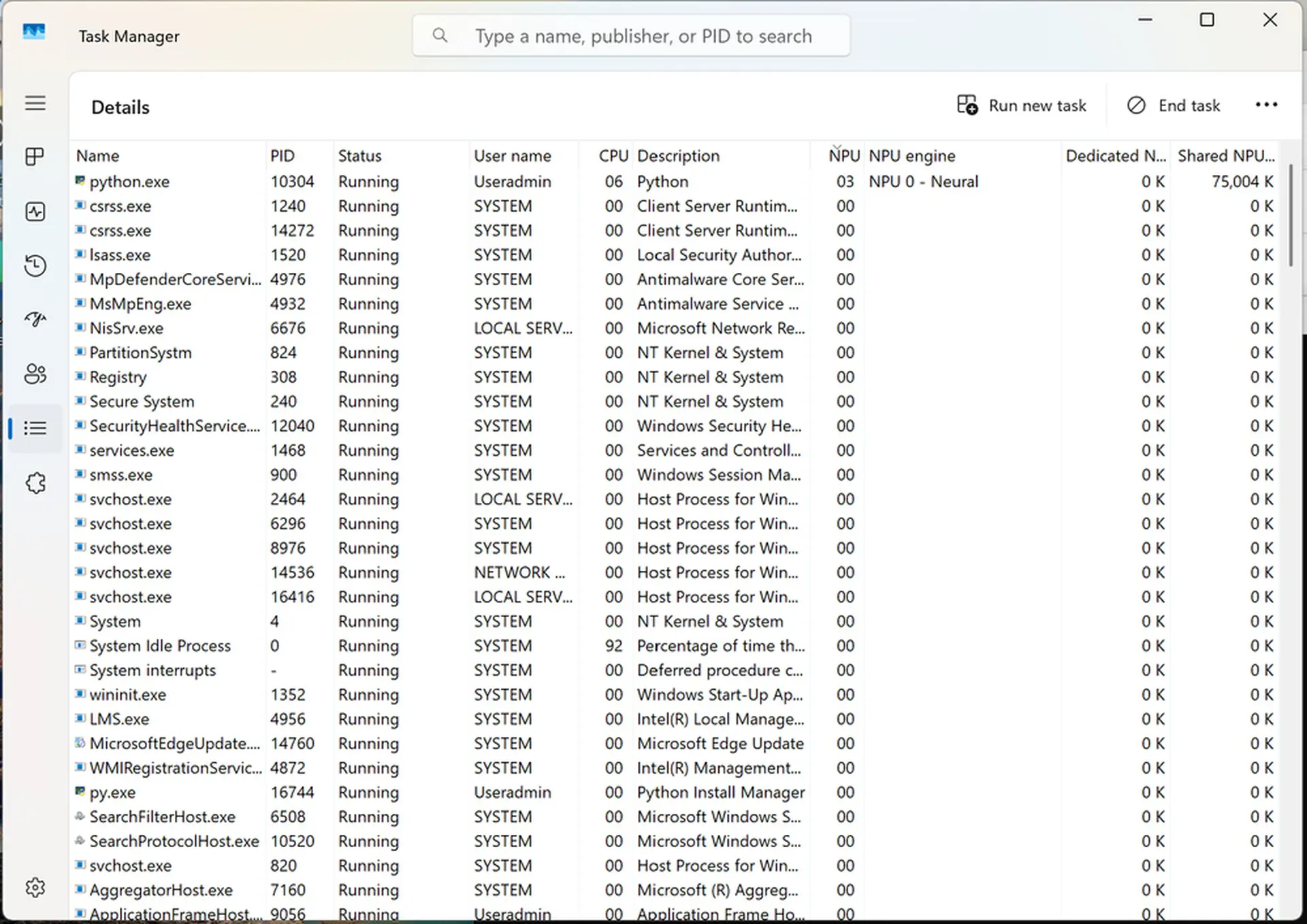
Memory usage also receives more detail via the columns for dedicated and shared NPU memory. This allows you to see via Task Manager whether a workload remains within its own memory space, or if allocations overflow into shared memory, which can decrease performance.
Cheerleader for NPU
Microsoft also claims that the update offers added value for regular users. This would primarily lie in battery management. Optimized workloads running via the NPU or the neural GPU engine consume much less energy than when they run tasks on the CPU or the classic GPU pipeline.
As a user, however, there is nothing you can do about that, which makes the relevance limited in practice. Visibility is certainly a good thing, also for power users who might only be able to diagnose a problem this way, without actually solving it.
Nevertheless, the way Microsoft highlights the update also resembles a charm offensive on behalf of the NPU. Like PC manufacturers, Microsoft is struggling to portray the local NPU as relevant. The prematurely created category of the AI PC appears, in practice, not to differ much from a regular computer. It seems that with this update, Microsoft primarily wants to make it appear that the NPU is indeed relevant.
Relevant for the future
Microsoft sees the additional visibility as a foundation for future hardware innovation within the ecosystem. As AI workloads become a larger part of daily applications, Task Manager should help users make better-informed choices about performance and energy consumption without requiring external tools, Redmond reasons.
In any case, it seems that AI workloads will only become more relevant. More powerful PCs, combined with smaller and more efficient models, will increasingly power processes and functions. In that respect, it is relevant to treat the NPU as a separate component.
NPU yes, media no
On the other hand, the multimedia engine of processors has never received such treatment, even though there are many similarities. Like the built-in NPU, the media engine is a separate component on a processor.
Media are encoded with codecs, which are efficiently read by that media engine. If the engine cannot handle them, a fallback to the CPU occurs. You can draw a perfect parallel here with the different types of AI workloads.
For instance, a lightweight computer with the right media engine can effortlessly play a 4K HEVC or AV1 file, while an old system must run the CPU at full speed for that. Whether a codec is supported by the engine or processed via the CPU after a fallback is highly relevant for performance and battery, just as with AI workloads and the NPU.
Yet Microsoft has never found it necessary to provide visibility into that via Task Manager. This unequal treatment fits the climate surrounding AI today. The hype machine is running at full speed. By making NPU usage visible in Task Manager, the AI side of workloads becomes visible to a wider audience.