Google has expanded its autofill feature in Chrome with new updates that should make filling in data even faster and easier.
Google is expanding the automatic fill feature in Chrome with new options that should make filling out online forms even faster. The improvements focus on integration with Google account and Wallet, among other things. The new features are being rolled out to the mobile and desktop versions of Chrome.
Deeper integration
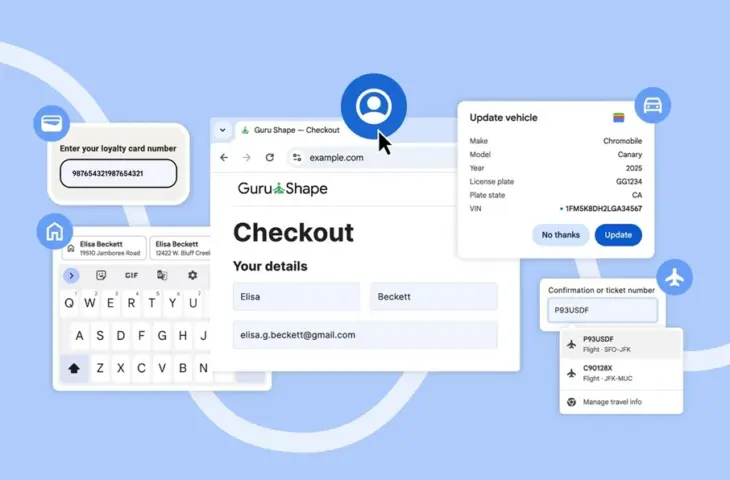
For logged-in users, Chrome now pulls data directly from the linked Google account. Browser users can automatically fill in name, email address, and saved home and work addresses when registering, logging in, or making their first order on a new website. The rollout is happening on desktop, Android, and iOS.
read also
Google wants to bring Android to PCs under the name Aluminum OS
Additionally, Chrome now integrates with Google Wallet. Users can automatically fill in loyalty card details during online purchases on desktop and Android, without having to look up card numbers. The browser can also use travel and vehicle data from Wallet when booking flights or renting a car.
When filling out a car rental form at an airport, for example, Chrome recognizes relevant fields. The browser then pulls confirmation numbers and flight data from the linked booking in Wallet. Chrome can also save and archive vehicle data on desktop, including for insurance applications or future rentals. For these features, users must enable the enhanced autofill option in Chrome settings.
Display suggestions
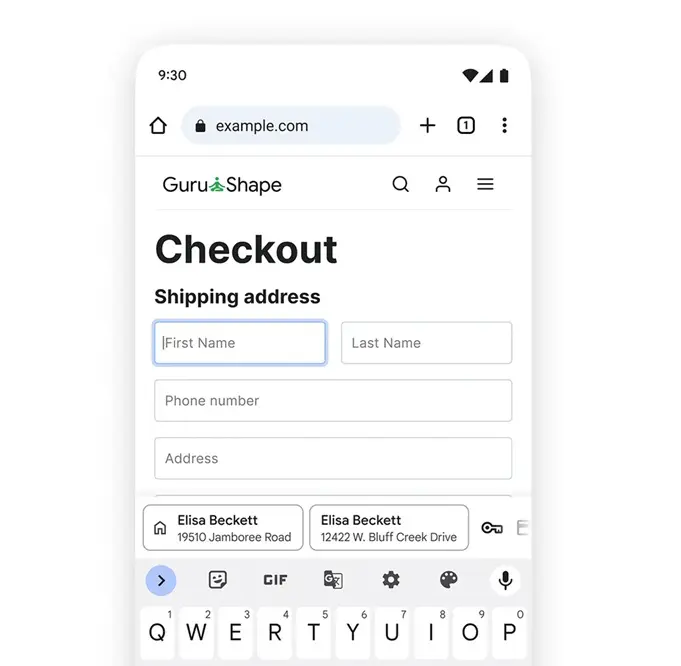
On Android, Google is adjusting the display of autofill suggestions. Suggestions no longer appear in one compact line above the keyboard. Chrome now shows two lines per suggestion, with more context about address, payment method, or password. This should speed up choosing the right item and reduce errors when filling out forms.