

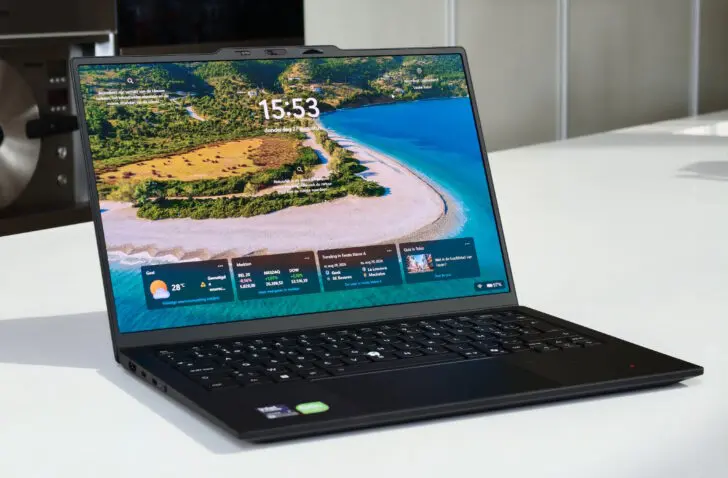
The Lenovo ThinkPad X1 Carbon Gen 14 is an exceptional device that combines premium specifications with a very low weight.
Lenovo has now reached the fourteenth generation of the X1 Carbon. Is it any surprise then that the 14-inch laptop has become a well-thought-out and refined computer, with every detail finished to perfection?
Beautiful (without fingerprints)
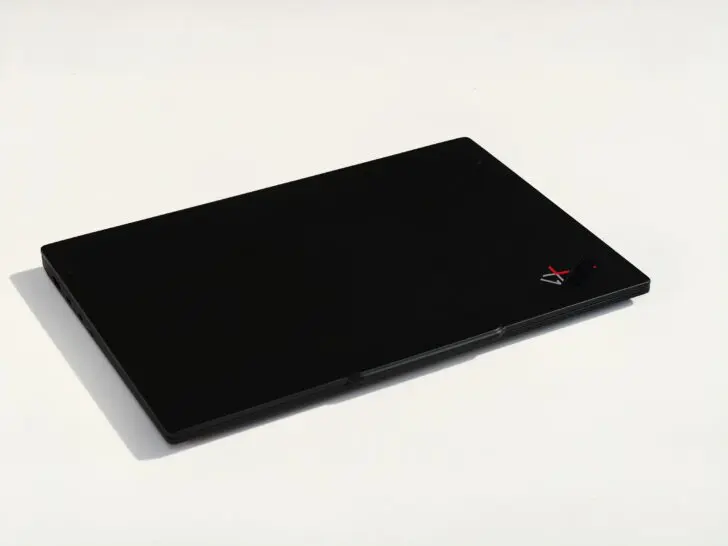
It all starts with the design of the Lenovo ThinkPad X1 Carbon Gen 14, where Lenovo remains true to its iconic ThinkPad design. This laptop is also slim and finished with a matte black finish.
It still looks beautiful straight out of the box, and fingerprints still stick to it faster than we would like. This X1 Carbon is clearly a true descendant of the ThinkPad family.
Keyboard for a king
Open the laptop, and you can get to work. In our opinion, Lenovo makes the best keyboards of all laptop manufacturers. Although HP comes close with some iterations of its EliteBook family, Lenovo remains the undisputed champion even with the fourteenth generation of the ThinkPad X1 Carbon.
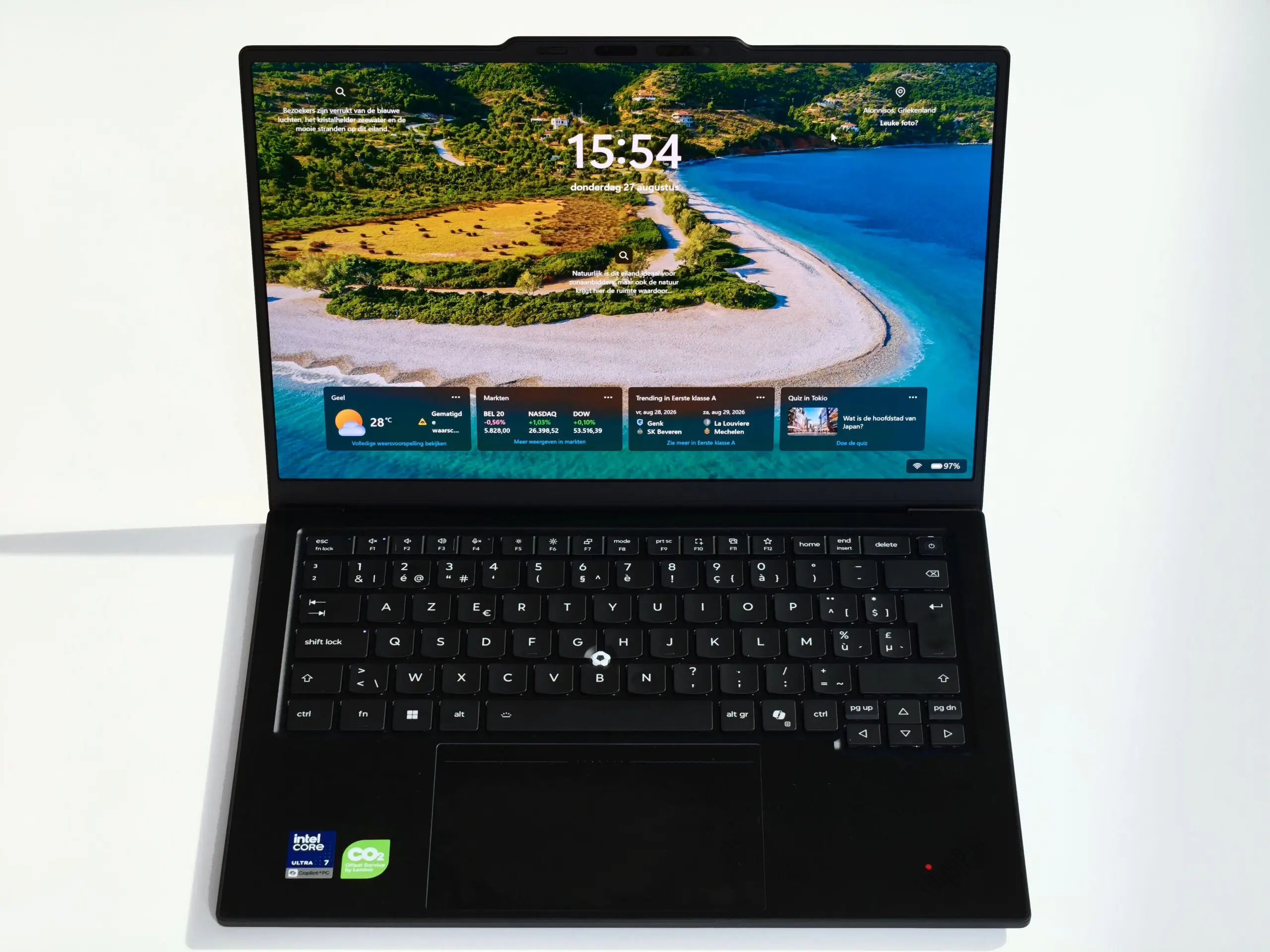
The keyboard offers space at the top right for a power button that doubles as a fingerprint scanner, but otherwise has a standard European ISO layout.
Below the keyboard, we find a spacious touchpad, again of high quality. Lenovo integrates a haptic touchpad, which implies that presses are simulated. We are not always fans of that, but it works very well on this device: the illusion of a real click is convincing.
Generous with ports
On the side of the slim chassis, we find a nice range of connections. HDMI, two USB-C ports, and a 3.5 mm jack are on the left; on the right, Lenovo finds room for another USB-C port and a welcome classic USB-A connection.
All USB-C ports support Thunderbolt 4 and are suitable for charging the laptop. This means you can connect a screen or dock on both the left and right: a welcome luxury that is all too often missing.
Internal components
The finish of the housing is solid, but what about the internals? In our test model, Lenovo includes an Intel Core Ultra 7 356H, flanked by 32 GB of RAM and a 1 TB SSD. Those specifications are significant. Especially the generous allocation of scarce RAM partly explains the rather steep price of 2,908 euros excl. VAT.
The Intel Core Ultra 7 356H inside is a powerful laptop processor from Intel’s latest Panther Lake range. Four performance cores, eight efficiency cores, and another four low-power cores combine for a total of sixteen cores. Multithreading is absent, so that is also the number of threads this laptop CPU can handle. A theoretical maximum clock speed of 4.7 GHz should partially compensate for that.
In practice, we do not see that peak. During our tests, we measure short peaks of 4 GHz, but the CPU drops back to 2.8 GHz fairly quickly. Under continuous heavy load, even that is too much, and the chip stabilizes at 2.3 GHz.
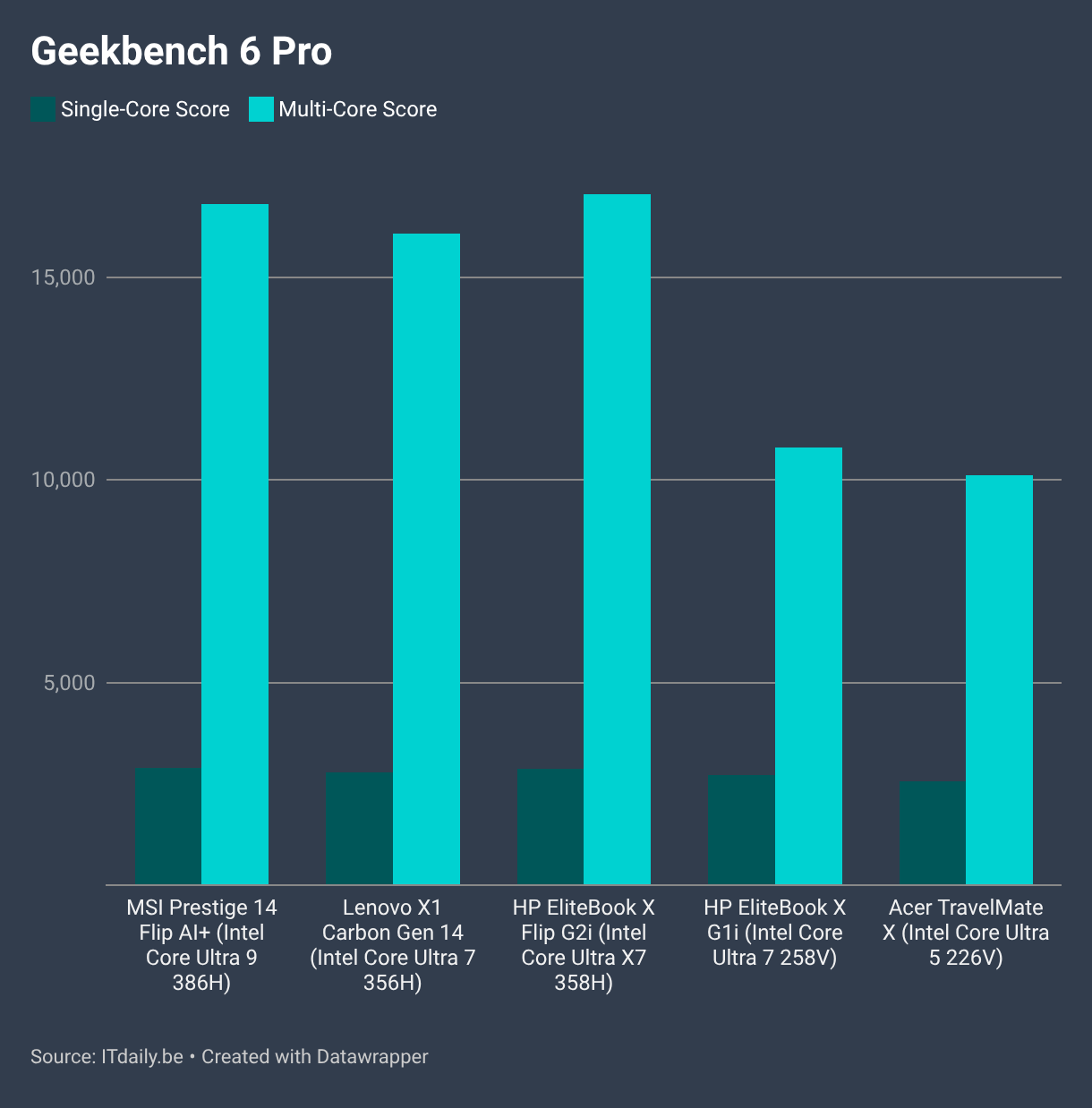
The final performance does not differ much from that of the Core Ultra X7 358H in the EliteBook X Flip, or even the theoretically more powerful Intel Core Ultra 9 386H in the MSI Prestige 14 Flip. It makes sense: it is not the clock speed of the components but the thermal capacity of the chassis that determines what is possible.
In any case, this laptop performs at a high level, especially compared to chips built on Intel's already excellent Lunar Lake architecture (in the HP EliteBook X G1i and the Acer TravelMate X).
Lenovo puts a capable SSD in this laptop. The read and write speeds are high, contributing to the responsive behavior we experience. However, in its latest EliteBook X Flip, HP shows what is possible with a PCIe 5.0 SSD. The one in that laptop is twice as fast, which mainly says something about HP's laptop and in no way implies that the Lenovo ThinkPad X1 Carbon Gen 14 should be ashamed.
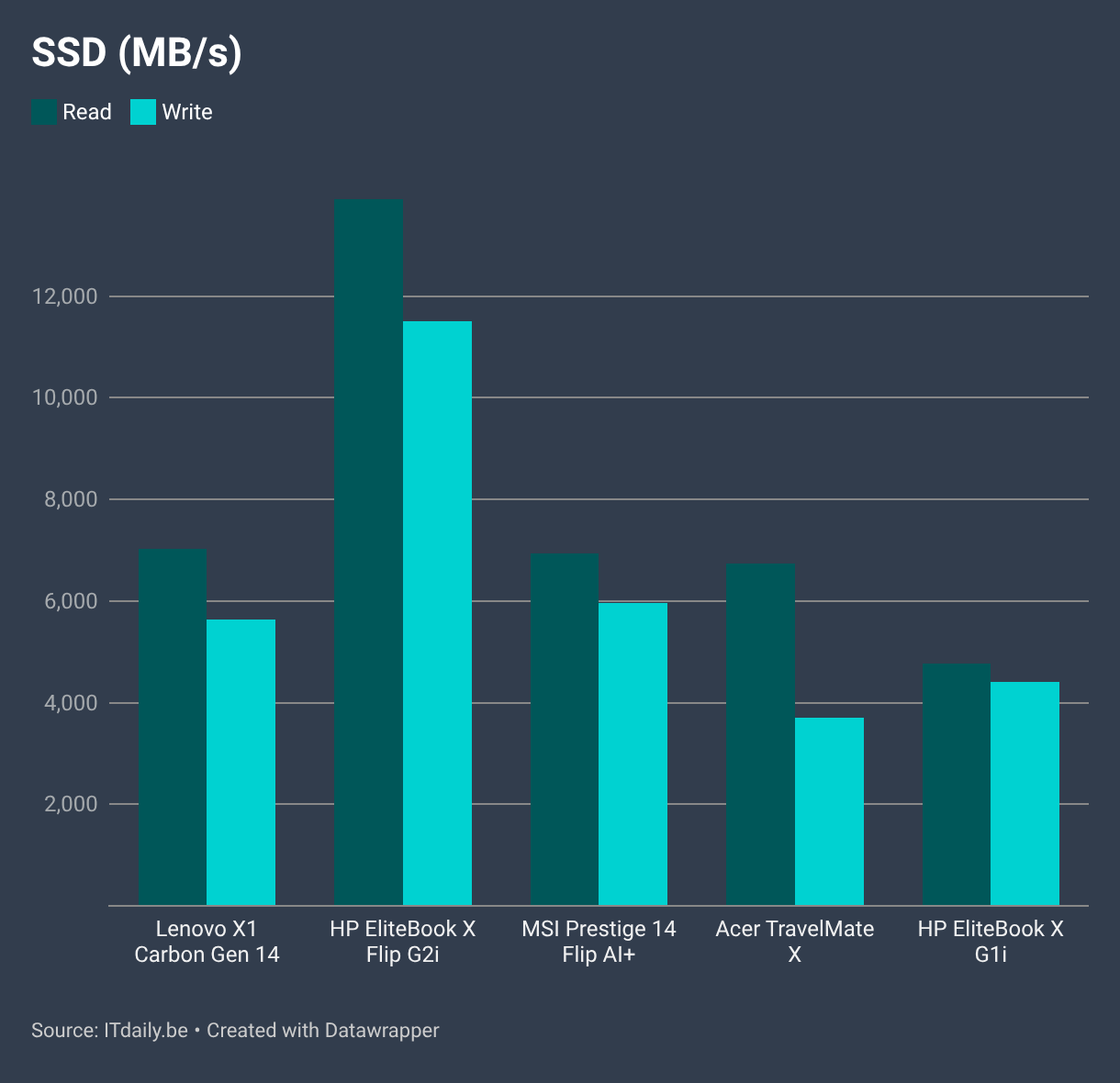
CPU and SSD work together with the 32 GB of RAM present in this test device and all other laptops in our comparison. Lenovo is playing in the Champions League with the ThinkPad X1 Carbon Gen 14, but the competition is strong and a trophy is not in the cards. The HP EliteBook X Flip with its robust SSD, and the MSI Prestige 14 Flip with its CPU that peaks slightly higher, perform better.
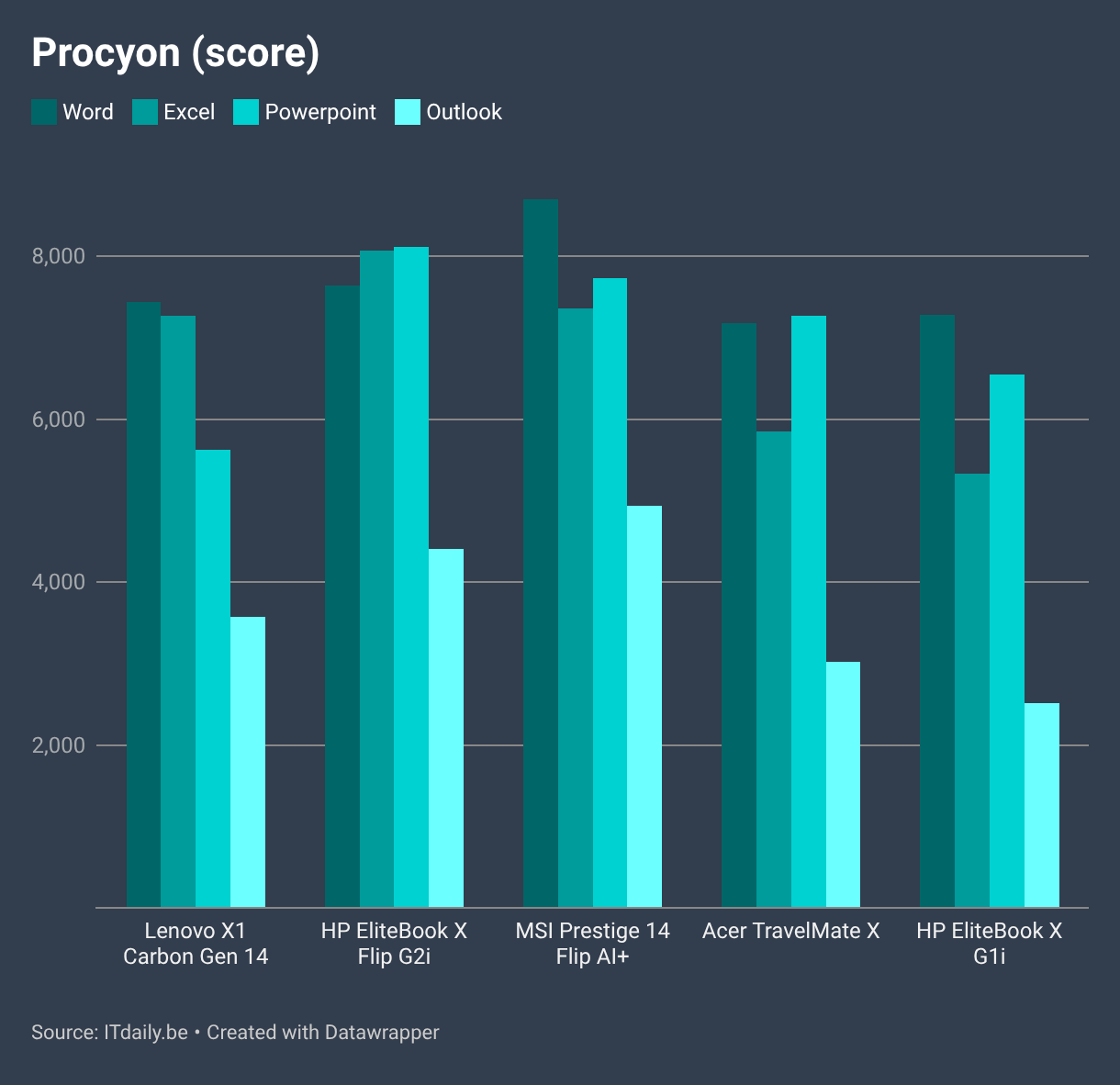
Do not interpret these figures as a significant downside for the Lenovo ThinkPad X1 Carbon Gen 14. For even demanding office work, this laptop is an absolute top performer. We must only conclude that Lenovo can squeeze slightly less out of the hardware with this device than other manufacturers with their laptops.
Light, but with stamina
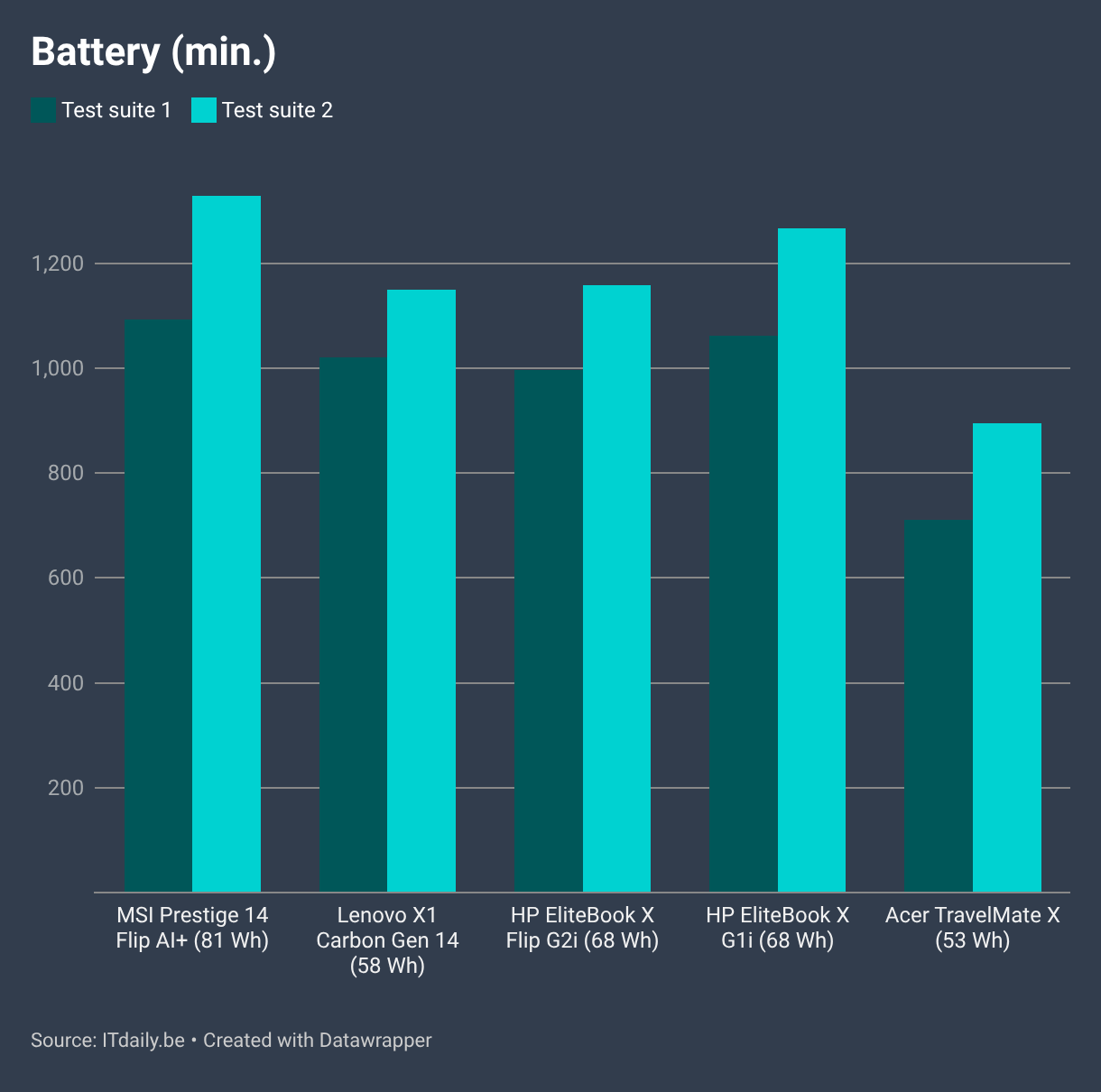
There is a trade-off, however. Lenovo has put a 58 Wh battery in this laptop, which is quite small. Yet we measure excellent autonomy. On battery, Lenovo (like all manufacturers) dials back the maximum performance a little bit to support that, but not much. We measure a dip of about ten percent. The ThinkPad X1 Carbon Gen 14 holds its own against the other devices in this comparison.
Because the battery is slightly smaller, it also weighs less. That makes the Lenovo ThinkPad X1 Carbon Gen 14 a lightweight. Lenovo keeps the laptop under a kilogram: the device weighs 998 grams on our scale.
That is exceptional: usually, laptops with such a low weight are devices with measurable compromises, especially regarding battery life. The fact that this laptop now has the same autonomy as other models while remaining feather-light is a commendable achievement.
Lenovo does miss a small opportunity here. You would think a small tank fills up quickly. Yet the laptop does not charge faster than those of most competitors.
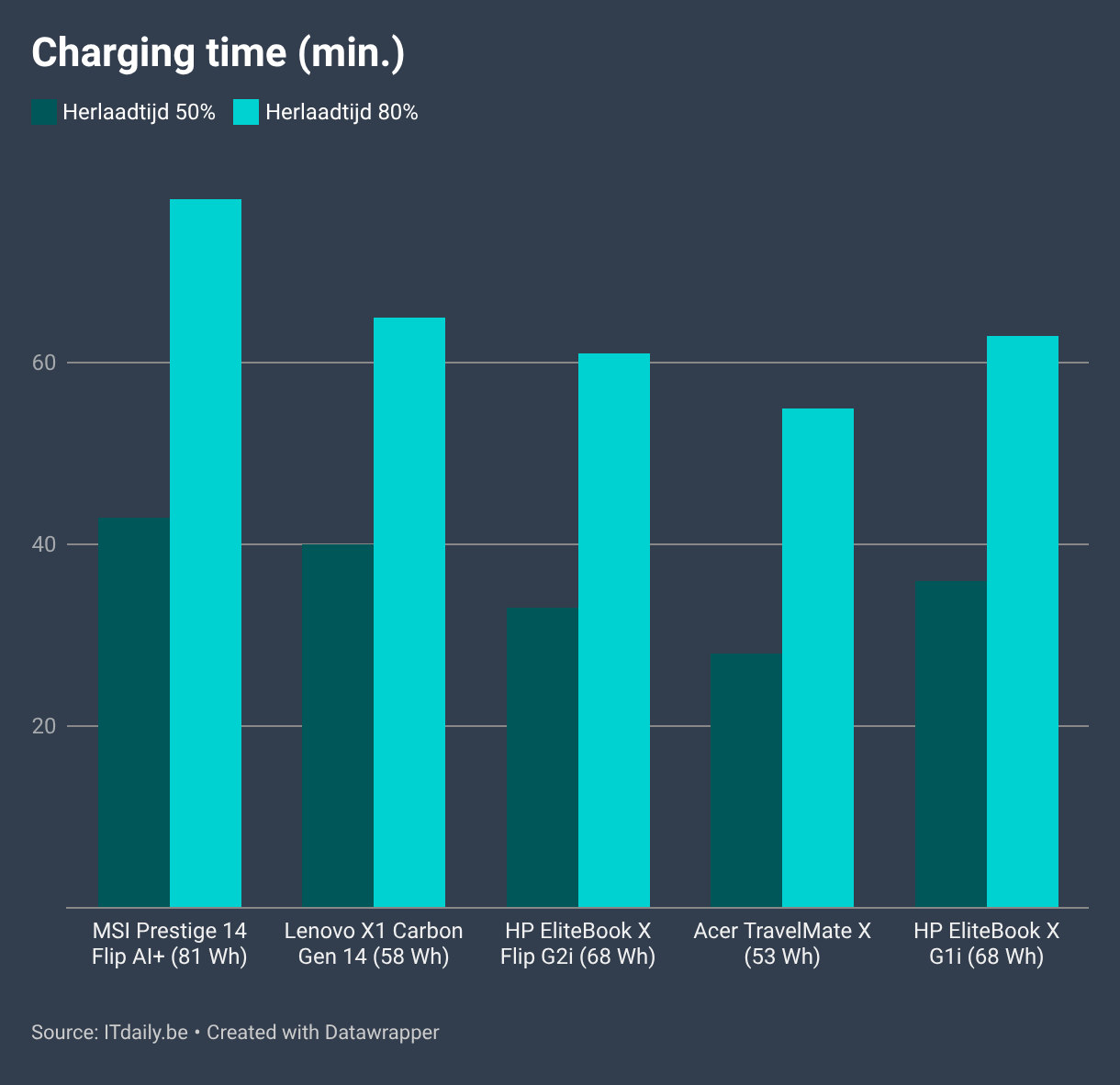
That being said: a half charge in 40 minutes and 80 percent in just over an hour is certainly not bad. The conclusion on performance is clear: the Lenovo ThinkPad X1 Carbon Gen 14 competes with the biggest heavy hitters in the segment, but does so from a lower weight class, and we find that impressive.
Bright OLED screen
The laptop's 14-inch OLED screen (2,880 x 1,800 pixels) is beautiful. 494 cd/m² is bright, especially for an OLED display, but the colors remain vivid and neatly saturated. The fact that Lenovo chooses a matte finish further reduces reflections in bright sunlight. The device covers 110 percent of the DCI-P3 gamut and does so quite accurately.
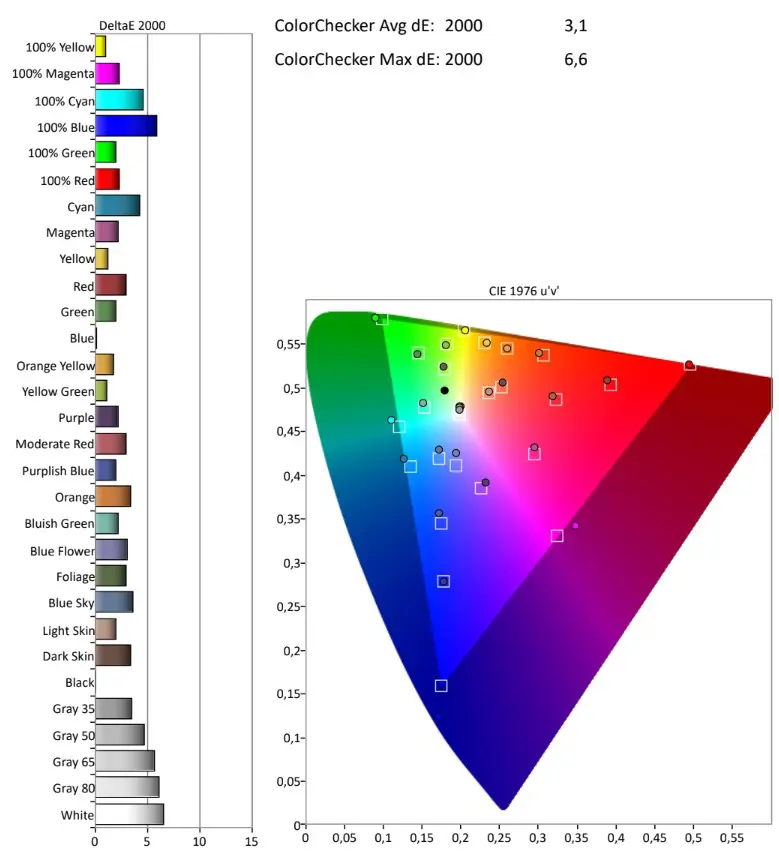
We measure an average deviation of DeltaE 3.1. That is more than the value of 2 that we take as a target for graphics professionals, but still very good. We see the largest deviation in the deep blue values.
Heading to the video meeting with 10 MP
The camera module of the Lenovo ThinkPad X1 Carbon Gen 14 records images in top quality. Lenovo provides a 10 MP sensor, which makes recording 4K video possible. In practice, that is not so relevant for video calls, so you can also go for the variant with a 5 MP sensor.
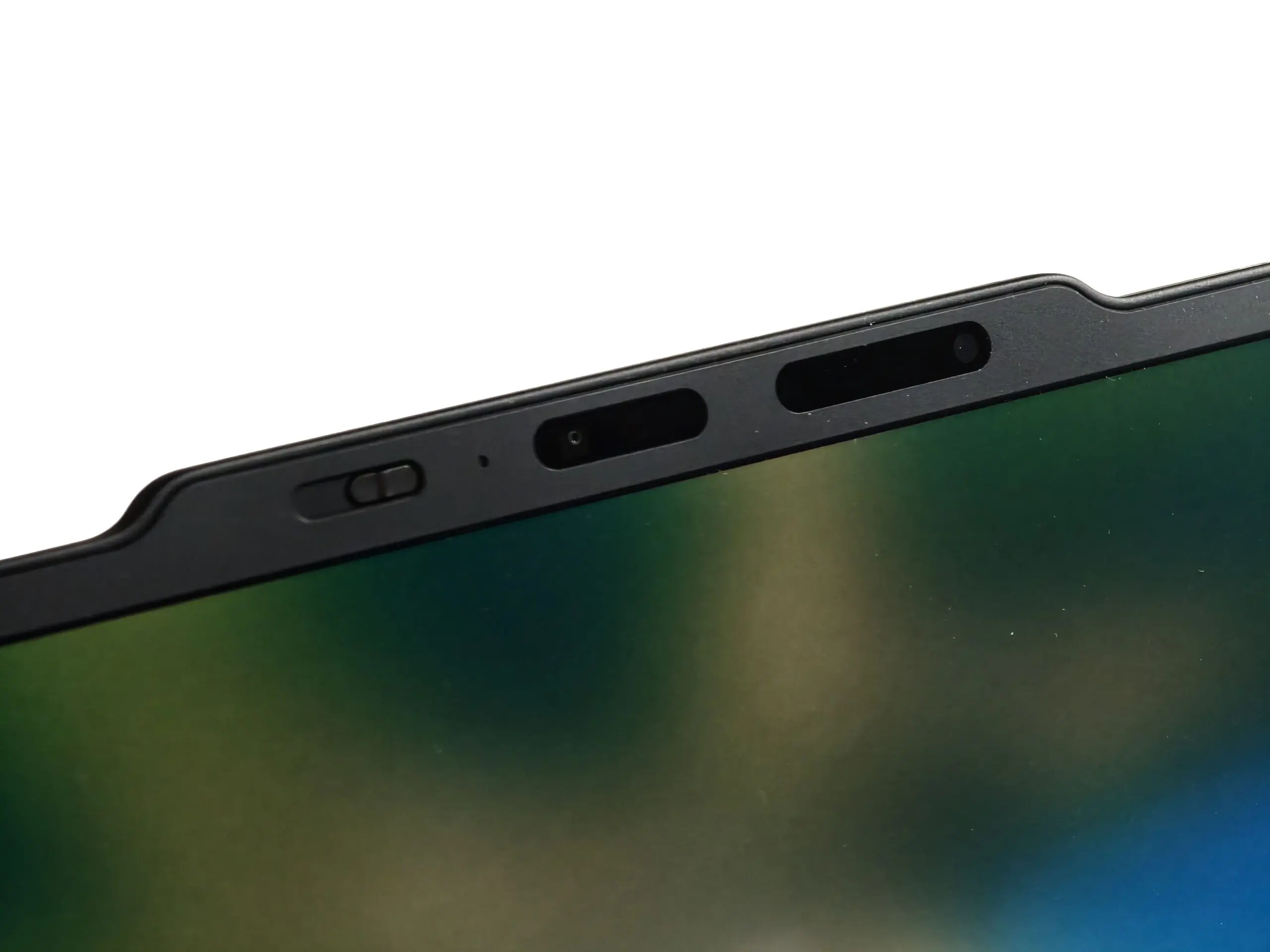
More important is the excellent color reproduction, combined with a decent dynamic range. You can sit in a relatively dark room in front of a window, and the backlight will not be detrimental to how you appear on screen.
The microphones and speakers of this laptop are also good, with adequate noise cancellation as you would expect from a device in this class. In other words, video meetings are a pleasant experience.
AI bloatware is still bloatware
Software-wise, Lenovo still misses a few marks. We admit this is a subjective opinion, but we have had enough of the proliferation of AI assistants and copilots that are included unasked with the purchase of hardware.
AI is an application or service that you can purchase from a provider of your choice if you wish. AI is not a core functionality of a laptop. Consequently, we can only describe a pre-installed AI tool that you did not ask for as bloatware. On this device, AI assistant Lenovo Qira makes her appearance, and the first thing she does is require you to log in with a Lenovo account to continue using her.
Lenovo’s AI bloatware thus has the poorly disguised mission of signing you up for Lenovo's ecosystem, even though it is not necessary for anything.
With Infantino's approval
Update 09/24: Lenovo notes that this FIFA edition is no longer available in the meantime. The findings of this review otherwise apply fully to the regular Lenovo Carbon X1 Gen 14, which is still available on shelves without the FIFA logo, without the little football replacing the red dot.
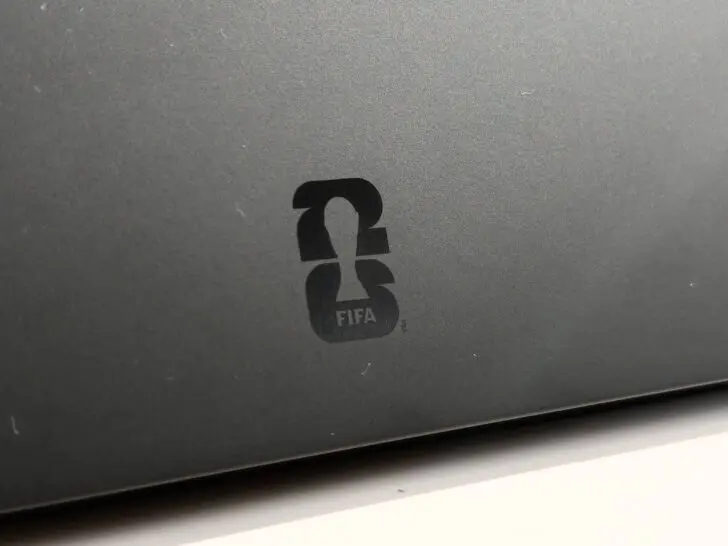
Speaking of unnecessary: the version of the Lenovo Carbon X1 Gen 14 we are working with is the Aura Edition (read: sponsored by Intel), featuring subtle FIFA branding in honor of the past World Cup.
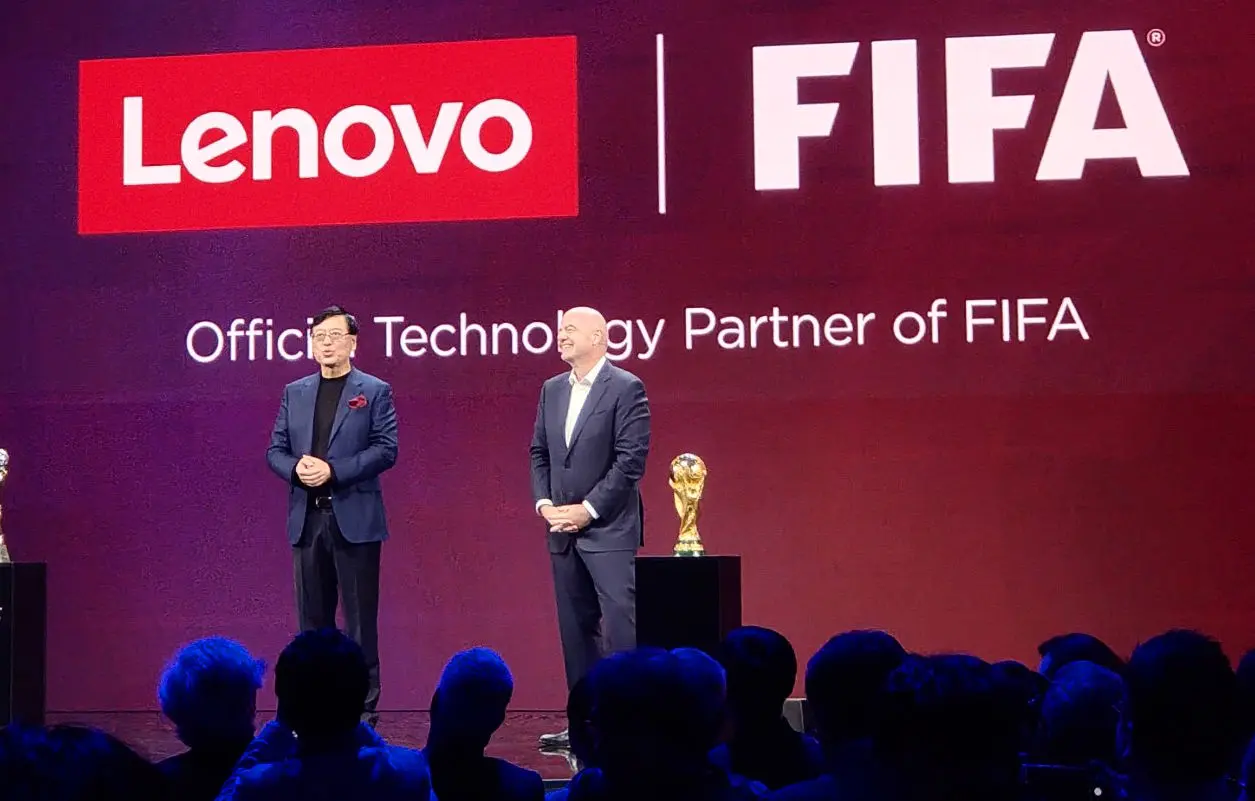
Two years ago, this plan was announced in Seattle. Lenovo dragged none other than Infantino himself onto the stage, described him as a good friend of CEO Yuanqing Yang, and assumed that association was a plus.
On the matte black housing of this otherwise professional device, we consequently find a subtly shiny FIFA logo, which is not conspicuous but is definitely present. Anyone who followed the World Cup and remembers it as an association whose logo belongs on a work device will find what they are looking for here.

That doesn't mean you can't celebrate the World Cup and football a little with a laptop. Lenovo adds one detail that is quite nice. Those who want to can replace the characteristic red dot for controlling the mouse with a small football: a nice touch.
Brilliant lightweight
The bloat-AI and Infantino stamp are just details without real impact on the actual quality of this device. The Lenovo X1 Carbon Gen 14 is a brilliant device. Lenovo makes the wise decision not to go all-in on performance. Fast enough is truly fast enough for an office laptop, and with the specifications of our test model, you have more than enough breathing room.
Instead, the Lenovo ThinkPad X1 Carbon Gen 14 distinguishes itself by its weight. At less than a kilogram, you have a fully-fledged powerful office laptop, without any noticeable compromise compared to heavier devices.

Add to that the beautiful screen, great keyboard, handsome webcam, and generous allocation of ports, and you arrive at a total package to be happy about. The Lenovo ThinkPad X1 Carbon Gen 14 is our Editor's Choice for a far too expensive office laptop, which has unfortunately become a real category with current RAM and SSD prices. If you have such a budget to spend and are often on the road, then this feather-light all-rounder is an excellent choice.
Tested configuration: Lenovo ThinkPad X1 Carbon Gen 14 21V7009GMB, Intel Core Ultra 7 356H, 32 GB RAM, 1 TB SSD; 14-inch matte OLED screen (2,880 x 1,800), Windows 11 Pro, 2,908 euros excl. VAT.
Pros
- Lightweight, under 1 kg
- Sufficiently high performance
- Beautiful OLED screen
- Fantastic keyboard
- Connections with USB-C on both sides
Cons
- Very expensive
- Unsolicited AI with account
- Fingerprints on housing after second one