

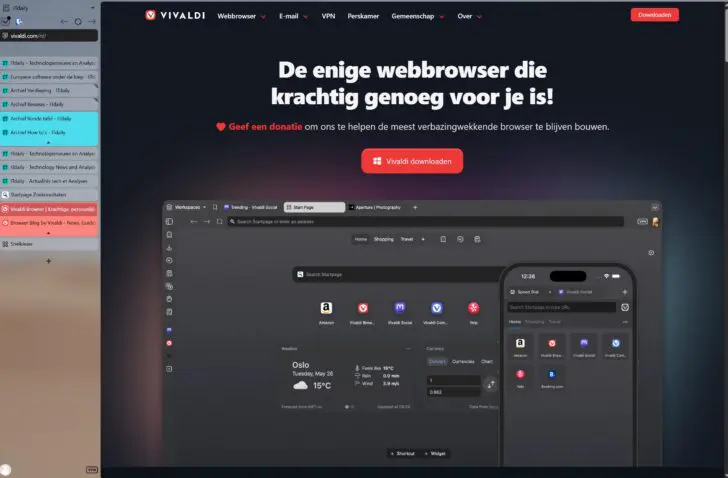
Vivaldi promises privacy while browsing, but that is far from the only reason to give this European browser a chance. The browser is simply better than what Microsoft and Google have to offer.
Google Chrome and Microsoft Edge are decent browsers, but the world’s most popular surfing tools are boring and uninspired things that primarily serve the interests of their creators. We gained that insight during our test of the Vivaldi browser, which remains set as the default on our PC even after this review.
Vivaldi is a European browser, available for desktop, Android, and iOS. The company behind the software has offices in Norway and Iceland. It was founded by, among others, Jon von Tetzchner, who previously founded Opera Software. Anyone who wants to surf the World Wide Web on a surfboard that is not American-made has come to the right place.
Chromium under the hood
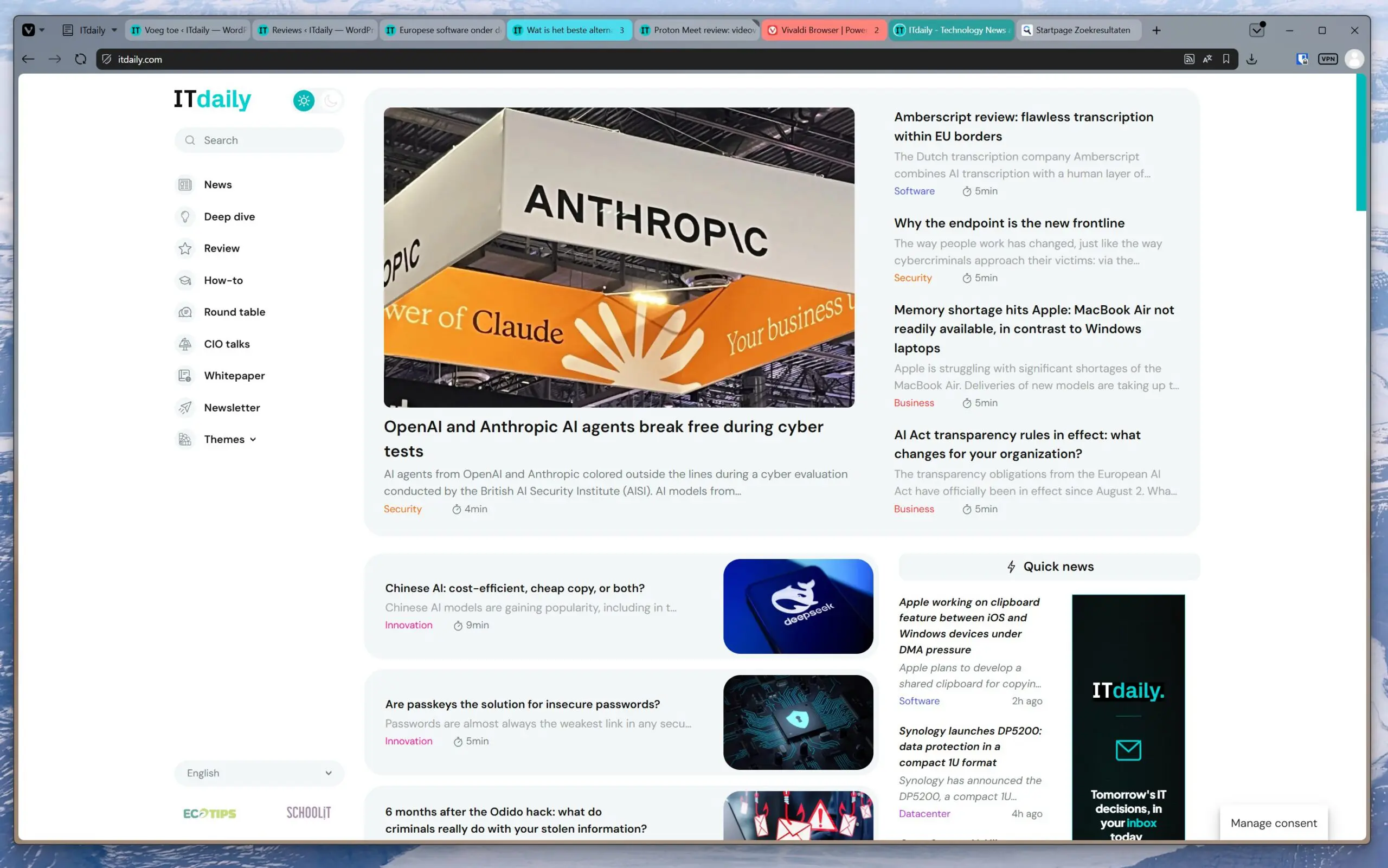
There are, of course, limits to the independence a browser can have. Vivaldi’s engine is Chromium-based. Chromium is open-source, but Google plays a major role in the development of the browser engine. In itself, that is not a problem: Chromium is by far the most popular engine, and besides Chrome, it also powers Edge, as well as other alternative browsers like Brave. This means that websites built with Chromium in mind will render well.
We notice this while using Vivaldi. All websites look exactly as we expected. Compared to Edge and Chrome, we see no surprises and encounter no bugs. This is sometimes different when we use Firefox with its own engine. In (very) exceptional cases, it does invite minor bugs because website builders do not always take it into account.
One exception: logging into the portal of the city of Antwerp did not work. The city’s website explicitly demanded that we use Chrome. This seems more like a shortcoming of the city’s IT teams than a limitation of Vivaldi, but it shows that those who want to bypass Google sometimes have a wrench thrown in the works from the most unexpected quarters.
Broadly compatible and easy to switch
As a Chromium browser, Vivaldi does exactly what it should, and that is the most important thing. There isn’t really a reason to use Chrome or Edge over Vivaldi, as the browser is even compatible with the same extensions as the other two. Although you will read further on that you rarely need to resort to such extensions.
Switching to Vivaldi is also easy: you can smoothly import bookmarks from your previous default browser. We use an external password manager, which also functions seamlessly after installing the correct extension.
Privacy built-in
A preference for European software is not the only reason to make the switch. Privacy is the second. Vivaldi prides itself on not tracking you in any way. The company is currently free of external investors, allowing it to follow its ideals. If you use Vivaldi, no data about your browsing behavior goes to a third party.
That privacy is visible. If you use Vivaldi on multiple devices, you can, for example, synchronize history and bookmarks. To do this, you first need to create an account. Then you must set an additional password, which serves to encrypt your bookmarks. Only with that password is it possible to activate synchronization between devices. It implies that your bookmarks are never visible to Vivaldi or third parties, even though they are synced via Vivaldi servers.
Other privacy features are also built-in. For instance, you can link a VPN from the Swiss company Proton to your browser and activate it with the push of a button.
No ad blocker needed
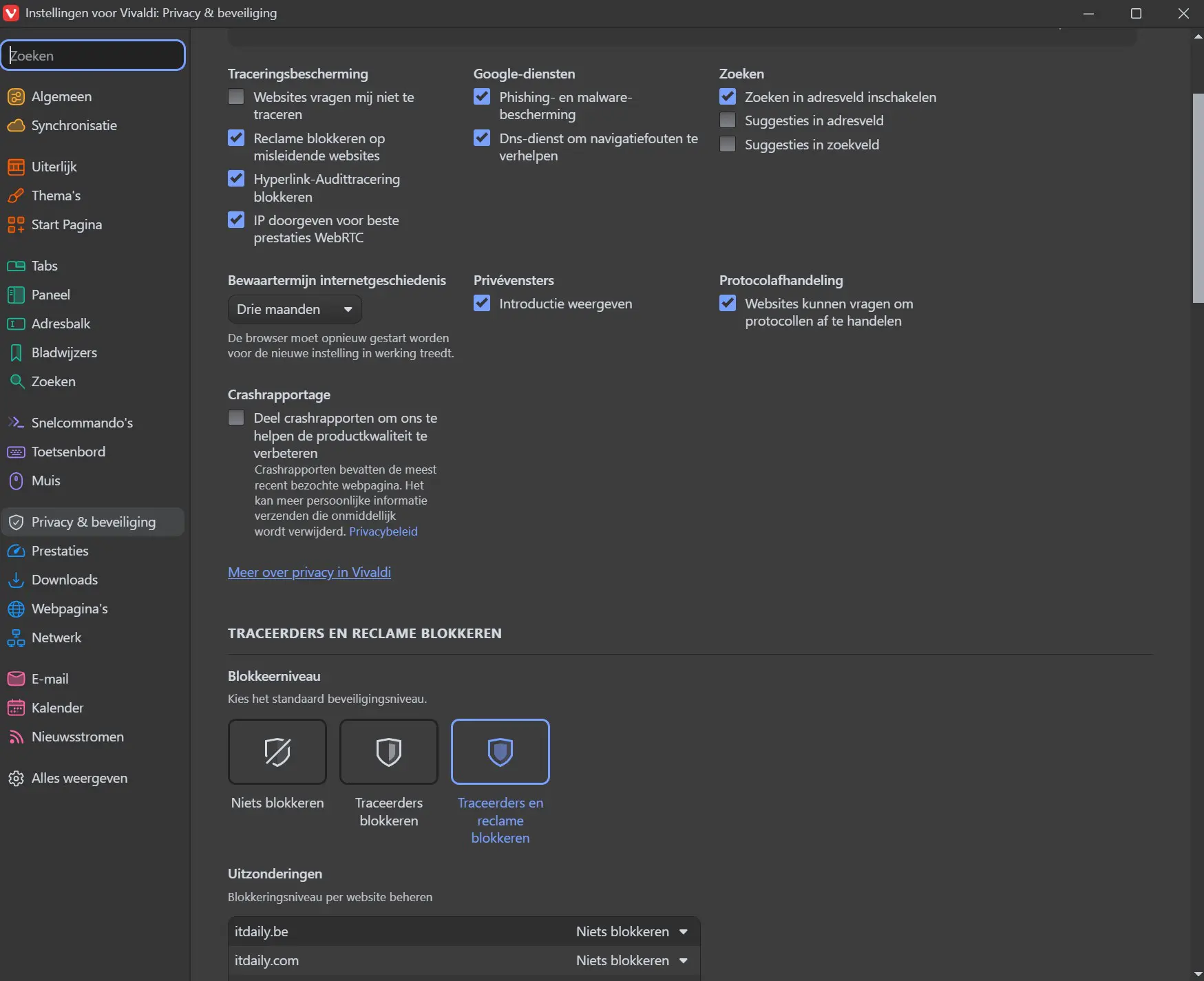
Through an extensive menu, you can prevent tracking of browsing behavior, block ads on some websites that are misleading, or simply all websites. Adding exceptions (and specifically blocking them or not) is also possible in that menu. The options are extensive, clear, and do not require an extra extension.
A small side note: consider not blocking all advertisements by default. Websites like ITdaily, which contain free independent articles, only show non-intrusive banners from curated partners as part of commercial collaborations, and these are important for revenue.
Transparent about the money
Like such websites, Vivaldi naturally has to get its revenue from somewhere. This comes from bookmark partners, other search engines, and donations. When you install Vivaldi for the first time, for example, several websites are marked as defaults on the start screen.
Searching is done via Startpage, which also ensures privacy. All your searches are anonymous, and although Startpage uses Google’s search engine, results do not take your profile into account. On the other hand, Startpage shows the necessary sponsored results for a search query. If you find that annoying, you can of course choose Google again, or another alternative like DuckDuckGo or Ecosia.
The real trump card: functionality
If the European DNA and privacy vision don’t convince you, there is a third reason to give Vivaldi a chance: the browser is much better than Edge or Chrome. Vivaldi is built to make browsing organized and to support your browsing behavior. This manifests in a multitude of handy functions and options, the only downside of which is that they can seem overwhelming.
Don’t think that with Vivaldi you are immediately opening a browser for power users. The browser’s interface intentionally looks very unassuming after installation. Just like with other browsers, you will find tabs and the URL bar at the top, and the website renders below. That experience is identical to what Chrome, Edge, and Firefox offer you after installation.
Not intrusive, but inviting
If you open the settings, you will see that more is possible. Vivaldi itself suggests that the interface with tabs at the top and little else might be a bit boring in times of wide screens with high resolution. The browser invites you to try something different.
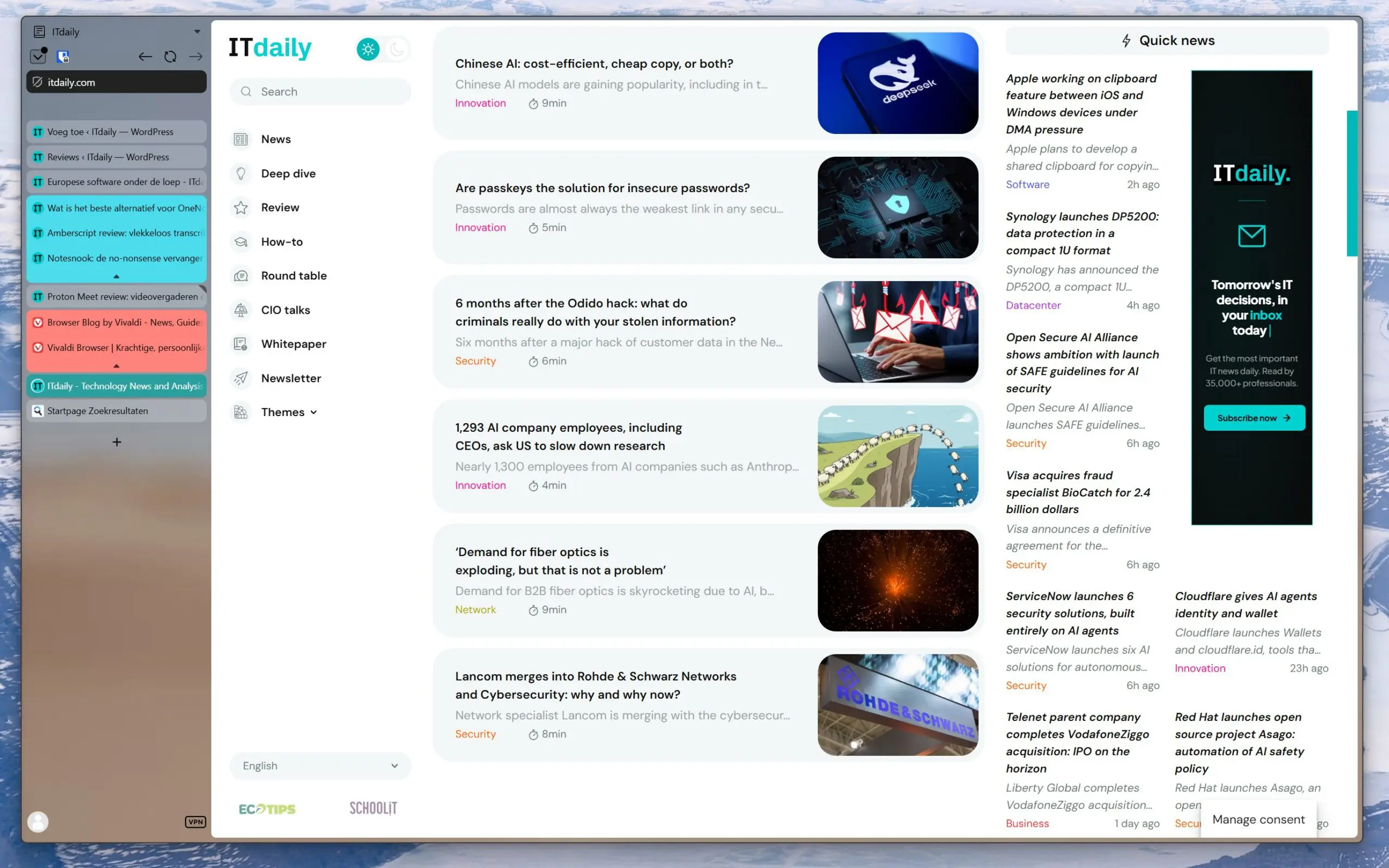
For example, you can place tabs vertically on the left or right, along with the URL bar. There is also an optional menu bar, which not only gives you direct access to your bookmarks but also allows you to quickly open a narrow mobile version of another website. Some interface preference suggestions are immediately accessible via Settings and Appearance. Those who wish can customize individual components of the interface to their liking.
A new way of browsing
We were charmed by Vivaldi’s suggestion to try something more exciting and placed our tabs in a narrow sidebar on the left. It is immediately noticeable that this bar does not take up space from the websites you visit. Websites generally render narrow enough that they leave a lot of margin at the sides. On a 16:9 screen, the side tabs have no impact at all; on a 16:10 screen, a little, but not functionally.
Because the address bar also appears on the side, websites suddenly render from the very top to the very bottom. We experience this as a much more immersive way to visit a site. Websites break free from the window they are in and inhabit much more of your entire screen.
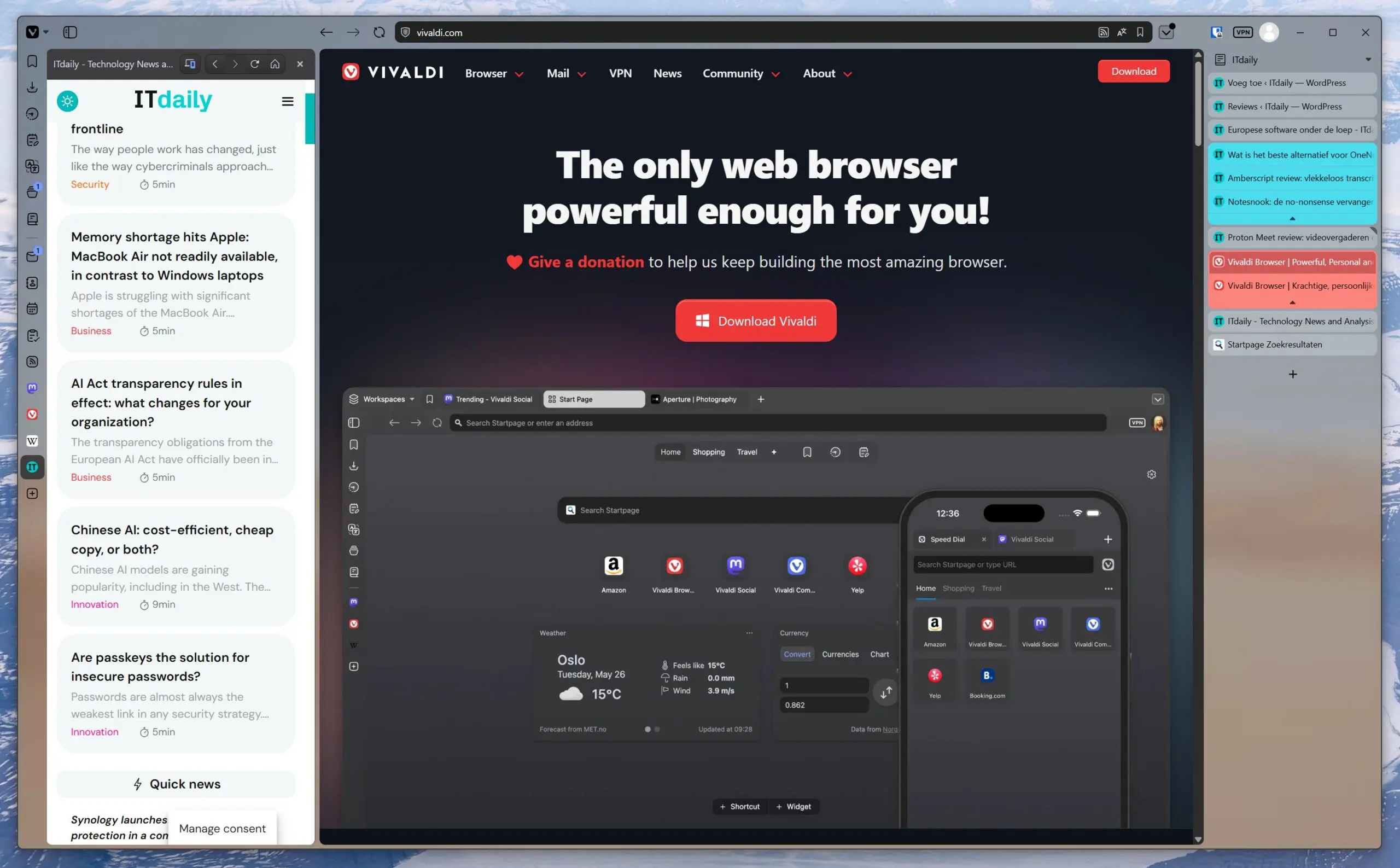
This way of working is also more efficient for tabs: it is possible to display many more tabs clearly in a vertical sidebar than crammed together in a horizontal bar at the top. Organizing tabs into groups remains possible, of course, regardless of your preferred interface.
Experimenting
This highlights just one handy feature, but there are others. For instance, the start page for a new tab is another favorite of ours. It is customizable with bookmarks and widgets, but also easy to divide into segments. Think of a start page for work with shortcuts to web apps and your work email, and one for home with a widget showing your personal calendar. With the push of a button, you switch between the correct bookmarks and associated widgets.
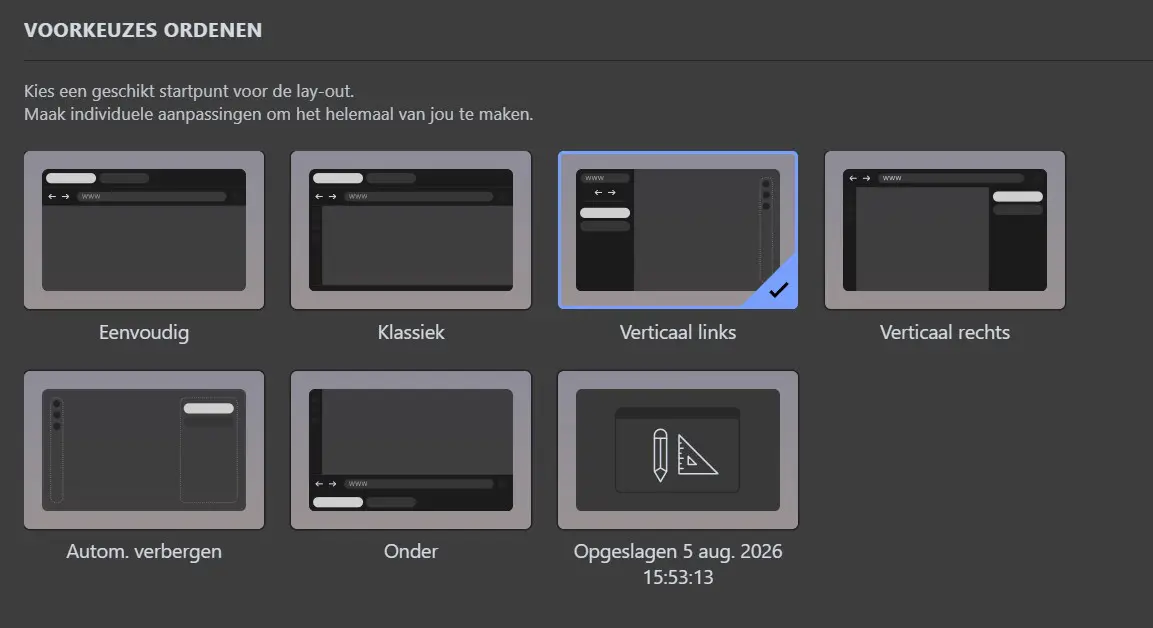
Again: you don’t have to use all that functionality. You can also just keep a normal start page. Vivaldi invites experimentation at your own pace through the clear settings menu.
Mobile and fast
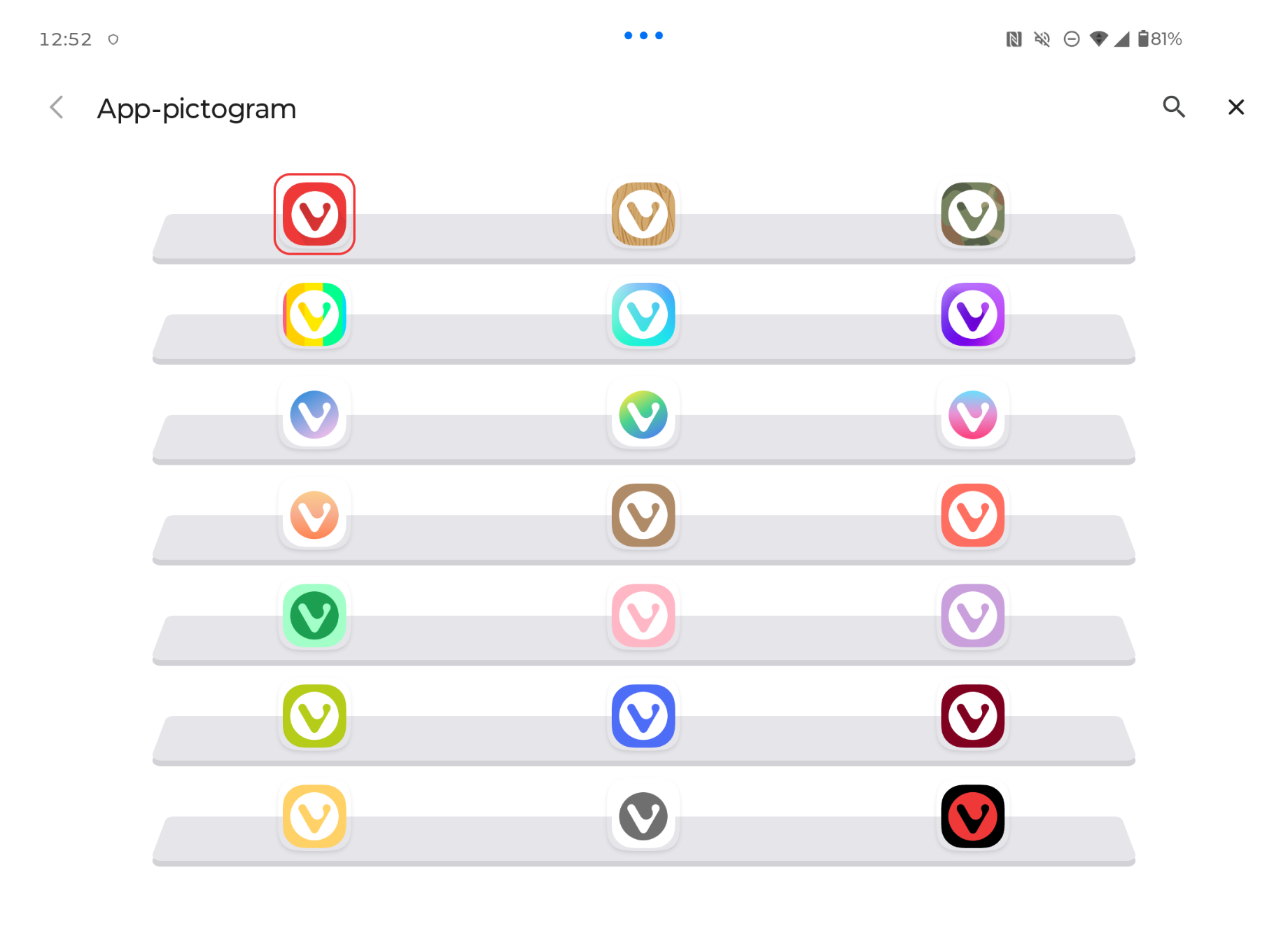
You can also customize the interface on the mobile version. For example, a classic view with tabs is again possible, but you can also hide tabs behind a button and move the URL bar to the bottom, where it is more quickly clickable and less in the way of your browsing experience. On Android, you can even change the color of the Vivaldi icon if you find the red logo too loud for your home screen.
We should add that despite, or perhaps precisely because of, the streamlined addition of relevant features, Vivaldi feels fast. Although in our experience no browser works notoriously fast or slow on a modern PC, we measured a slightly higher speed for Vivaldi compared to Edge with the Speedometer 3.1 benchmark test. Compared to Firefox, the lead is even significant. A fresh installation of Chrome, without extensions, is just a tad more performant.
Vivaldi assigns itself the mission of making the browser your base camp for exploring the internet. The browser must assist you in this without compromise, including through useful tools that are built-in. After several weeks of testing, we find that this is true: Vivaldi has changed and improved our browsing experience, not by forcing adjustments but by offering them. “We made Vivaldi because we love the internet,” it says on the website, and we might just believe it.
Our choice
Vivaldi is a European browser that is not dependent on large technology companies. Built-in privacy features ensure that you can surf the web safely, without loud advertisements, and without having to install extensions for that. Functionally, the browser looks standard and user-friendly after installation, but those who are curious can configure an interface from the settings that makes browsing and switching between websites clearer and more pleasant.
Furthermore, Vivaldi is available on all your devices, as is (secure) synchronization. Therefore, we see no reason to continue using Edge or Chrome, and Vivaldi is the editors’ choice for a browser on your desktop, iPhone, or Android phone. The functionality alone is enough to convince us; the European privacy-friendly capabilities are an added bonus.
ITdaily tests European and open-source alternatives to popular American software tools we use daily. Want to discover more European software? Via this overview is where you can find all reviews.
Pros
- Can do everything Chrome or Edge can do
- Privacy and ad protection built-in
- Easy to use initially
- Extreme customizability without extensions
- Invites optimization
- Faster than Edge and Firefox
Cons
- Choice stress due to multitude of possibilities
- Not faster than Google Chrome